2-56 Sun Fire X4100/X4100 M2 and X4200/X4200 M2 Servers Service Manual • August 2009
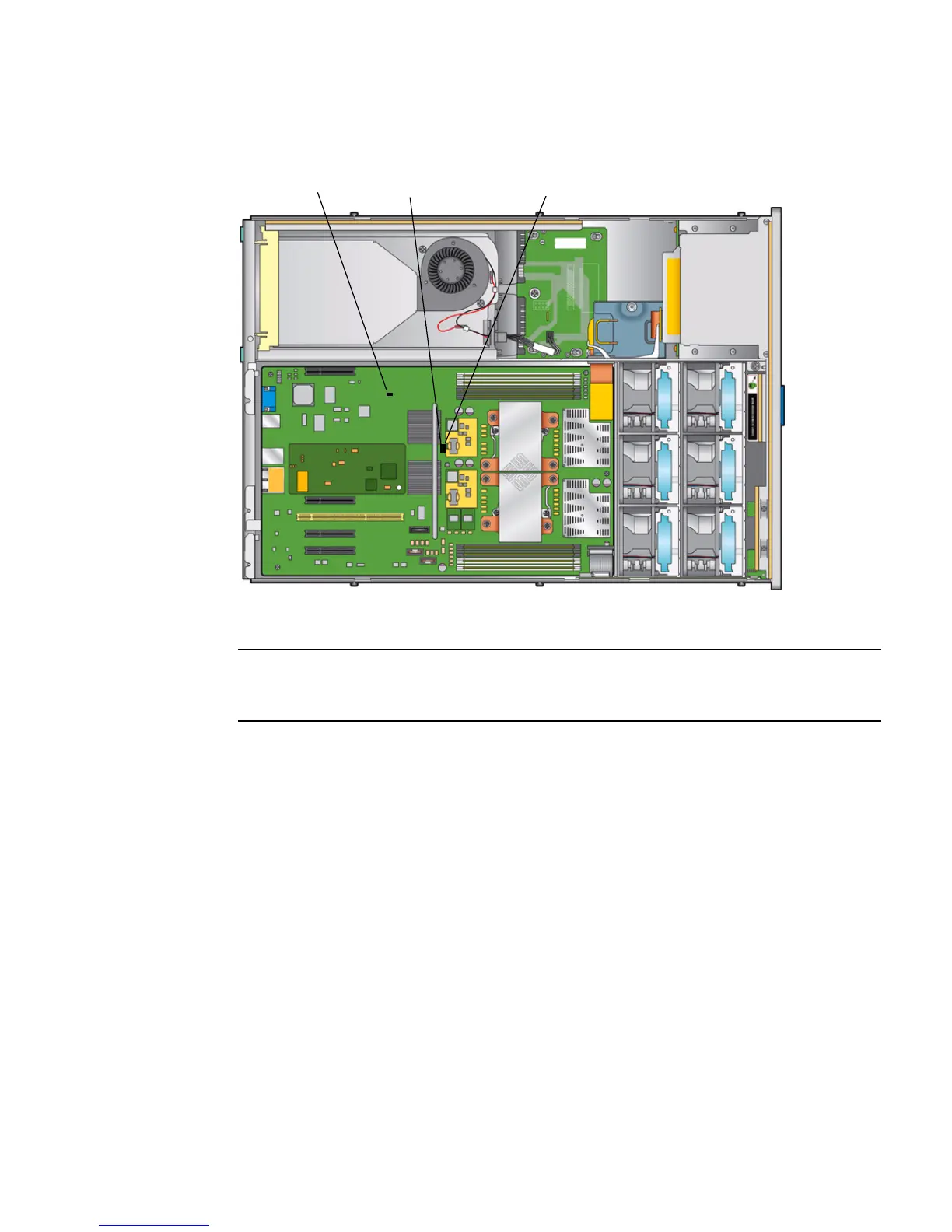
FIGURE 2-9 Location of Jumpers on the Sun Fire X4100 M2/X4200 M2 Motherboard
2.4.1 Resetting the SP Password
If the ILOM BIOS SP password needs to be reset, do the following to reset the SP and
CMOS passwords:
1. Determine if the ILOM SP first-level booter (U-Boot) is intact. Follow
documented procedures to connect to the SP serial port, apply power to the
system, and observe the initial ILOM boot messages.
See Sun Fire X4500/X4540 Server Installation Guide for details.
■ If no screen output is displayed, stop here. The GRASP board must be replaced.
Refer to Sun Fire X4500/X4540 Server Service Manual for instructions.
■ If screen output is displayed, continue to the next step.
2. Enter the ILOM SP U-Boot command interpreter with xyzzy.
Figure Legend
1 J9, CMOS Clear
2 J12, Password Clear
3 J13, Force Recovery
2
3
1














 To Next Page