3-82 Sun Fire X4100/X4100 M2 and X4200/X4200 M2 Servers Service Manual • August 2009
3.12.17.1 Installing the Motherboard
Installation is the reverse of this procedure. Note the following:
Caution – When reinstalling the CPUs, follow the instructions in “Replacing a CPU
and Heatsink (Sun Fire X4100 and X4200 Servers)” on page 3-17 or “Replacing a CPU
and Heatsink (Sun Fire X4100 M2/X4200 M2 Servers)” on page 3-23.
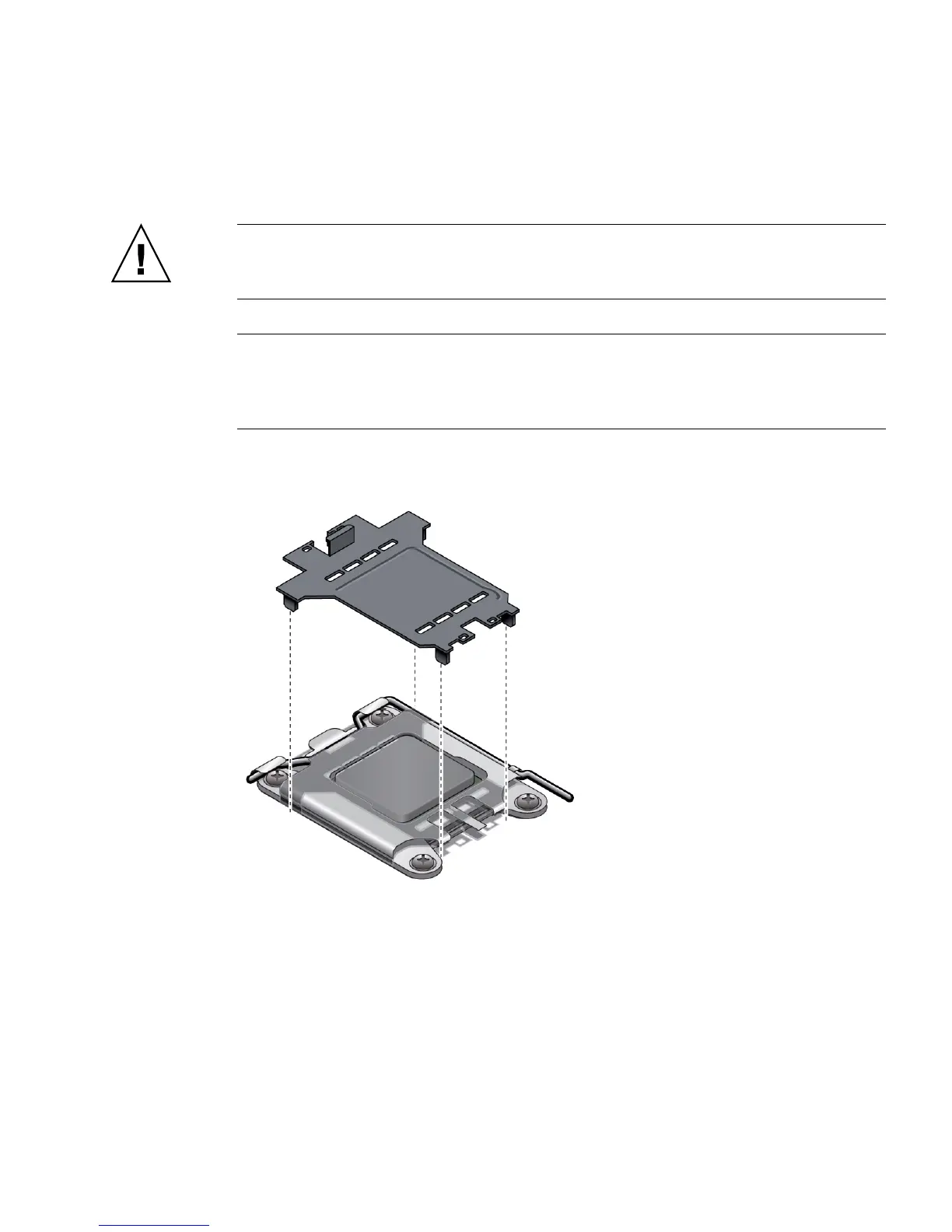
Note – When you replace your motherboard, you must take the plastic CPU socket
covers that are present on the new replacement motherboard and install them into
the CPU sockets of the old motherboard before shipping. This ensures that the CPU
pins are not damaged in transit. See FIGURE 3-66.
FIGURE 3-66 Installing the CPU Socket Protective Cover
■ When reinstalling screws, tighten to 7 in-lbs (0.8 Nm) using an adjustable torque
driver.
■ When installing the new motherboard, replace the old cap-style bus bar nuts with
new M5 flange-nuts that are included with your replacement motherboard.
Tighten the flange-nuts onto the bus bar studs to 18 in-lbs (2.0 Nm). Vibration can
loosen the old style cap nuts; the new flange style nuts correct this.














 To Next Page