3-88 Sun Fire X4100/X4100 M2 and X4200/X4200 M2 Servers Service Manual • August 2009
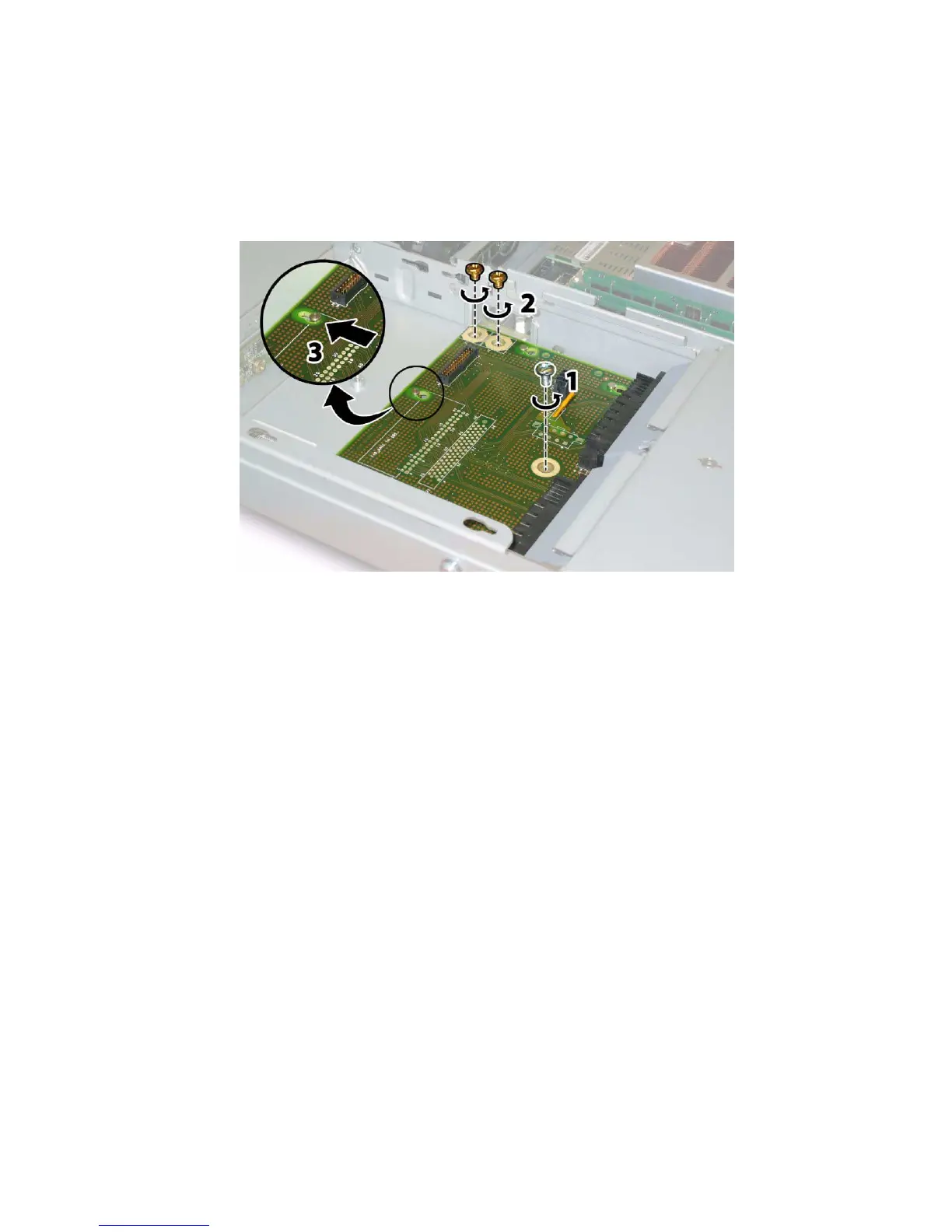
11. Use a No. 2 Phillips screwdriver to remove the three screws that secure the
power distribution board to the chassis and bus bars. See
FIGURE 3-71.
FIGURE 3-71 Disconnecting the Power Distribution Board From the Chassis
12. Raise the plastic air baffles that cover the power supply connectors up and
toward the rear of the chassis to provide clearance.
13. Slide the power distribution board toward the front of the chassis to release the
five chassis standoffs from the keyways in the board.
14. Lift the board up off of the chassis standoffs and remove it from the chassis.














 To Next Page