3-16 Sun Fire X4100/X4100 M2 and X4200/X4200 M2 Servers Service Manual • August 2009
Note – Note the orientation (polarity) of the battery in its holder before removing it.
The positive polarity, marked with a “+” symbol, should be facing toward the chassis
center.
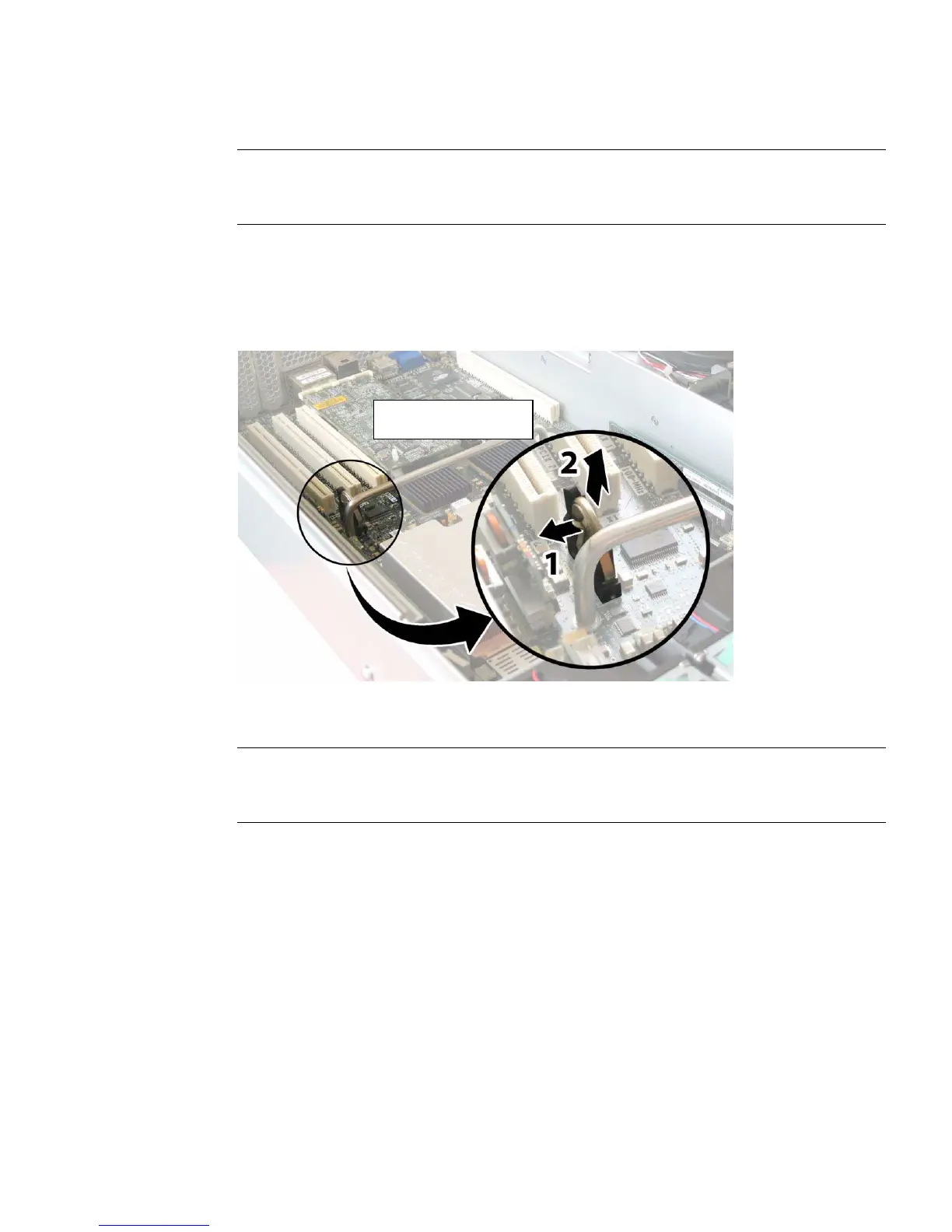
4. Remove the battery by gently pulling the clip away from the battery face and
lifting the battery straight up. See
FIGURE 3-9.
FIGURE 3-9 Removing the Battery
Installation is the reverse of this procedure.
Note – Install the new battery in the holder with the same orientation (polarity) as
the battery that you removed. The positive polarity, marked with a “+” symbol,
should be facing toward the chassis center.
Positive polarity (+)
facing chassis center














 To Next Page