Chapter 3 Maintaining the Sun Fire Servers 3-45
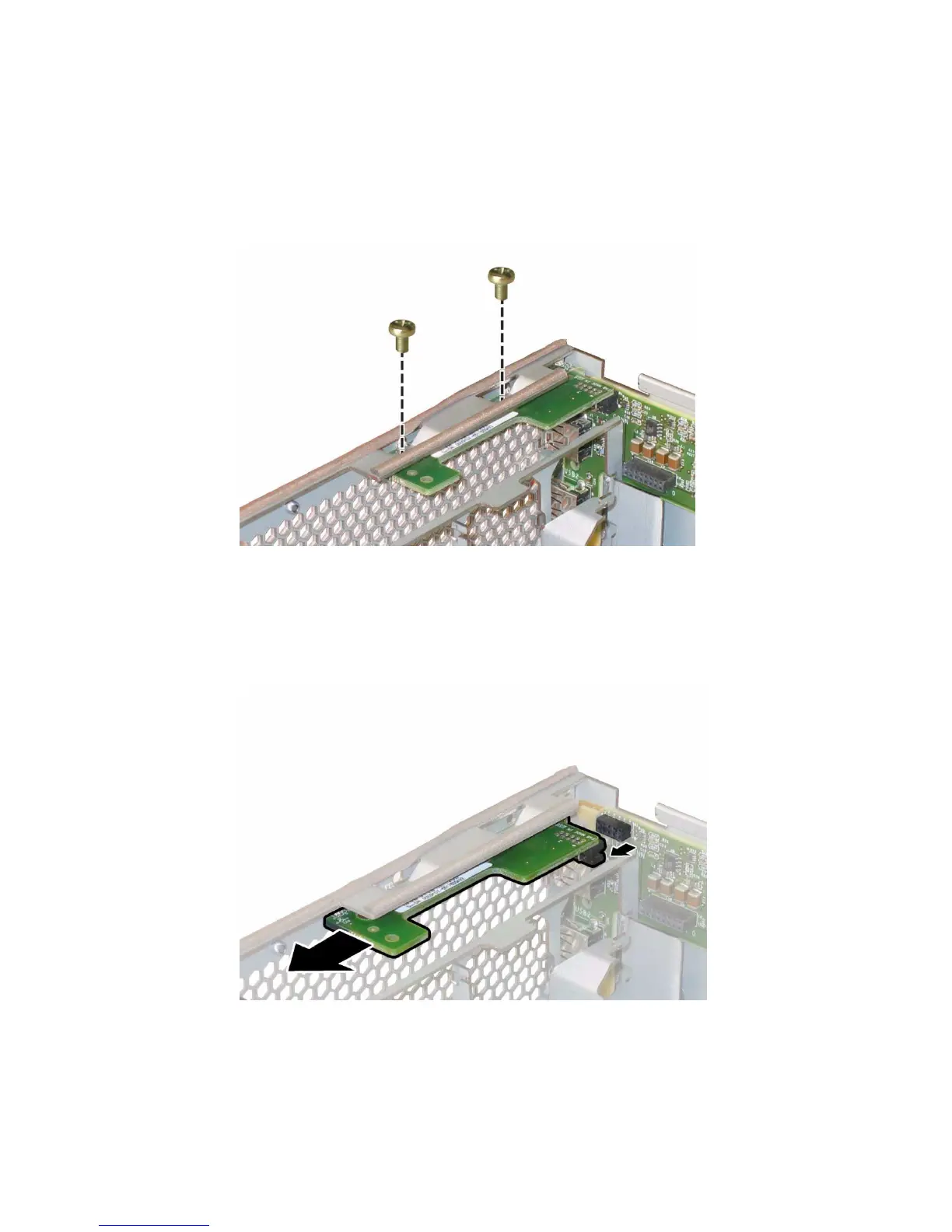
6. Unfasten the two screws that secure the front panel indicator board to the
chassis. For details, see
FIGURE 3-34.
FIGURE 3-34 Unfastening the Front Panel Indicator Board Screws
7. While supporting the indicator board with your right hand, use your left hand
to gently push the indicator board toward the center of the chassis to disconnect
it from the front I/O board. See
FIGURE 3-35.
FIGURE 3-35 Removing the Front Panel Indicator Board
8. Remove the front panel indicator board from the chassis.














 To Next Page