Chapter 3 Maintaining the Sun Fire Servers 3-91
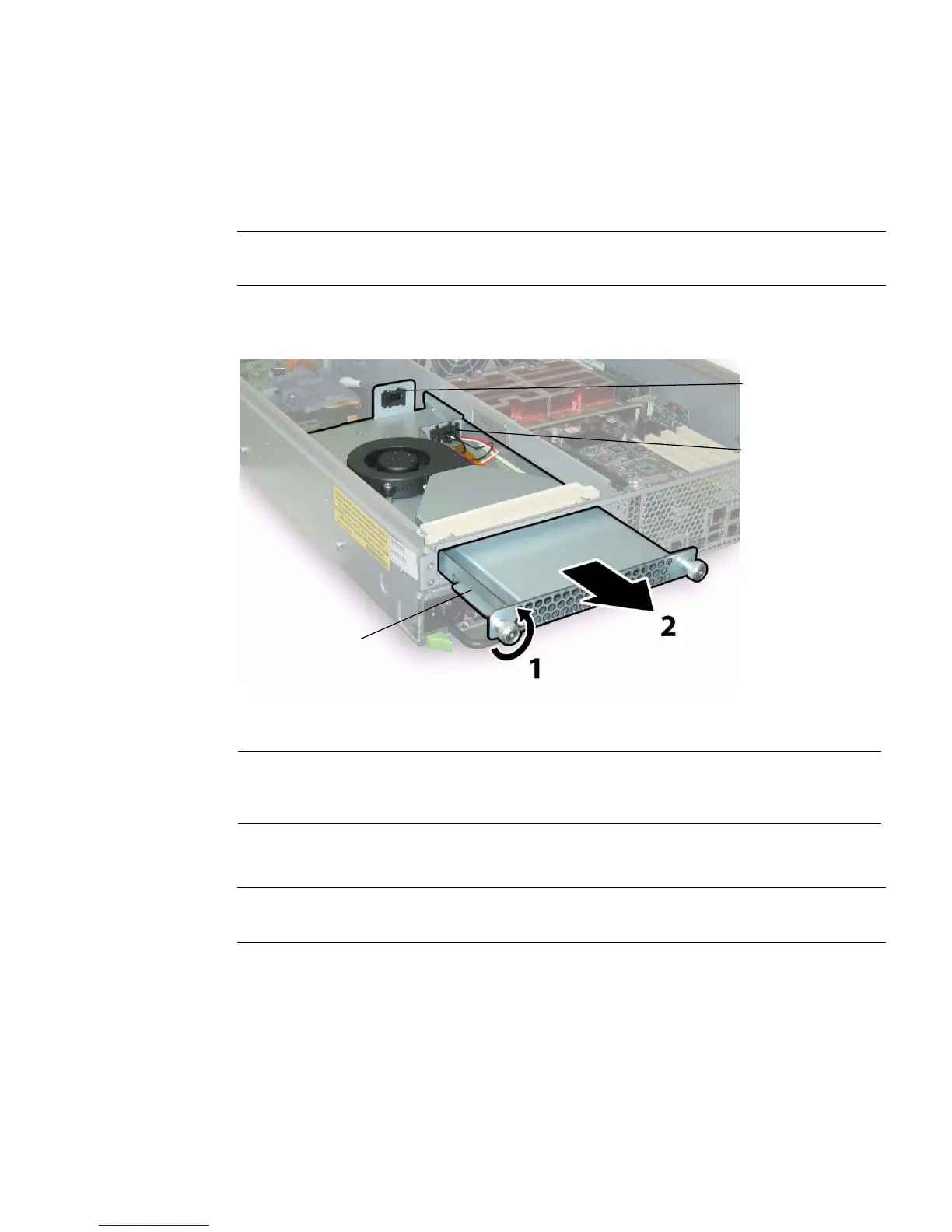
2. Remove the rear fan tray from the chassis.
The fan tray’s cable connector disengages from the internal connector on the
chassis.
Note – In FIGURE 3-73, the server is shown with the cover off for visibility of the
component; do not remove the cover for this procedure.
FIGURE 3-73 Removing the Rear Fan Tray
Installation is the reverse of this procedure.
Note – When you reinstall the new rear fan tray, ensure that the metal guides on the
fan tray sides (see FIGURE 3-73) engage the plastic rails inside the chassis bay evenly.
Figure Legend
1 Metal guides
2 Chassis connector to PDB
3 Fan tray cable connector
1
3
2














 To Next Page