C-4 Sun Fire X4100/X4100 M2 and X4200/X4200 M2 Servers Service Manual • August 2009
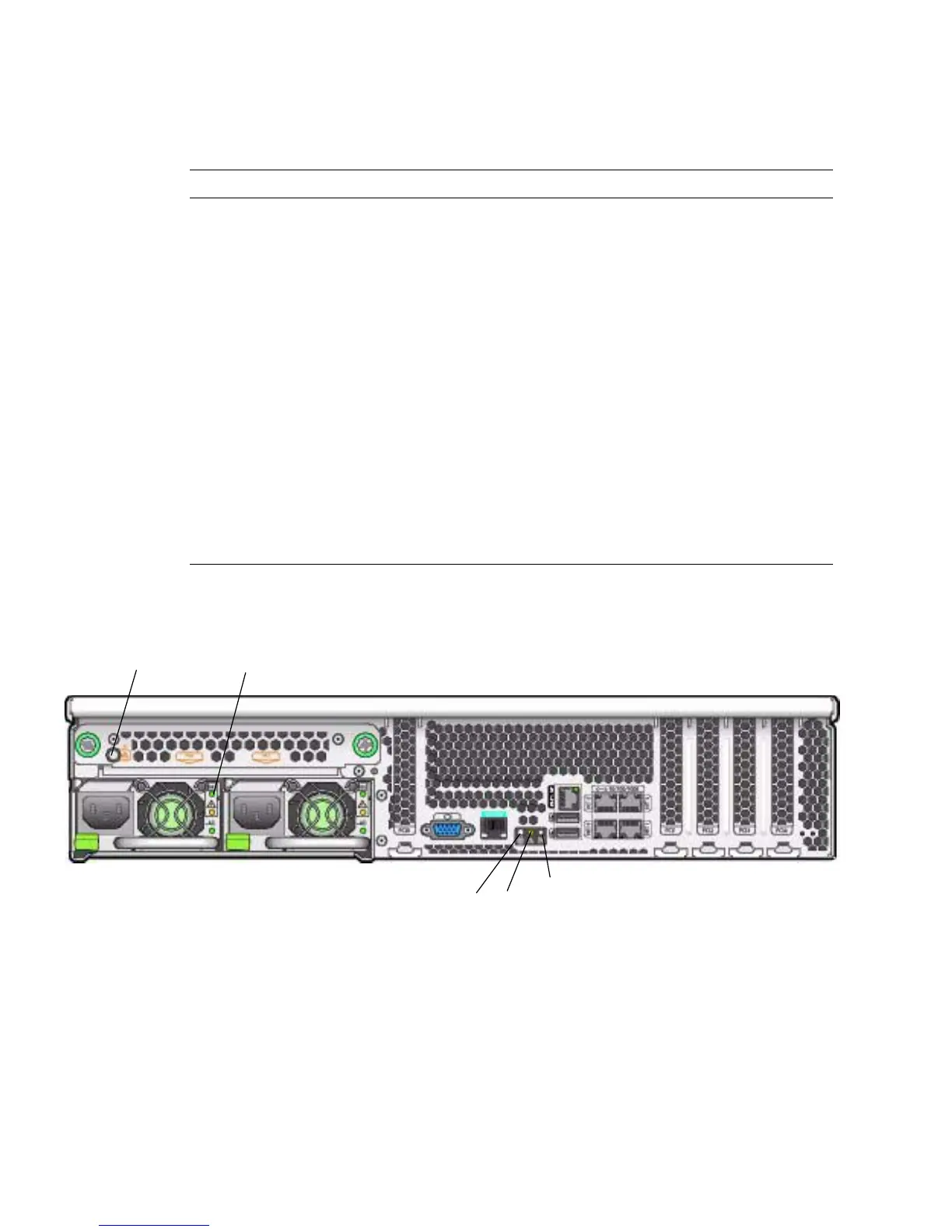
FIGURE C-2 Server Back Panel LEDs
Power Supply/Rear Fan Tray
Fault LED
This LED lights when:
• Two power supplies are present in the system but only
one has power connected. To clear this condition, either
plug in the second power supply or remove it from the
chassis.
• Any voltage-related event occurs in the system. For CPU-
related voltage errors the associated CPU Fault LED will
also be illuminated.
• (For Sun Fire X4200/X4200 M2 only) when the rear fan
tray has failed or is removed.
System Overheat Fault LED This LED lights when an upper temperature limit is
detected.
Hard Disk Drive Status LEDs The hard disk drives have three LEDs:
• Top LED (blue): Reserved for future use.
• Middle LED (amber): Hard disk drive failed.
• Bottom LED (green): Hard disk drive is operating
properly.
TABLE C-3 Front Panel LED Functions (Continued)
LED Name Description
1
2
3
5
4














 To Next Page