MC50 Integrator Guide8-14
Power
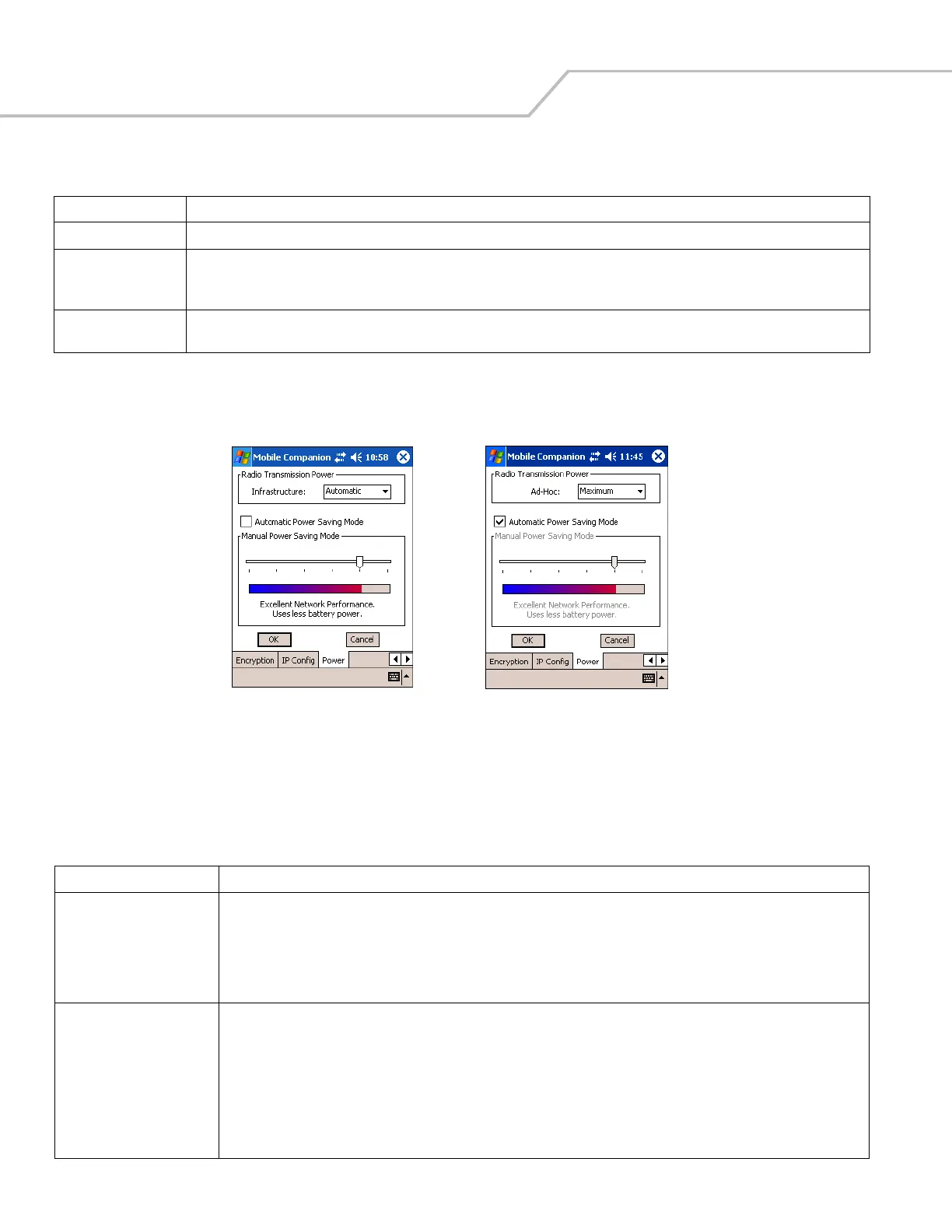
1. Select the Power tab to set the Radio Transmission Power level and the Power Saving Modes for the mobile computer
profile.
Figure 8-18. Mobile Companion - Power Tab
Adjusting the Radio Transmission Power level expands or confines the transmission area with respect to other wireless
devices that could be operating nearby. Reducing coverage in high traffic areas improves transmission quality by reducing
the number of noises in that coverage area.
Gateway The default gateway is a device used to forward IP packets to and from a remote destination.
DNS The Domain Name System (DNS) is a distributed Internet directory service. DNS is usually used to translate domain names and IP
addresses. It is also used to control Internet email delivery. Most Internet service requires DNS to operate properly. If DNS is not
configured, Web sites cannot be located and/or email delivery fails.
WINS WINS is a Microsoft
®
Net BIOS name server. WINS eliminates the broadcasts needed to resolve computer names to IP addresses by
providing a cache or database of translations.
Table 8-8. Power Tab Fields
Field Description
Radio Transmission Power
In Infrastructure mode There are two transmission power options:
Select Automatic to use the AP power level. Automatic is the default mode for mobile computers operating in Infrastructure
mode.
Select Power Plus to set the mobile computer transmission power one level higher than the level set for the AP.
In Ad Hoc mode There are five transmission power options:
Select Maximum power to set the mobile computer to the highest transmission power level. Select Maximum power when
operating in highly reflective environments and areas where other devices could be operating nearby, or when attempting to
communicate with devices at the outer edge of a coverage area.
Select 50%, 25%, or 10% to set the transmit power level to that percentage of the maximum power level.
Select Minimum power to set the mobile computer to the lowest transmission power level. Use the minimum power level when
communicating with other devices in very close proximity, or in instances where little or no radio interference from other devices
is anticipated.
Table 8-7. IP Config Tab Fields (Continued)
Field Description
Infrastructure Mode
Ad Hoc Mode



 To Next Page