WLAN Configuration 8-13
IP Config
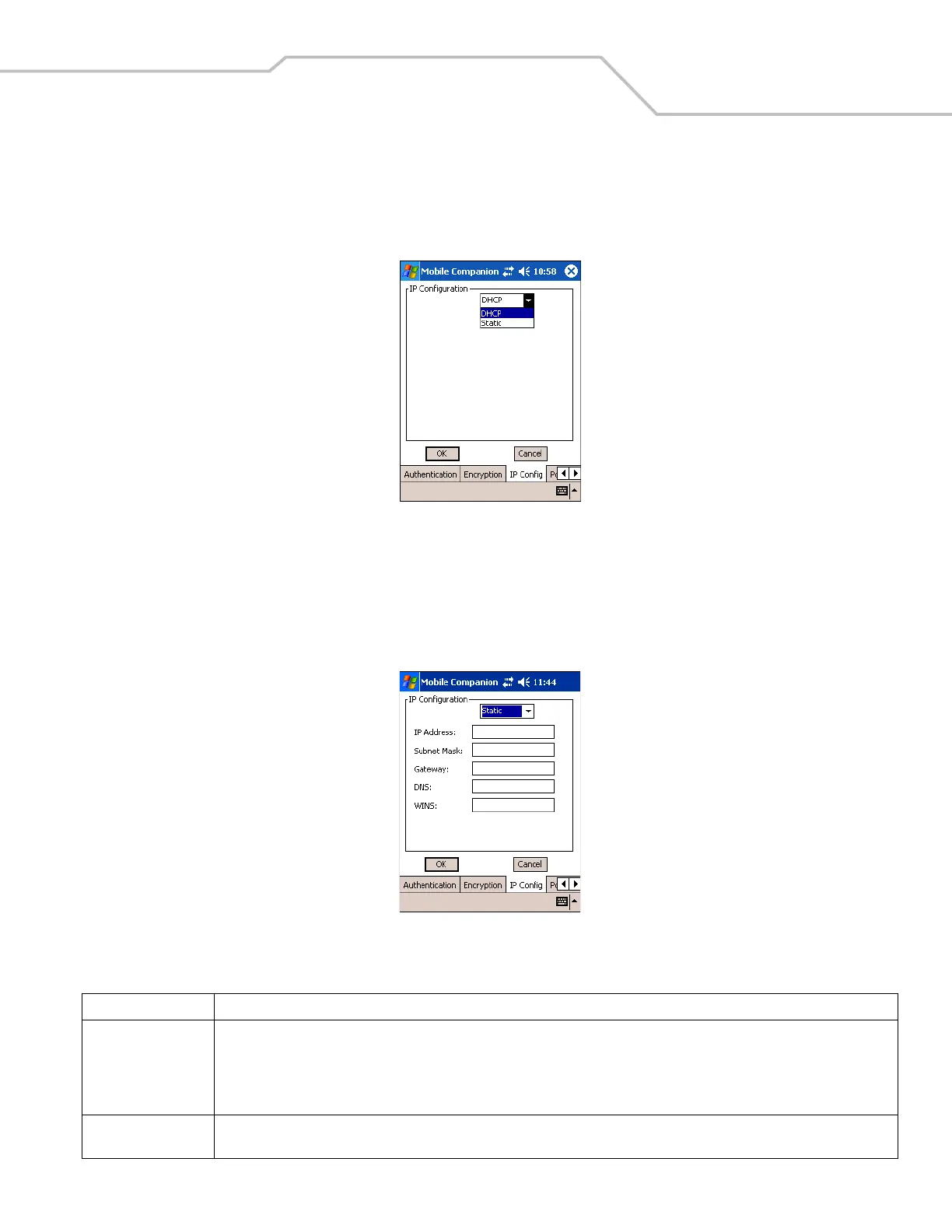
Select the IP Config tab to configure the following mobile computer profile network address parameters: IP address, subnet, gateway,
DNS, and WINS. Changes made within the IP Config tab only impact the profile selected in the Mode tab and do not impact the
network address parameters configured for other profiles.
Figure 8-16. Mobile Companion - IP Config Tab (DHCP)
• Select Dynamic Host Configuration Protocol (DHCP) from the drop-down list to obtain a leased IP address and network
configuration information from a remote server. DHCP is the default setting for the mobile computer profile. When DHCP is
selected, the IP address fields are read-only.
• Select Static to manually assign the IP, subnet mask, default gateway, DNS, and WINS addresses for the mobile computer
profile.
Figure 8-17. Mobile Companion - IP Config Tab (Static)
Table 8-7. IP Config Tab Fields
Field Description
IP Address The Internet is a collection of networks with users that communicate with each other. Each communication carries the address of the
source and destination networks and the particular machine within the network associated with the user or host computer at each end.
This address is called the IP address (Internet Protocol address). Each node on the IP network must be assigned a unique IP address that
is made up of a network identifier and a host identifier. Enter the IP address as a dotted-decimal notation with the decimal value of
each octet separated by a period, for example, 192.168.7.27.
Subnet Mask Most TCP/IP networks use subnets to manage routed IP addresses. Dividing an organization's network into subnets allows it to connect
to the Internet with a single shared network address, for example, 255.255.255.0.



 To Next Page