Basic
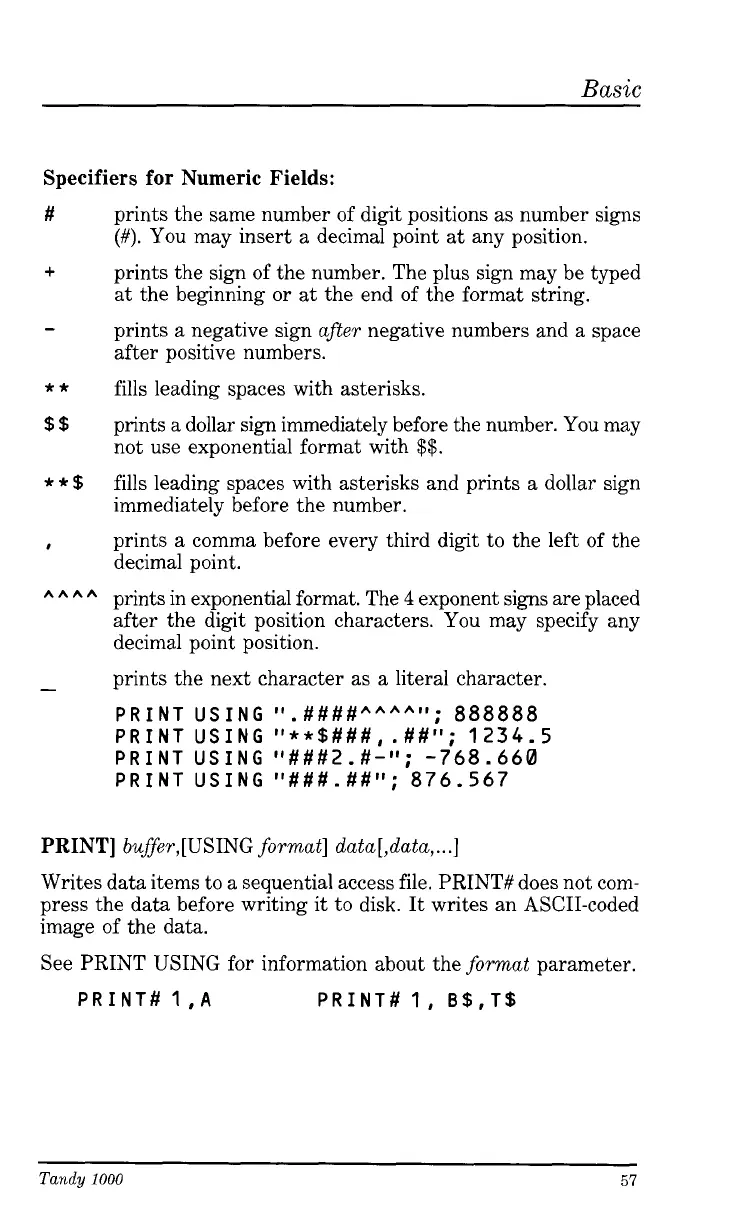
Specifiers for Numeric Fields:
#
+
-
**
$$
**$
I
hhhh
-
prints the same number of digit positions as number signs
(#).
You
may insert a decimal point at any position.
prints the sign of the number. The plus sign may be typed
at the beginning or at the end of the format string.
prints
a
negative sign after negative numbers and a space
after positive numbers.
fills leading spaces with asterisks.
prints a dollar sign immediately before the number. You may
not use exponential format with
$$.
fills leading spaces with asterisks and prints a dollar sign
immediately before the number.
prints a comma before every third digit to the left of the
decimal point.
prints in exponential format. The
4
exponent signs are placed
after the digit position characters. You may specify any
decimal point position.
prints the next character as a literal character.
PRINT
USING
ll.####hhhhll;
888888
PRINT
USING
It**$###,
.##'I;
1234.5
PRINT
USING
"###2.#-"; -768.660
PRINT
USING
I1###.##l1;
876.567
PRINT]
buffer,[USING format] data[,data,
...I
Writes data items to a sequential access file. PRINT# does not com-
press the data before writing it to disk. It writes an ASCII-coded
image of the data.
See PRINT USING for information about the format parameter.
PRINT#
1
IA
PRINT#
1, B$,T$
Tandy
1000
57





 To Next Page