Tutorial
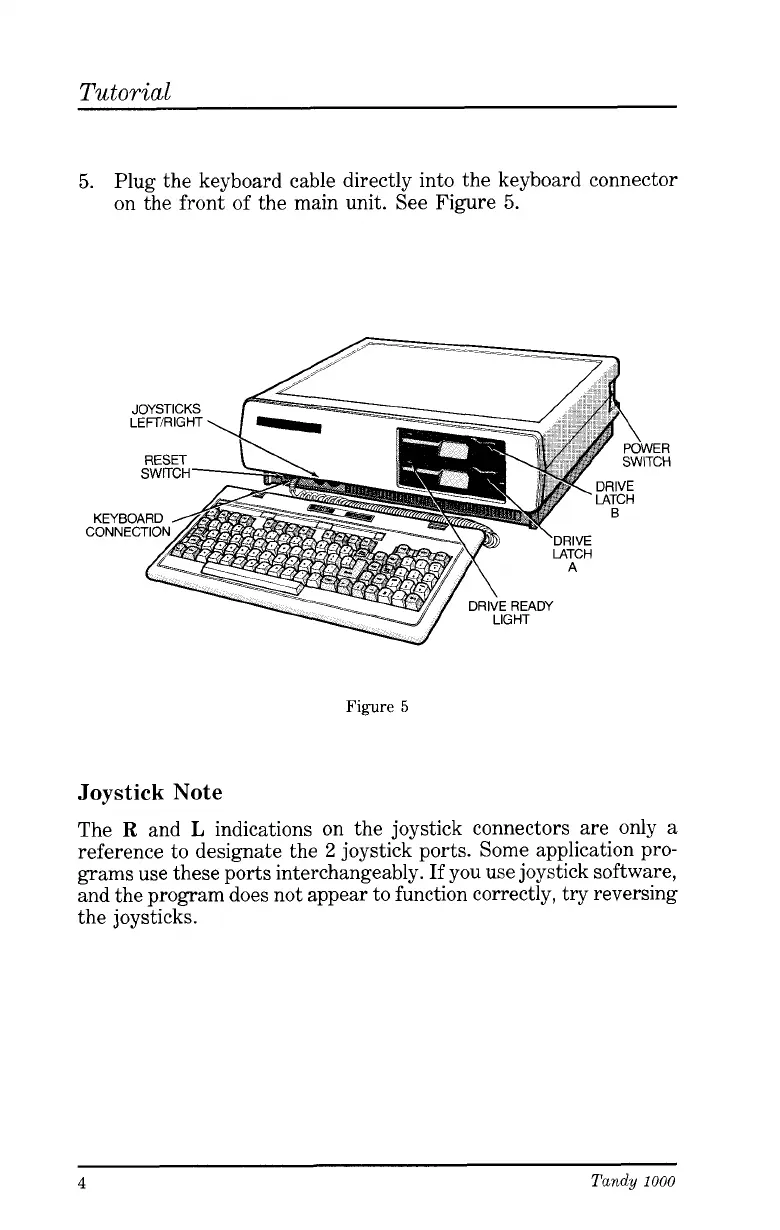
5.
Plug the keyboard cable directly into the keyboard connector
on the front of the main unit. See Figure
5.
ER
CH
Figure
5
Joystick
Note
The
R
and
L
indications on the joystick connectors are only a
reference to designate the
2
joystick ports. Some application pro-
grams use these ports interchangeably.
If
you use joystick software,
and the program does not appear to function correctly, try reversing
the joysticks.
4
Tandy
1000




 To Next Page