4 - Description of Function
Overview of Modules and Components
Te-Stack Operating Manual, 391862, en, V2.3 4 - 3
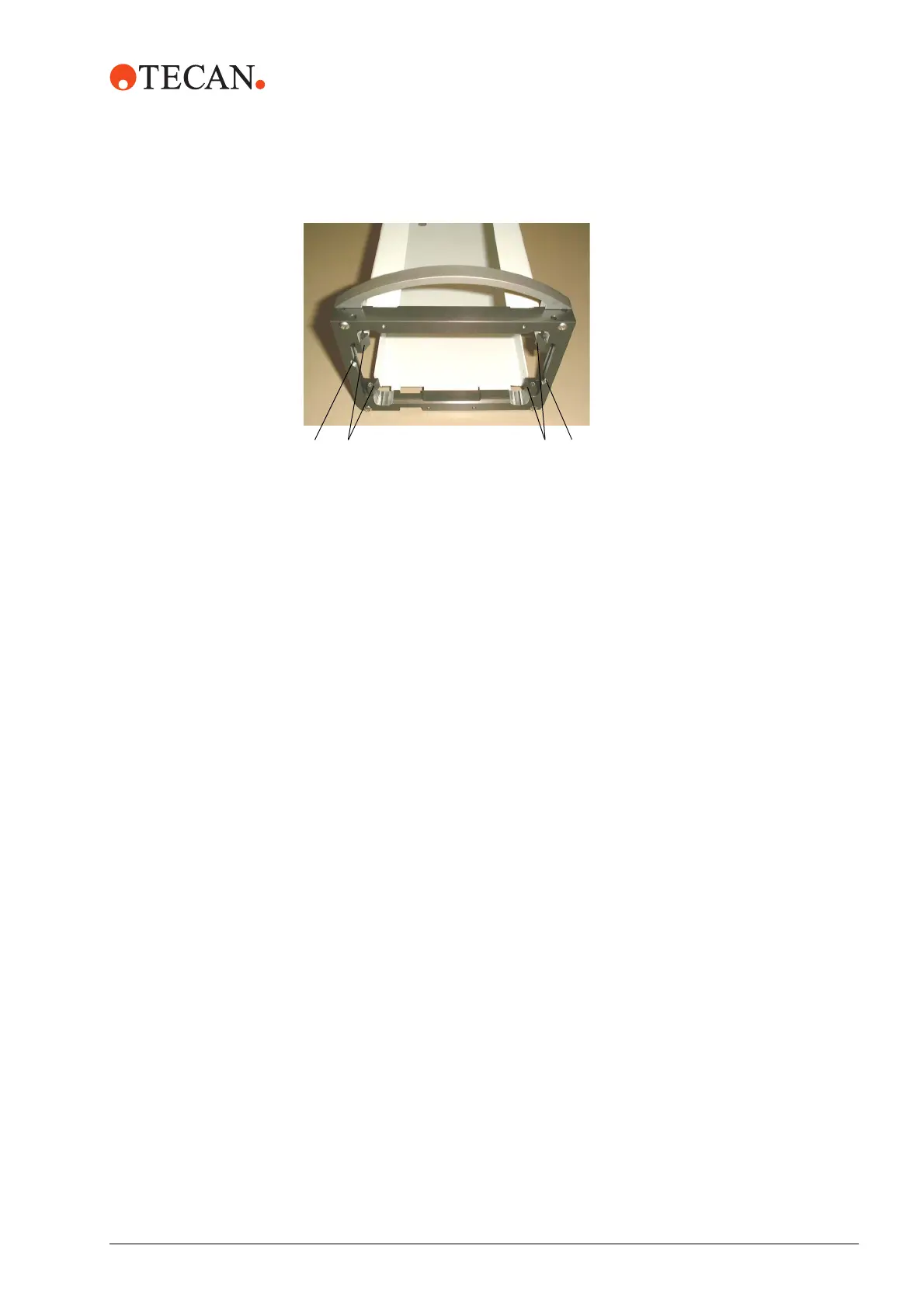
For this purpose, a solenoid on each side of the stacker column presses against
the plate lock bar. The plate locks retract and release the rack.
4.1.7 Barcode Scanner (Option)
A barcode scanner can be mounted at the left or right side (Freedom EVO
version).
4.1.8 Power Switch and Power Supply
Te-Stack is powered by the power supply of Freedom EVO instrument.
Refer to the “Freedom EVO Operating Manual”.
4.1.9 Safety Panels and Covers
Acrylic Glass
Cover
The cover is installed in front of the Te-MO version in order to protect the
environment in case of spilling, and in order to meet safety requirements for the
user.
The Freedom EVO version is equipped with acrylic glass covers over the transfer
station(s).
Freedom EVO
Safety Panels
The standard front safety panel for Freedom EVO cannot be used for the Te-MO
version. A special front cover can be ordered if the placement of the Te-MO is
known. The Freedom EVO side safety panel has a cutout for the transfer station.
Fig. 4-3 Plate locks
The plate locks (A) at the lower end
of the stacker column prevent the
racks from falling down. To unload
a rack the plate locks can be
released.
A Plate locks
B Plate lock bar



 To Next Page