EasyManua.ls Logo

Technogym CROSS PERSONAL - SERVICE MENU CONFIG.: VISIO - VISIOWEB

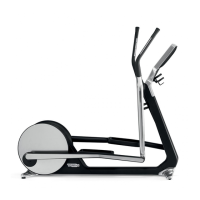
Technogym CROSS PERSONAL
118 pages
Print Icon
To Next Page IconTo Next Page
To Previous Page IconTo Previous Page
Loading...
CROSS PERSONAL: Service & maintenance manual - rev. 1.1
Page 7.3
7.3. DISMANTLING THE TOUCH SCREEN
OPERATION
DESCRIPTION
Dismantling the Touch
Screen
1. Switch off the equipment and disconnect the power supply plug
from the wall socket.
2. Remover the ā€œRear display coverā€.
3.
Disconnect and remove the Touch Screen interface card. (flat
cable + USB cable + 2 screws, using a Phillips screwdriver).
4. Unscrew the 4 screws anchoring the screen+TS assembly to the
display plate, using a 4 mm hex key (like the one under the TS
interface card).
5. Remove the front screen+TS assembly, from the front.

Table of Contents

Related product manuals