RUN 600 XTPRO: Service & Maintenance Manual - rev. 1.3
Page 7.34
7.22. DISASSEMBLING THE PHOTOCELL
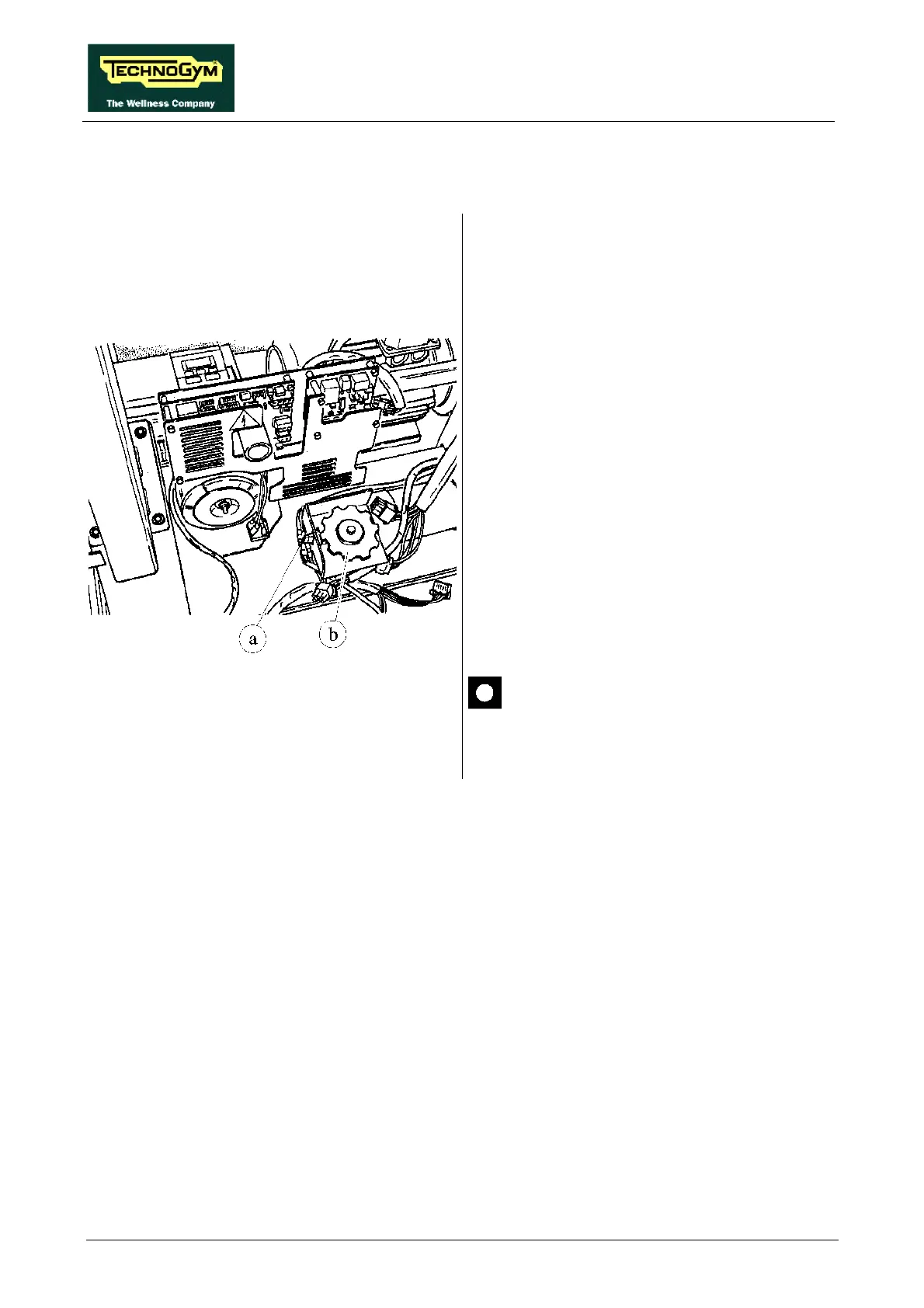
Figure 7.22-1
Carry out the procedures described in paragraphs
7.9. “Disassembling the motor guard” and 7.10.
“Disassembling the front plate”.
1. Disconnect connector a on the PHOTOCELL
board.
2. Using a 10-mm wrench, unscrew the 2
screws fixing the cover of the protective
housing of encoder wheel b if present.
3. Open the cover.
4. Unscrew the 2 screws fixing the
PHOTOCELL board to the support using a
small Phillips screwdriver.
5. Remove the PHOTOCELL board.
To reassemble the PHOTOCELL, carry out the
above steps in reverse order.
After completing the procedure, adjust
the centering of the photocell as
instructed in paragraph 8.8. .











 To Next Page