RUN 600 XTPRO: Service & Maintenance Manual - rev. 1.3
Page 8.9
8.8. CENTERING THE PHOTOCELL
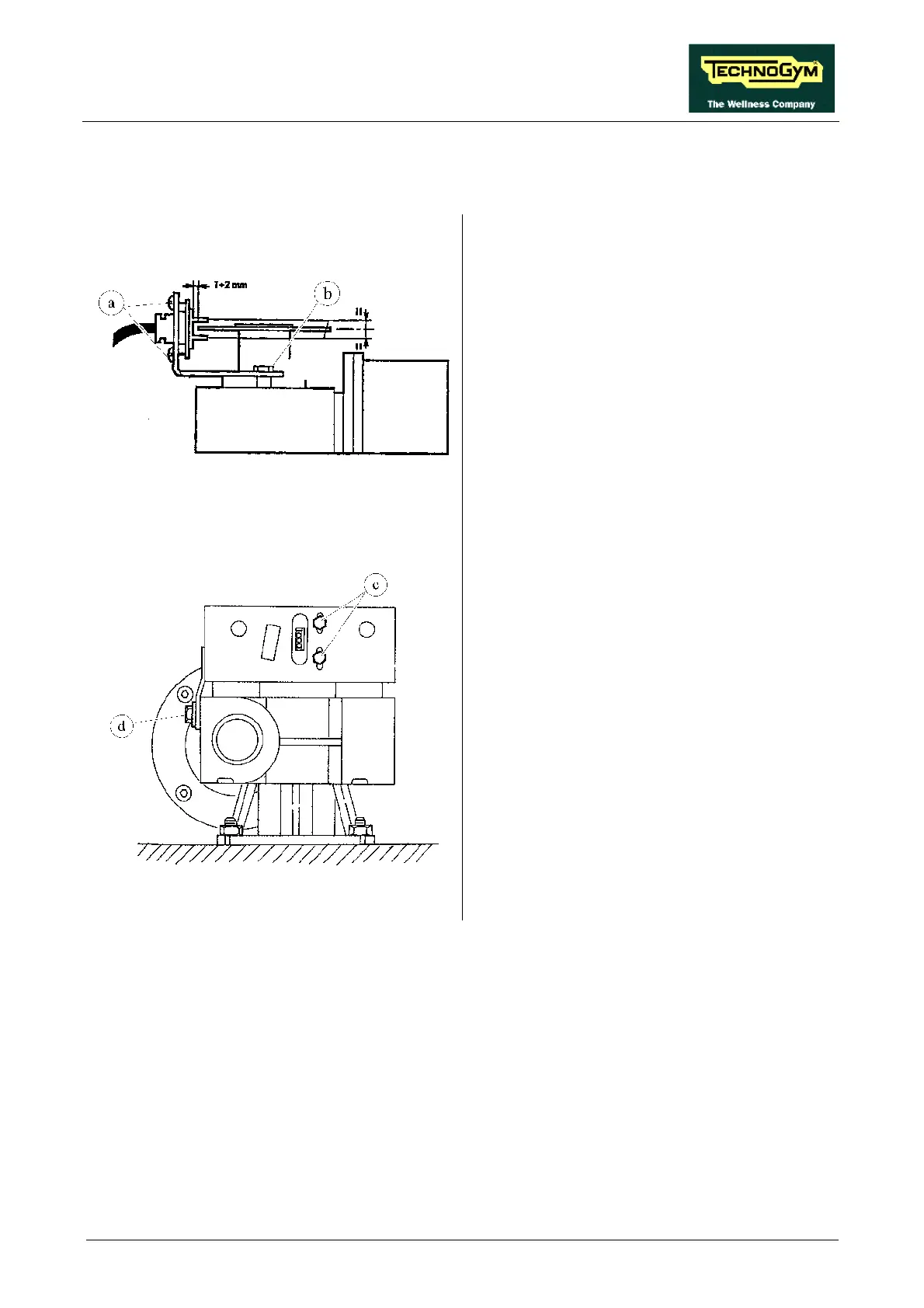
Figure 8.8-1
Carry out the procedures described in paragraphs
7.9. “Disassembling the motor guard” and 7.10.
“Disassembling the front plate”.
1. Using a 10-mm wrench, unscrew the 2 fixing
screws of the cover of the protective housing
of the encoder wheel, where present.
2. Open the cover.
For the “BONFIGLIOLI” motor:
3. Adjust the centering of the encoder photocell
by turning the 2 screws a and b so that the
photocell is positioned as shown in Figure
8.8-1.
Figure 8.8-2
For the “SITI” motor:
4. Adjust the centering of the encoder photocell
by turning the 2 screws c and d so that the
photocell is positioned as shown in Figure
8.8-2.











 To Next Page