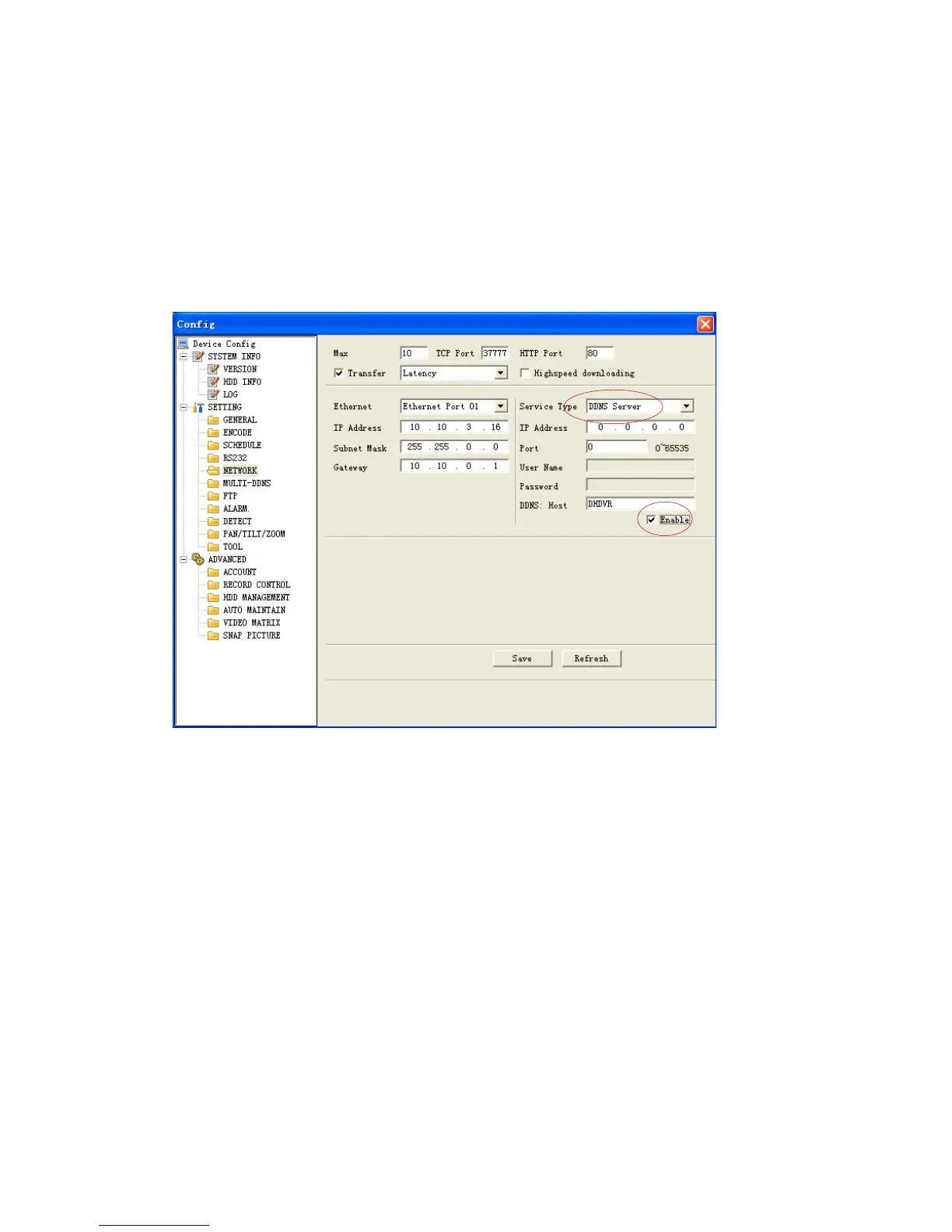
Figure 7-30
Enable DDNS
You need a PC of fixed IP in the internet and there is the DDNS software running in
this PC. In other words, this PC is a DNS (domain name server).see Figure 7-31.
Please enable DDNS function and then input PC IP. Click save button and then
reboot device. Now you can login via DDNS. Please open IE and then input http:
//(DDNS server IP)/ DDNServer / default.htm. for example, input http:
//10.5.2.149/DDNServer/default.htm, you open a DDNS server web page.
Figure 7-31
RS232
RS232 includes the following items. See Figure 7-32.
Function: There are various devices for you to select. Console is for serial
port or
min-end platform to upgrade program. Keyboard is for you to use special
keyboard to control current device.
Baud rate: Please select as you desire.
Data bit: The value ranges from 5 to 8.
Stop bit: There are three options: 1/1.5/2.
Parity: There are three options: none/odd /even.
109



 To Next Page