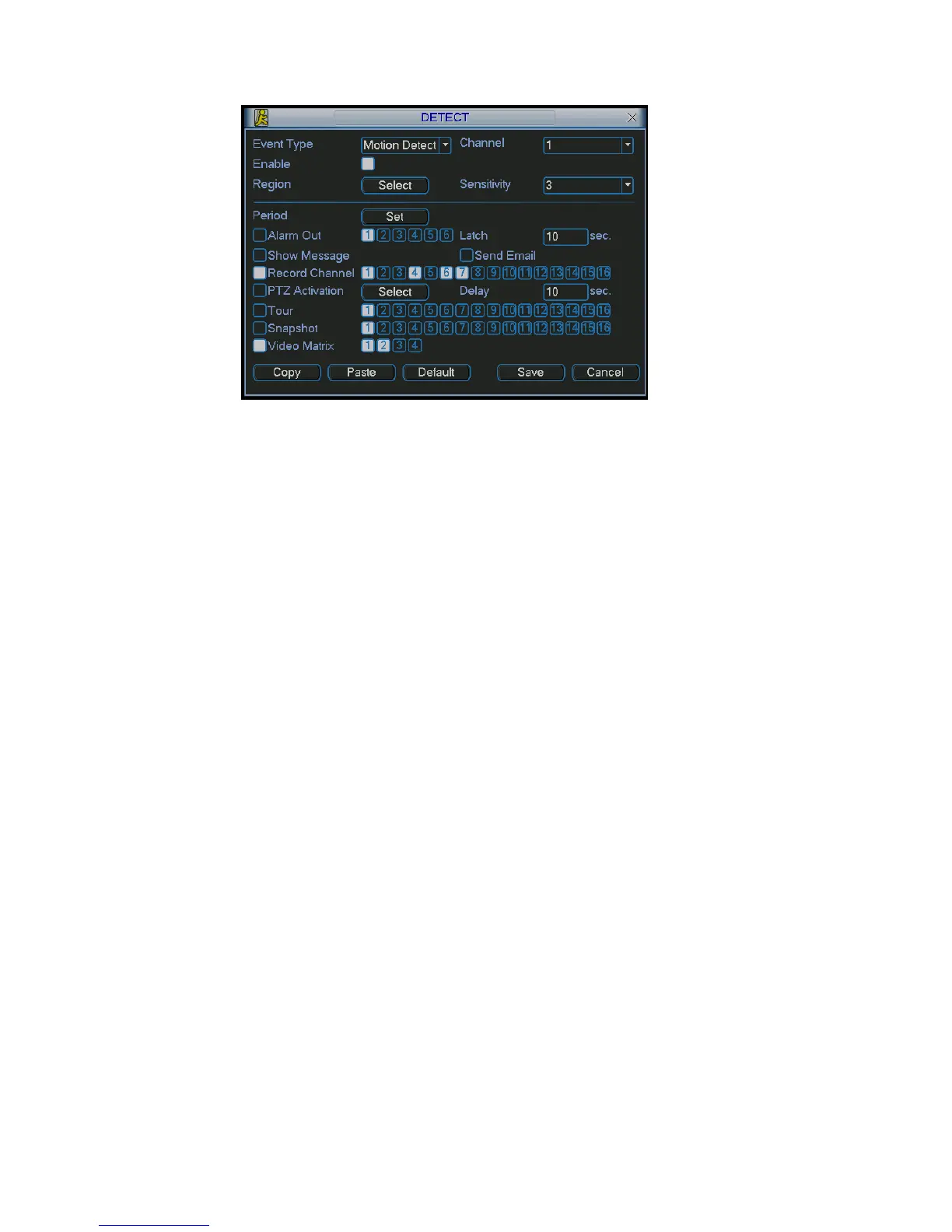
Figure 5-43
5.5.8.6.4 General Tour Principle
out status, once the alarm occurs, system first check
activate corresponding tour among
n
Motion detection activation is almost the same as the alarm. But it has different
tput function has not been enabled.
ill check weather there is tour of higher
5.6 Information
Here is for you to view system information. There are total five items: HDD (hard disk
When system is in scheduled t
video matrix function ha
s been enabled or not and there is effective matrix or not.
System will continue implementing scheduled tour in the following two conditions:
Video output function has not been enabled.
There is no video matrix setup available.
If there is valid video matrix setup, system can
alarm channels and then begin scheduled tour after alarm tour completes.
If there is no schedule tour available, the matrix will stop at the last activatio
channel after alarm completes.
priority. System will continue implementing scheduled tour in the following two
conditions:
Video ou
There is no video matrix setup available.
If there is a valid video matrix setup, system w
priority and implement corresponding process. During the motion detection tour,
system will process alarm first if alarm occurs. It is the same as alarm occurs in
scheduled tour period.
information), BPS (data stream statistics), Log and version, and online user. See
Figure 5-44.
82



 To Next Page