9 RS232 Operation
9.1 Network Connection
Before serial port operation, please connect matrix with DVR through RS232.
Then set DVR serial port protocol to the corresponding matrix protocol.
Note: please contact you local retail to confirm the DVR supports matrix protocol or
not.
9.2 Keyboard
Control keyboard is very convenient for multi-DVR control, menu options and PTZ
control. Select keyboard control from system setting>RS232 >function, and
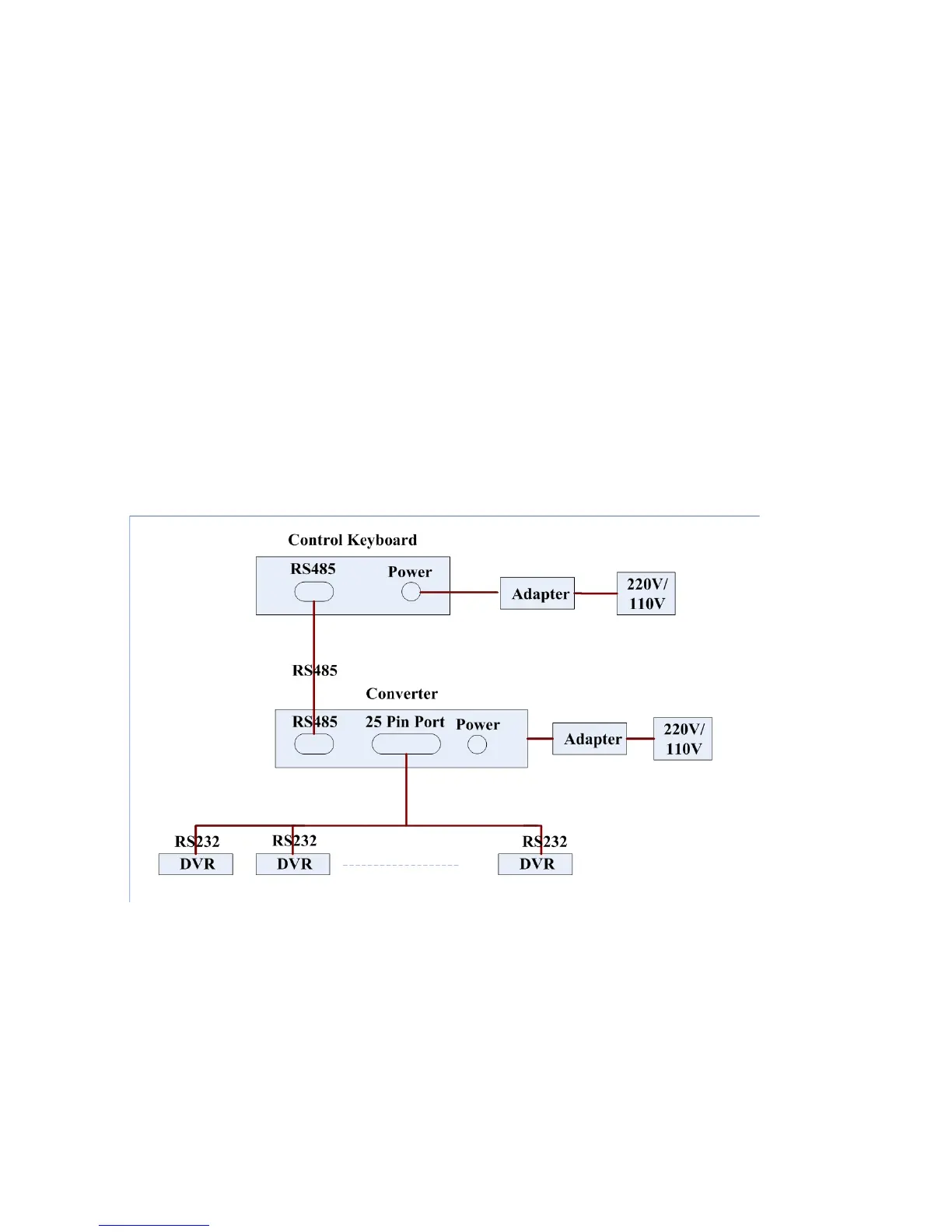
then set concerning attributes such as protocol. Connect DVR RS232 port to shifter
25-pin RS232 port and then set proper control addresses for all connected DVRs.
Now you can input DVR control address and use keyboard keys to set menu or
control PTZ. See Figure 9-1.
Note:The keyboard works only when ACT light is on.
Figure 9-1
131



 To Next Page