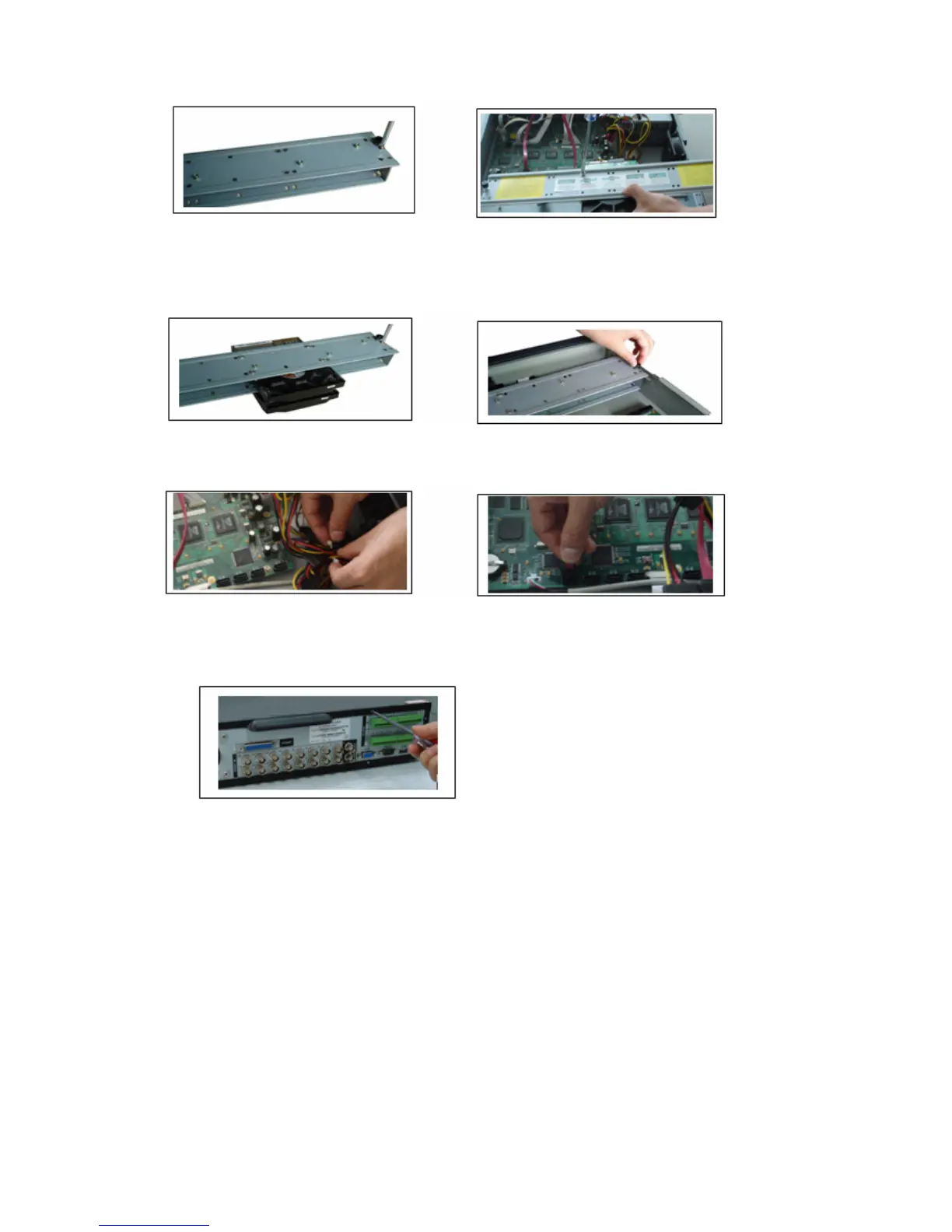
3. Dismantle the upper HDD bracket. 4. Install the HDD. Note the HDD is placed
upside down. Please make sure bracket is in
correct position.
If the HDD amount is less than four, you do not need to install the HDD bracket.
5. Screw the two bracket parts together. 6. Put HDD bracket back and then fix firmly.
7. Loosen the power cable. 8. Connect to the SATA ports and then
connect
power cord to the HDDs.
9. Place the upper cover back and screw firmly.
After HDD installation, please check connection of data ribbon and power cord.
3.3 CD/DVD Burner Installation
For built-in burner, you can dismantle front plate to install CD burner. This built-in
burner should be set as MASTER.
For USB burners, you need to install USB series burner.
This series DVR is compatible with various burner brands popular in today’s market.
You can consult our local technical support or visit our website for more information.
24



 To Next Page