Click ca
lendar icon
in Figure 4-10, system pops up calendar for your
reference.
Highlighted date means that there are record files in that day. You can click blue
date to view file list.
In Figure 4-11, there are video files in March 13th and 14th. Double click the date
to view file list.
Figure 4-11
4.4 Record Setup (Schedule)
When the system boots up, it is in default 24-hour regular mode. You can set
record type and time in schedule interface.
4.4.1 Schedule Menu
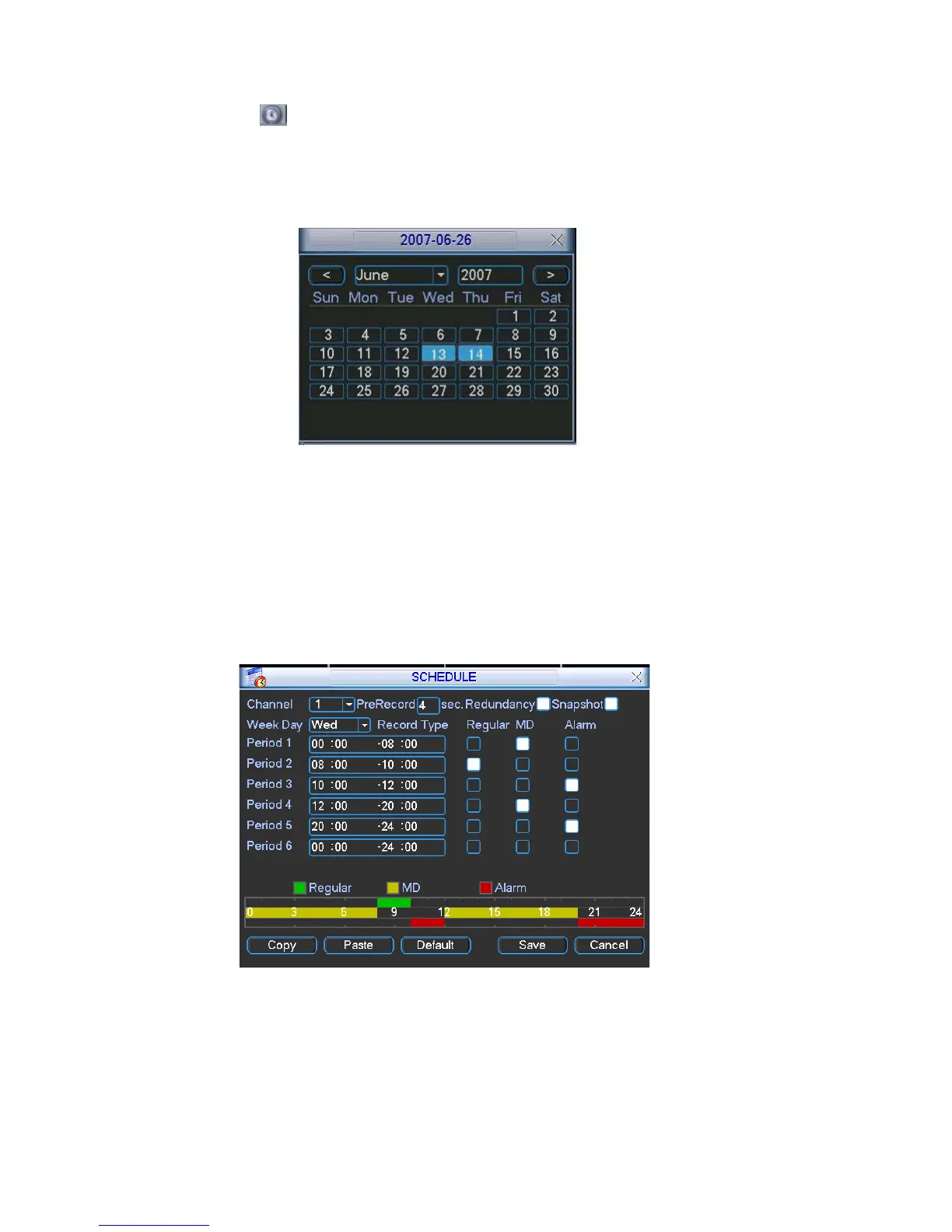
In the main menu, from setting to schedule, you can go to schedule menu. See
Figure 4-12.
There are three record types: R-Regular, MD-Motion detection, A- Alarm.
Figure 4-12
4.4.2 Basic Operation
There are total six periods. See Figure 4-12.
Channel: Please select the channel number first. You can select “all” if you want
to set for the whole channels.
40



 To Next Page