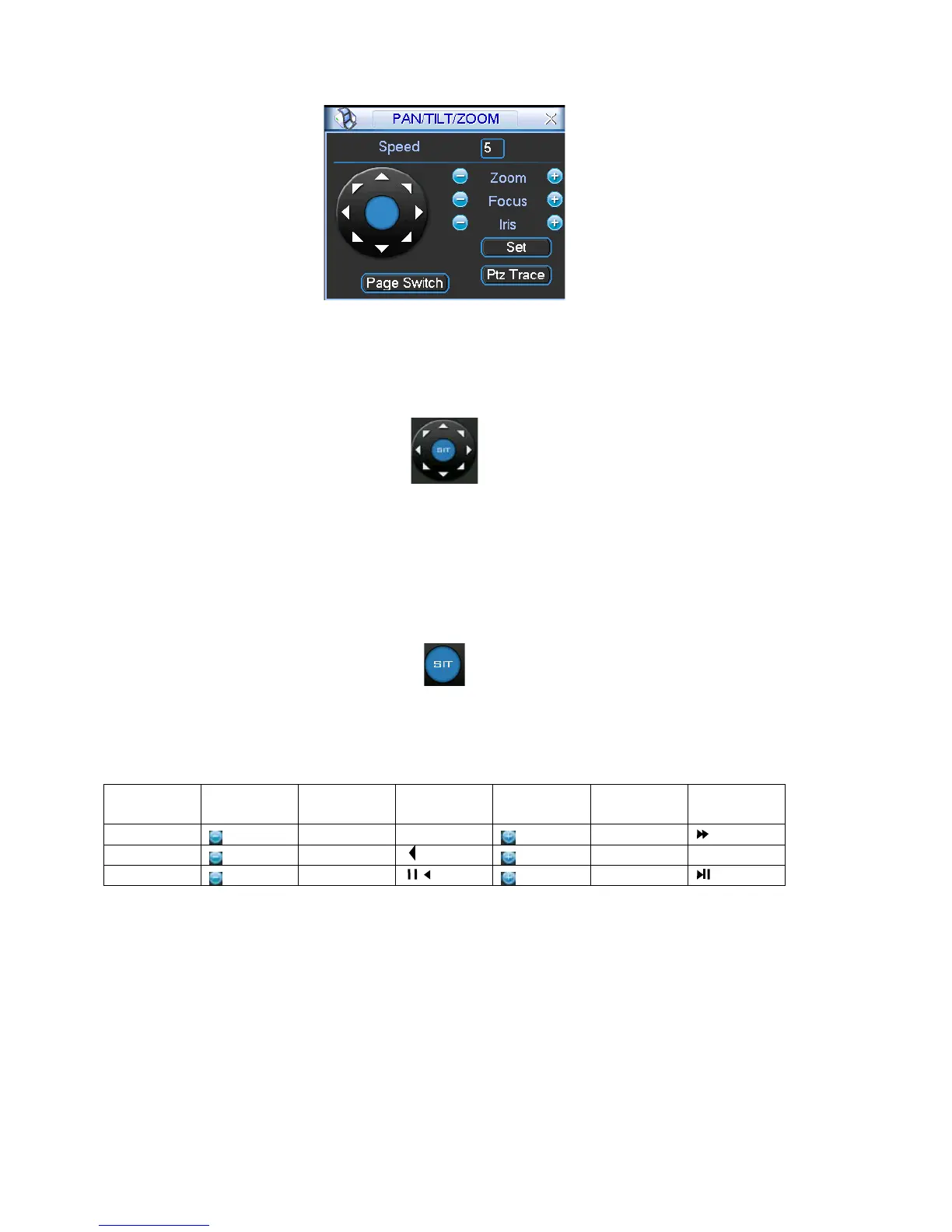
Figure 4-30
In Figure 4-30, please click direction arrows (See Figure 4-31) to adjust PTZ position.
There are total 8 direction arrows.
Figure 4-31
4.8.3 3D Intelligent Positioning Key
ws, there is a 3D intelligent positioning key.
em goes back to the single screen mode. Drag the mouse in the
In the middle of the eight direction arro
See Figure 4-32.
Click this key, syst
screen to adjust section size. It can realize PTZ automatically.
Figure 4-32
Here is a sheet for you reference
Function function Shortcut Function function Shortcut
Name
key key key Key
Near ►
Zoom
Far
Focus
Near
Far ►
Iris
close
Open
4.9 Preset/ Patrol/Pattern/Scan
s below. See Figure
ou can set the following items:
In Figure 4-30, click the “set” button. The interface is shown a
4-33.
Here y
Preset
Tour
Pattern
Border
53



 To Next Page