Figure 7-6
7.2.1 Real-time Monitor
In section 2,
left click the channel name you want to view, you can see the
corresponding video in current window.
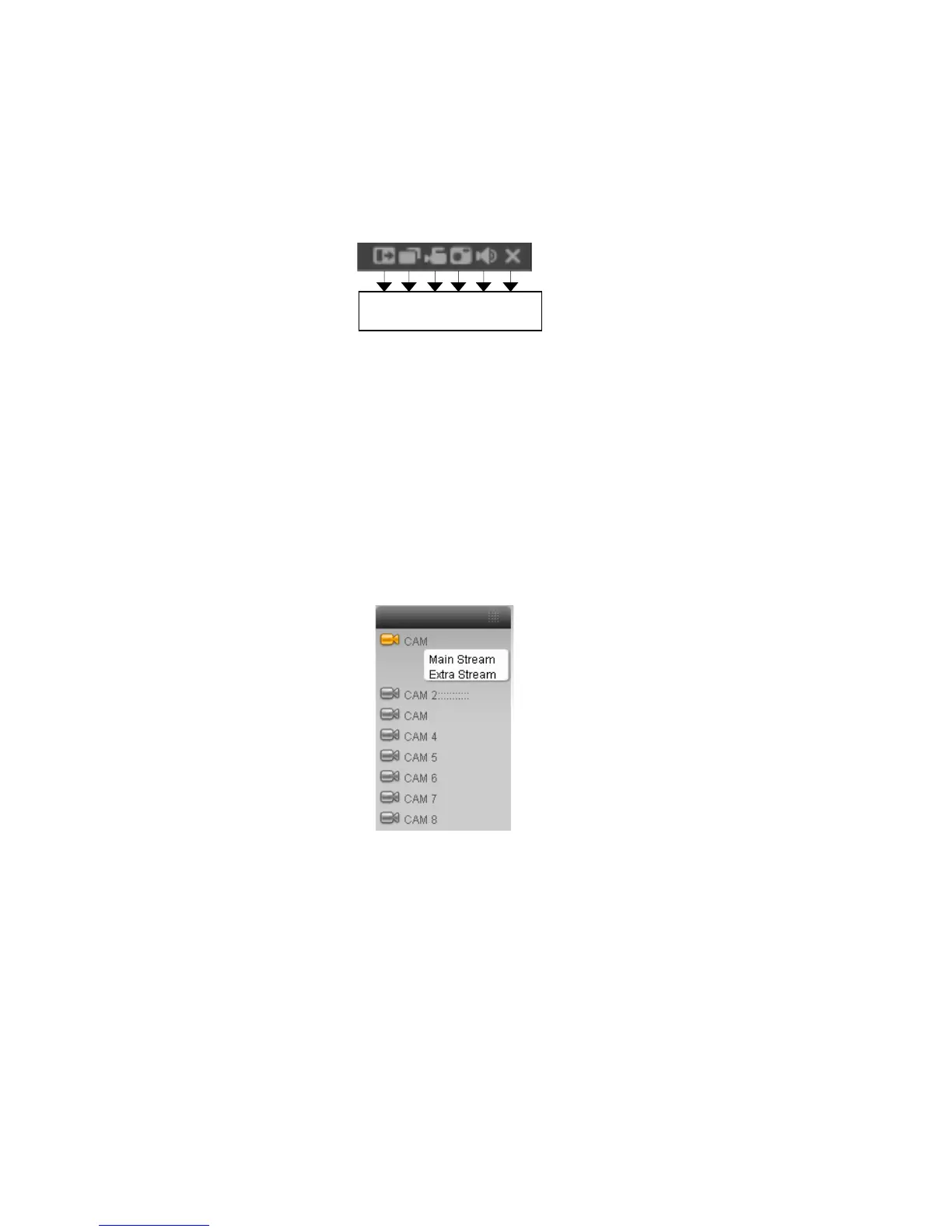
For detailed function key information, please refer to Figure 7-7.
1 2 3 4 5 6
Figure 7-7
1: Digital zoom: Click this button and then left drag the mouse in the zone to
zoom in. right click mouse system restores original status.
2: Change show mode: resize or switch to full screen mode.
3: Local record. When you click local record button, the system begins recording
and this button becomes highlighted. You can go to system -.local record to set
video file path.
4: Capture picture. You can snapshoot important video. All images are
memorized in system client folder \download\picture (default).
5: Audio :Turn on or off audio.(It has no relationship with system audio setup )
6: Close video.
Please refer to Figure 7-8 for main stream and extra stream switch information.
Figure 7-8
Refresh
You can use button to refresh camera list.
Start Dialogue
You can click this button to enable audio talk.
Local Play
95



 To Next Page