4 Overview of Navigation and Controls
Before operation, please make sure you have properly installed HDDs and all the
cable connections.
4.1 Login, Logout & Main Menu
4.1.1 Login
When the system boots up, default video display is in multiple-window mode.
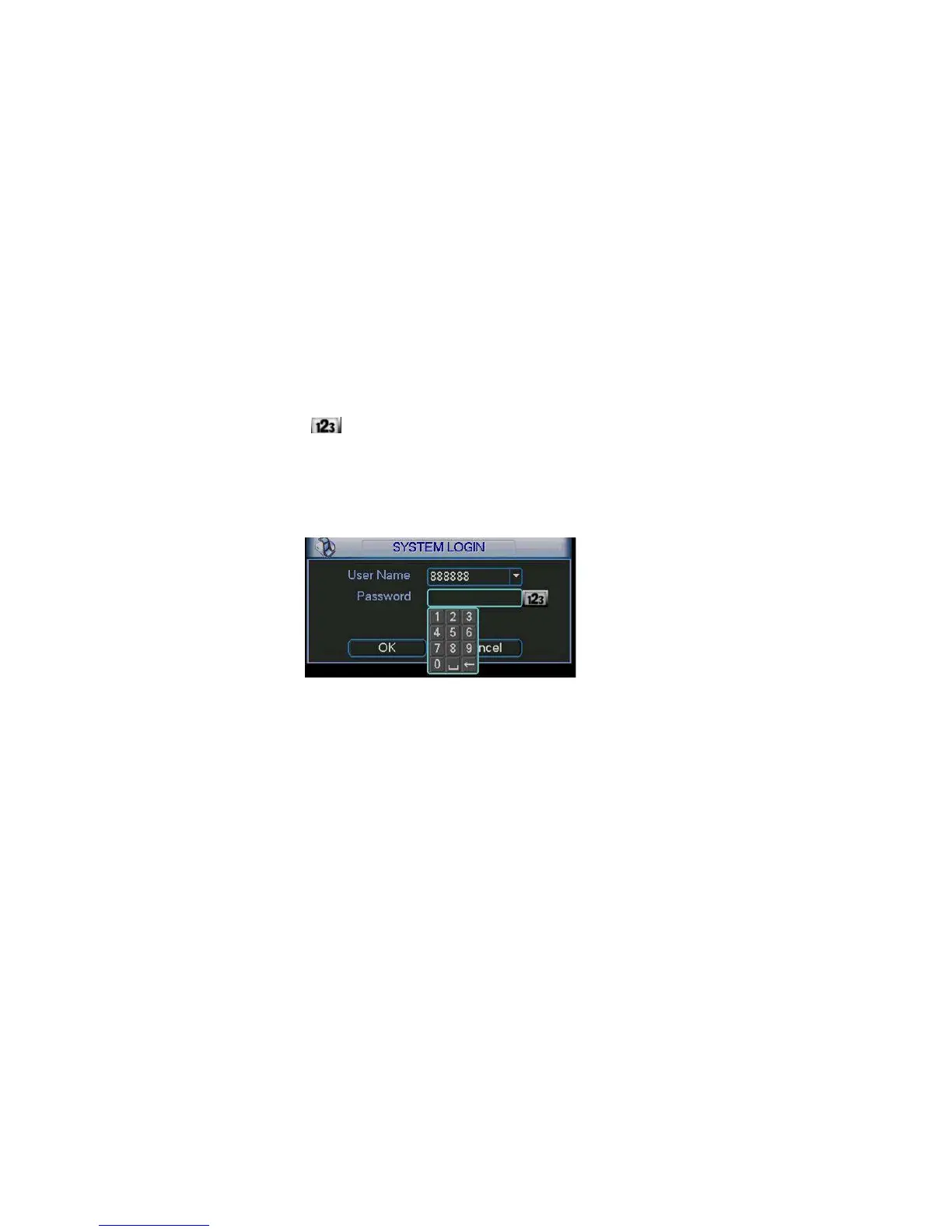
Click Enter or left click mouse, you can see the login interface. See Figure 4-1.
System consists of four accounts:
Username: admin. Password: admin. (administrator, local and network)
Username: 888888. Password: 888888. (administrator, local only)
Username: 666666. Passwords: 666666(Lower authority user who can only
monitor, playback, backup and etc.)
Username: default. Password: default(hidden user)
For your system security, please modify you password after first login.
You can use USB mouse, front panel, remote controller or keyboard to input.
About input method: Click
to switch between numeral, English character
(small/capitalized) and denotation.
Note:
Three times login failure in 30 minutes will result in system alarm and five times
login failure will result in account lock!
Figure 4-1
4.1.2 Main Menu
After you logged in, the system main menu is shown as below. See Figure 4-2.
There are total six icons: search, information, setting, backup, advanced and
shutdown.
You can move the cursor to highlight the icon, and then double click mouse to
enter the sub-menu.
33



 To Next Page