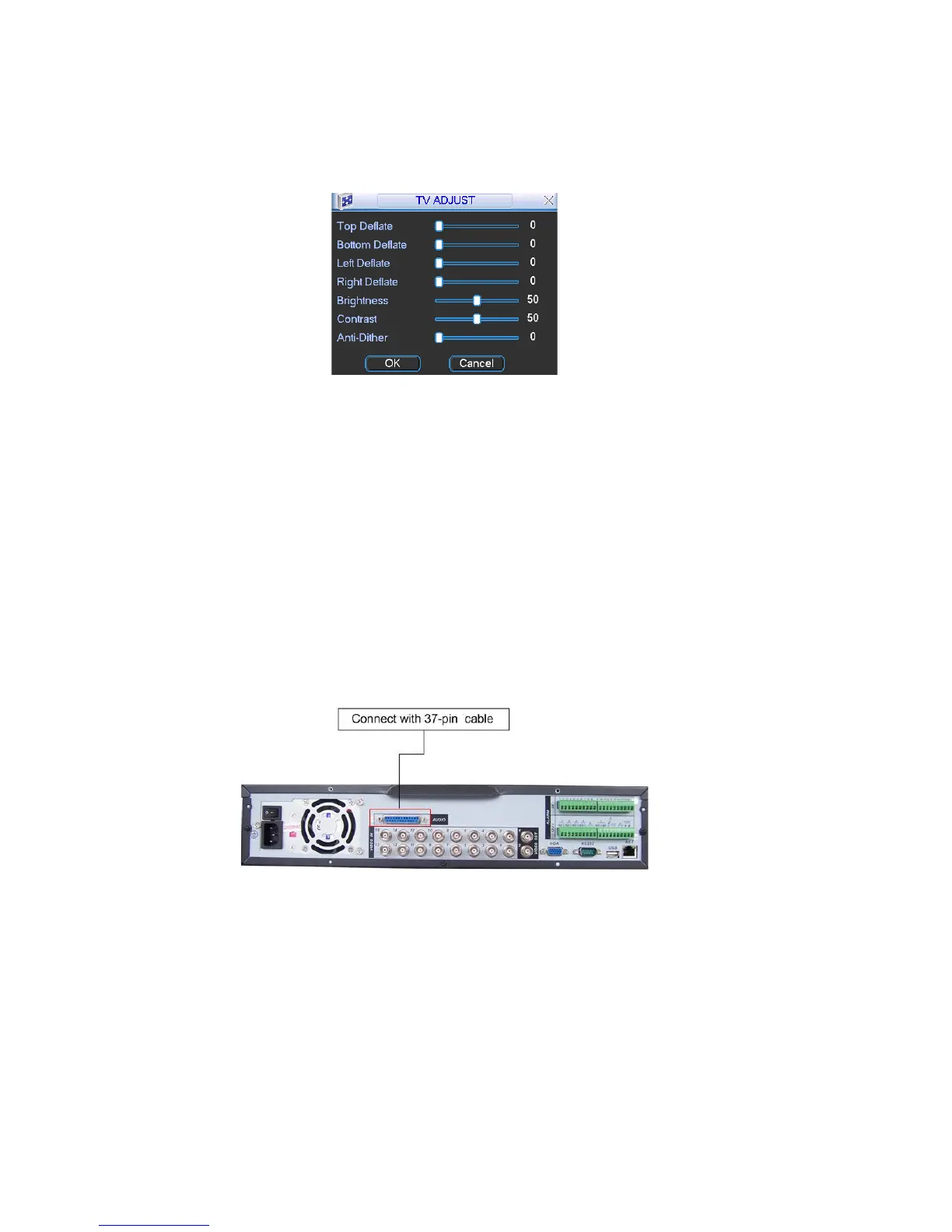
5.5.7 TV Adjust
adjust
TV output setup. See Figure 5-36.
system goes back to the previous menu.
Here is for you to
Please drag slide bar to adjust each item.
After all the setups please click OK button,
Figure 5-36
5.5.8 Video Matrix
ve the matrix and loop outputs.
e with video distributors. There are 4/8/16-ch video loop
uch
5.5.8.2 Matrix outputs
-scale matrix. You can select any camera from our DVR to
an
w. See Figure 5-37.
Some series DVR ha
5.5.8.1 Loop outputs
They are just the sam
outputs from our DVR. The DVR video output can connect with other devices s
as TV walls, analog matrix and so on.
They are like the small
switch. And the output can also tour between the cameras. So the matrix outputs c
be used to build TV walls and tour and display the cameras one by one.
5.5.8.3 Rear Panel Connection
The rear panel is shown as belo
Figure 5-37
5.5.8.4 37-pin cable introduction
Figure 5-38.
outputs
other is for audio out.
There are three colors cable. See
Black: for loop outputs, there are 16-ch loop
Blue: for matrix outputs, there are 4-ch matrix outputs
White: for bi-direction talk, one is for audio in and the
78



 To Next Page