2.3 Remote Control
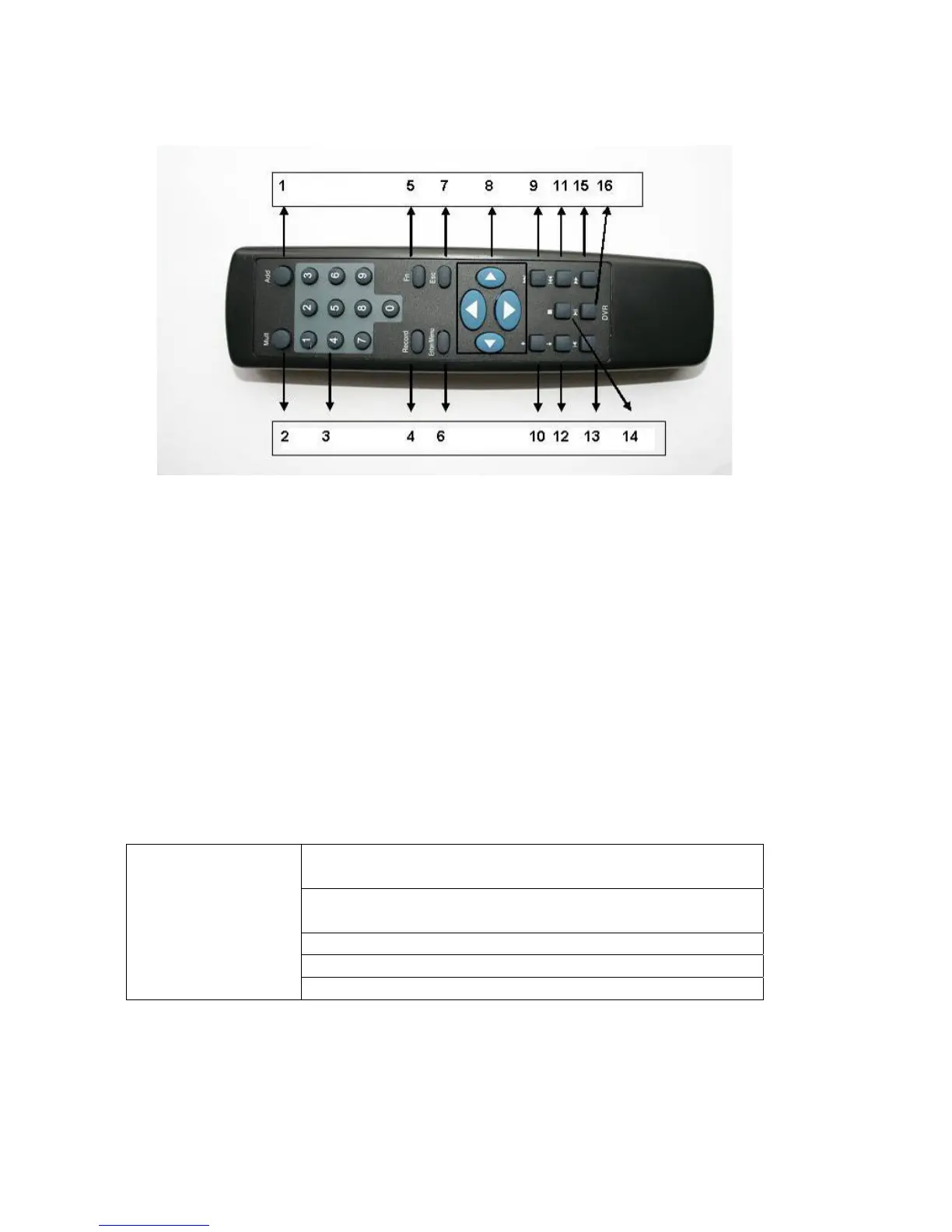
The remote control interface is shown as in Figure 2-5.
Figure 2-5
Serial Number Function
1 remote switch
2 Multiple-window switch
3 0-9 number key
4 Record
5 Auxiliary key
6 Confirm /menu key
7 Cancel
8 Direction key
9 forward
10 Previous
11 Back
12 Next
13 Slow play
14 Stop
15 Fast play
16 Play/Pause
2.4 Mouse Control
System pops up password input dialogue box if you have not logged in.
In real-time monitor mode, you can go to the main menu.
When you have selected one menu item, left click mouse to view menu
content.
Implement the control operation.
Modify checkbox or motion detection status.
Left click
mouse
Click combo box to pop up drop down list
20



 To Next Page