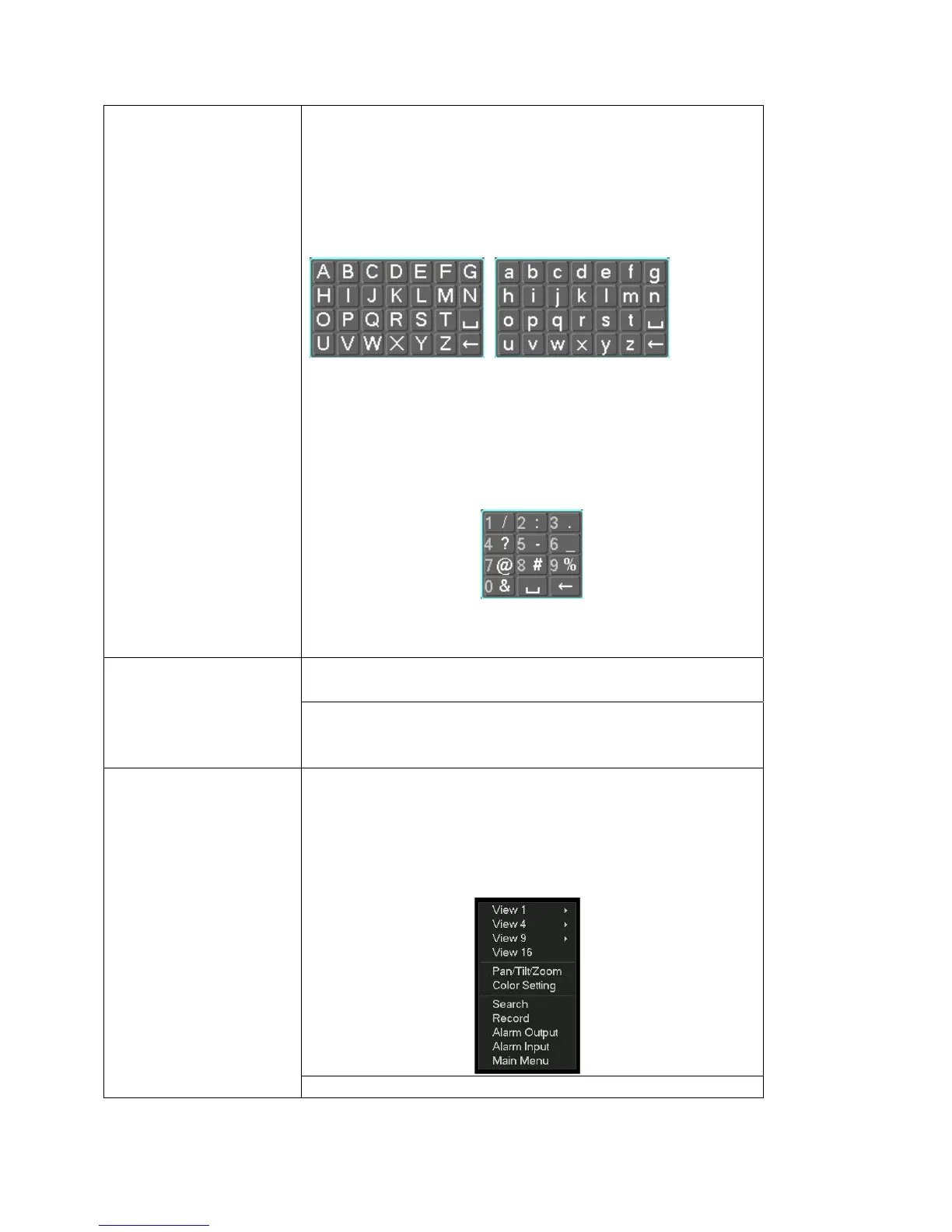
In input box, you can select input methods. Left click the corresponding
button on the panel you can input numeral/English character
(small/capitalized). Here ← stands for backspace button. _ stands for space
button.
In English input mode: _stands for input a backspace icon and ← stands for
deleting the previous character.
In numeral input mode: _ stands for clear and ← stands for deleting the
previous numeral.
When input special sign, you can click corresponding numeral in the front panel
to input. For example, click numeral 1 you can input“/” , or you can click the
numeral in the on-screen keyboard directly.
Implement special control operation such as double click one item in the file list
to playback the video.
Double left
click mouse
In multiple-window mode, double left click one channel to view in full-window.
Double left click current video again to go back to previous multiple-window
mode.
In real-time monitor mode, pops up shortcut menu: one-window, four-window,
nine-window and sixteen-window, Pan/Tilt/Zoom, color setting, search, record,
alarm input, alarm output, main menu. Among which, Pan/Tilt/Zoom and color
setting applies for current selected channel.
If you are in multiple-window mode, system automatically switches to the
corresponding channel.
Right click
mouse
Exit current menu without saving the modification.
21



 To Next Page