5 Understanding of Menu Operations and Controls
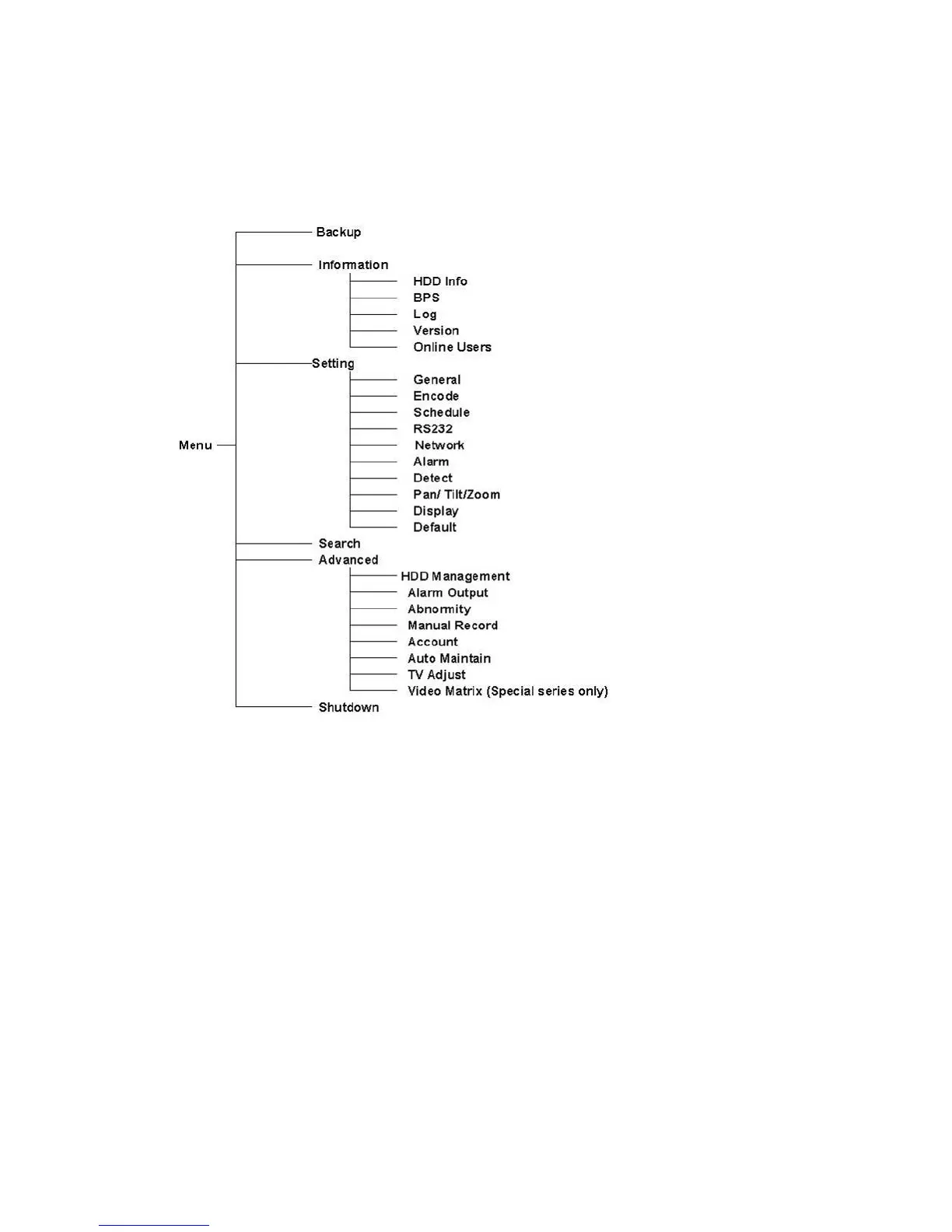
5.1 Menu Tree
n as below. This series DVR menu tree is show
.2 Main Menu
, the system main menu is shown as below. See Figure 5-1 .
ter the
5
After you logged in
There are total six icons: search, Information, setting, backup, advanced and
shutdown. Move the cursor to highlight the icon, then double click mouse to en
sub-menu.
57



 To Next Page