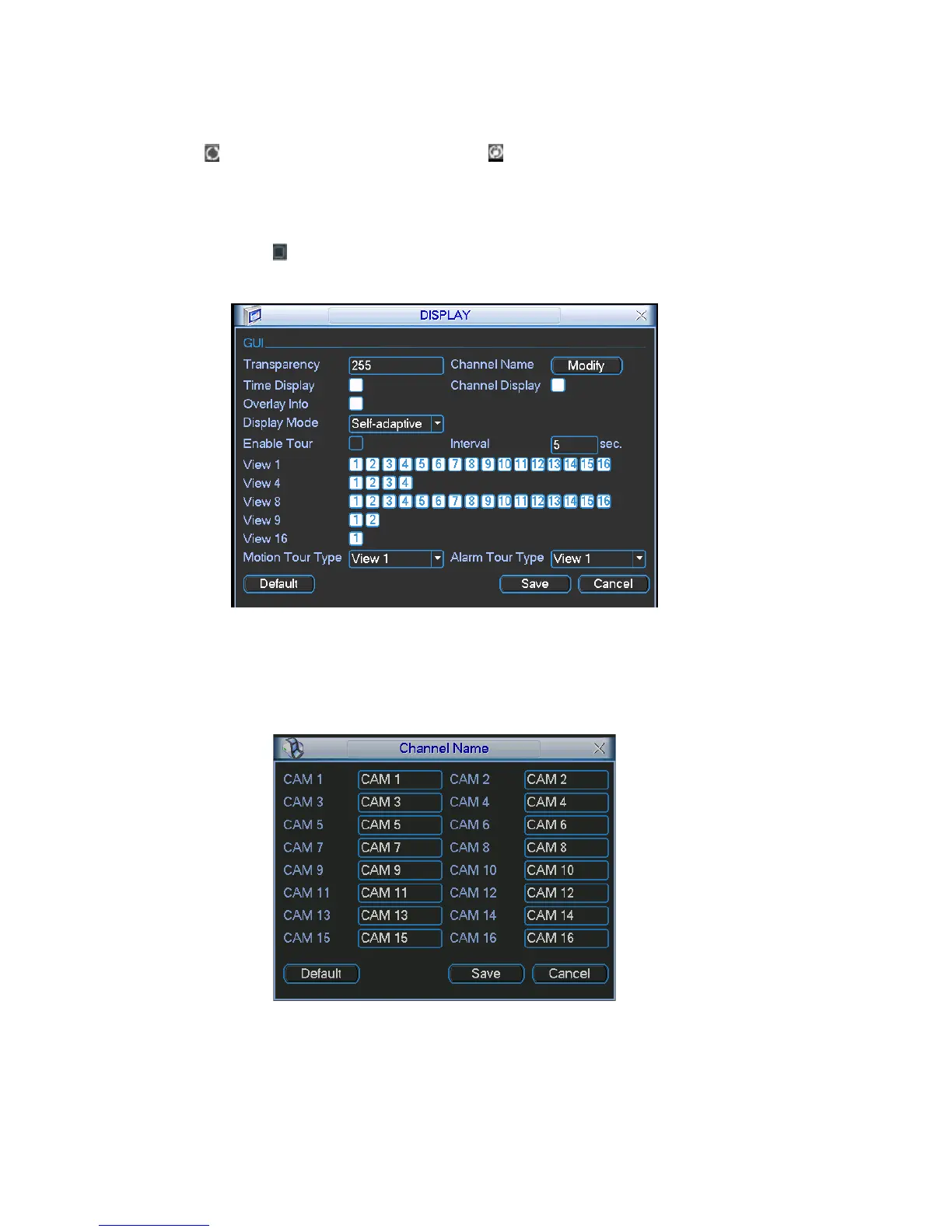
Interval: Input proper interval value here. The value ranges from 5-200 seconds.
In tour process, you can use mouse or click Shift to turn on window switch
function.
Stands for opening switch function, stands for closing switch
function.
r type: System support 1/8 window tour.
lease highlight icon
Motion tou
Alarm tour type: System support 1/8 window tour.
P
to select the corresponding function.
m goes back to the After completing all the setups please click save button, syste
previous menu.
Figure 5-25
In Figure 5-25, click modify button afte u can see an interface is shown
r channel. Yo
as in Figure 5-26. Please note all your modification here applies to local end only.
You need to refresh web or client-end to get the latest channel name. System max
support 25-digital character.
Figure 5-26
72



 To Next Page