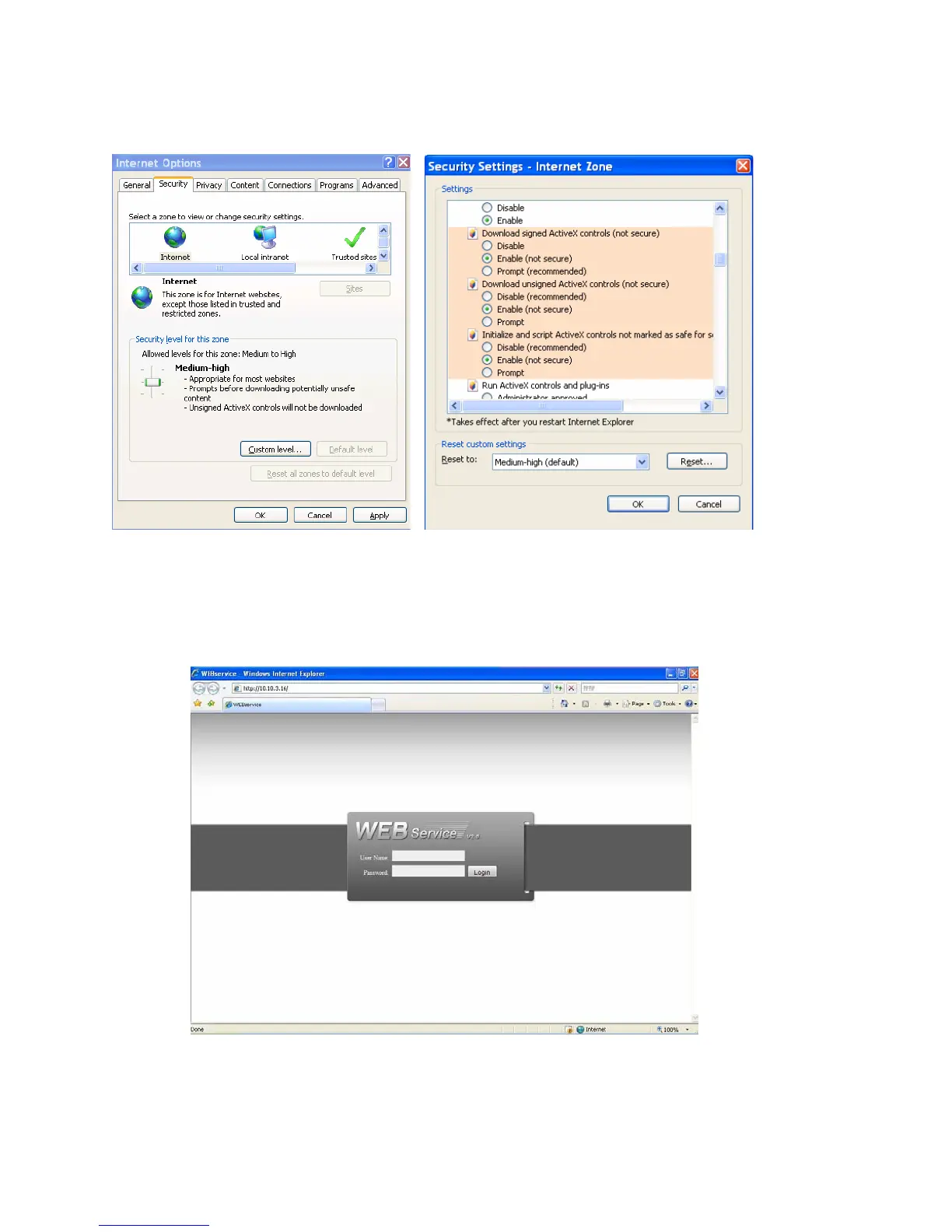
If you can’t
download the ActiveX file, please modify your settings as follows. See
Figure 7-2.
Figure 7-2
After installation, the interface is shown as below. See Figure 7-3.
Please input your user name and password.
Default factory name is admin and password is admin.
Note: For security reasons, please modify your password after you first login.
Figure 7-3
93



 To Next Page