5-29
3550 LCR Meter Instruction Manual Programming and Interfacing
The GPIB Interface
Installation of the GPIB Board, Option #3505
When installing this option board onto the main unit, follow the following directions:
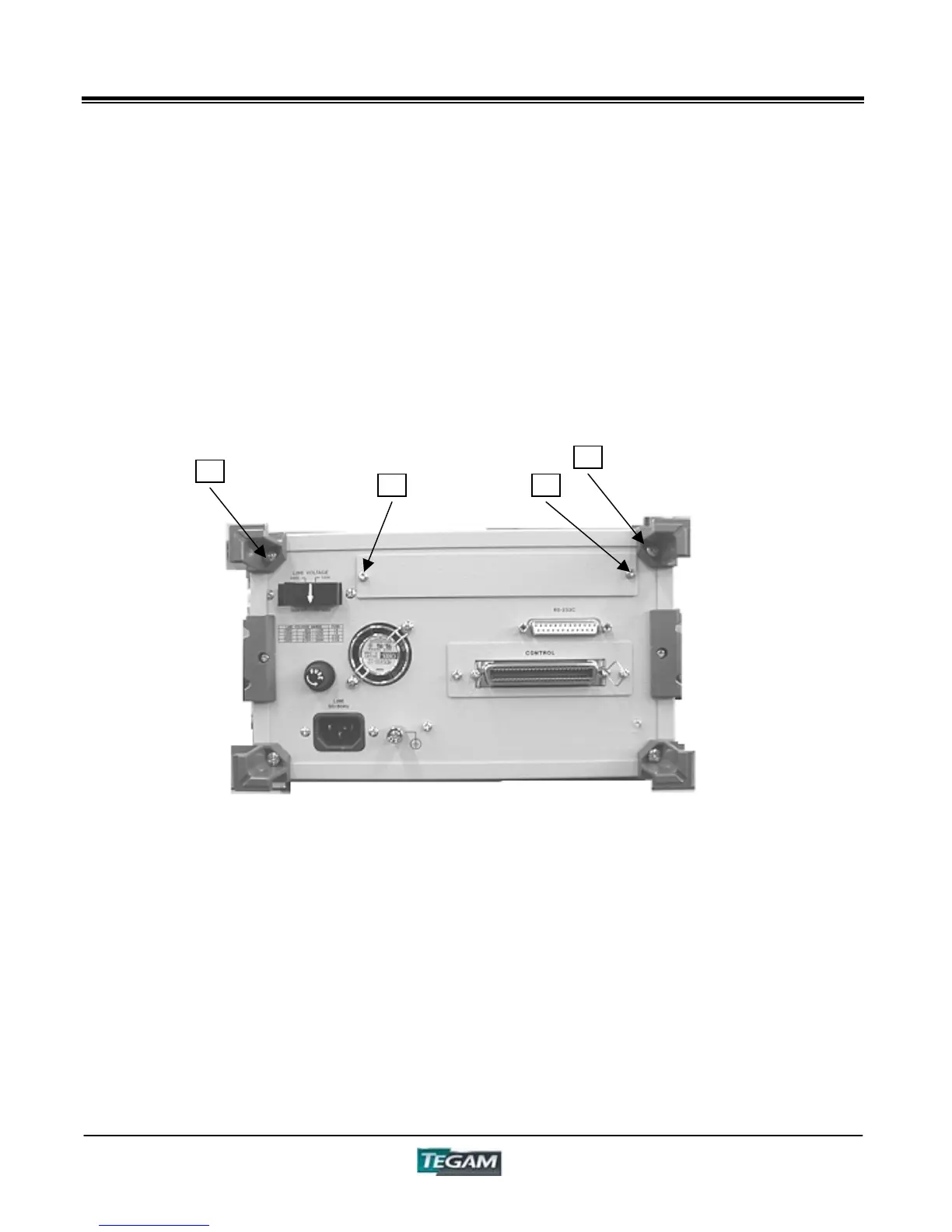
1. Turn OFF the power of the 3550 and remove the AC line cord. Remove screws “1” and “2”
of the cord hook on the upper part of the rear side, and proceed to remove the top cover
by pulling it rearward.
Figure 5.4a – Rear View
2. Remove screws “3” and “4” from the “blank panel”, and then remove the “blank panel”.
3. Next, install the GPIB board. Insert the GPIB board into the main unit through the place in
the rear where the “blank panel” came off. Then tighten screws “3” and “4’’.
1
2
3 4



 To Next Page