3-2
Model 3550 LCR Meter Instruction Manual Quick Start Instructions
The Model 3550 is a versatile product, which can be used in many different configurations.
Because of its ability to measure a large number of impedance parameters under a dynamic range
of test frequencies, amplitudes, and configurations, its is highly recommended that the entire
“Operating Instructions” Section of this manual be reviewed to insure proper use of this
equipment.
This Quick Start section is designed to give the user a general instruction set for the speedy setup
and measurement of impedance values where arbitrary measured values are needed and accuracy
is not critical. Whenever additional information is applicable, a reference will be made to other
parts of this manual so that the user, at their discretion, can decide whether or not to pursue
additional information.
Power the Unit
The power supply of the Model 3550 is designed for 50-60 Hz operations and a voltage range of
90-250 VAC. It is assumed that the “Preparation for Use” section of this manual has been read an
understood and the line voltage and fuse settings have been verified to be correct.
Power the unit by depressing the pushbutton located on the lower right corner of the front panel.
Allow at least 30 minutes for the unit to warm up and verify that the unit will be operated in its
specified operating environment described on page 1-12.
Instrument Settings
Factory Default Settings
Before performing an actual impedance measurement, there are a number of test parameters,
which must be defined. The factory default settings can be used for most general-purpose
measurements.
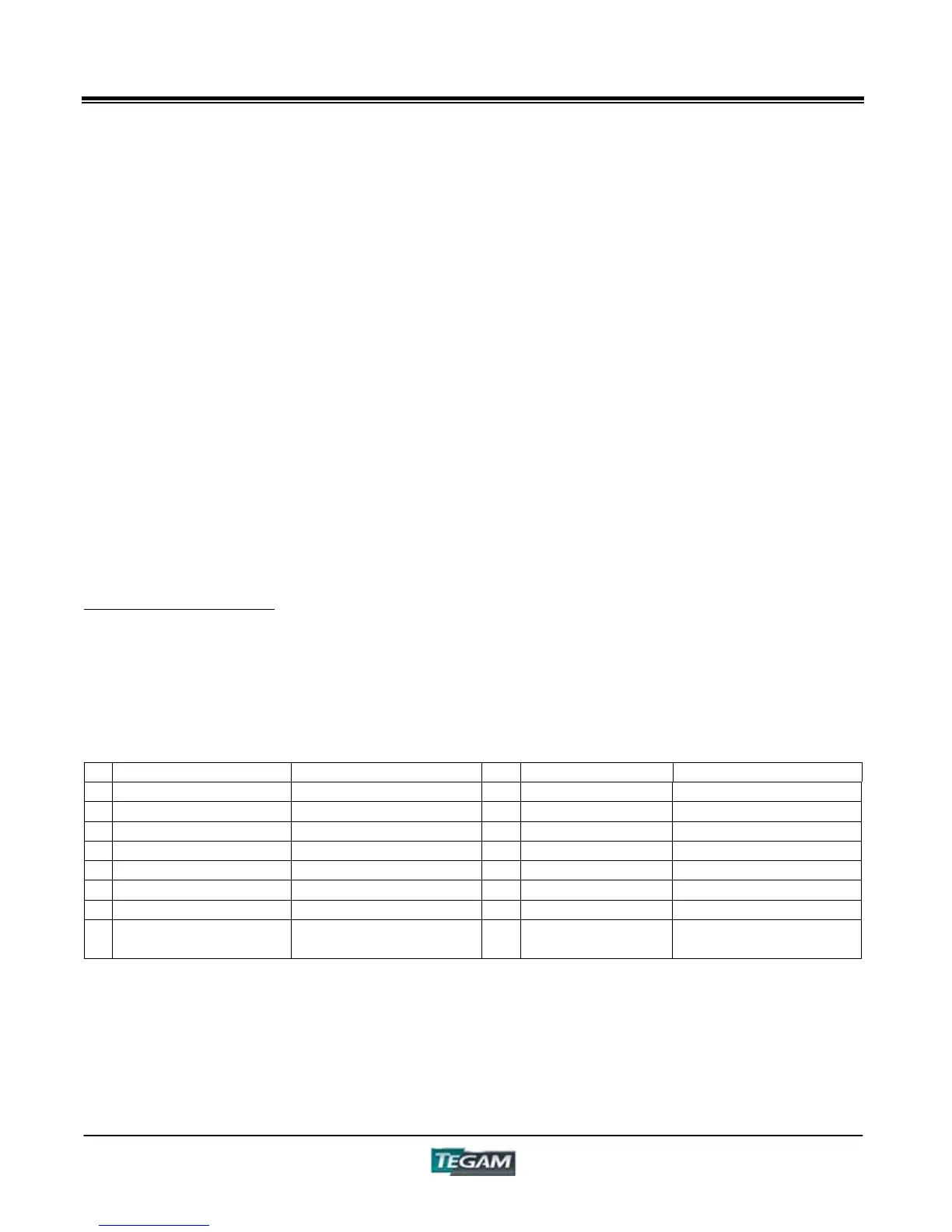
The 3550 is shipped from the factory with default settings as follows:
Table 3.1 – Factory Default Settings
Parameter Setting Parameter Setting
1 DISPLAY A Capacitance 9 Communications *RS232
2 DISPLAY B Dissipation Factor 10 Trigger INT
3 DISPLAY C Frequency 11 PANEL 0
4 Comparator Data Cleared 12 Circuit Mode AUTO
5 Comparator OFF 13 Range AUTO
6 Zero Correction Data Cleared 14 LOCK OFF
7 Test Frequency 1kHz 15 Test Voltage 1.00 V
8 Measurement Mode Open Terminal
Voltage
* not storable in a setup location.
At any time during use, you may recall these default settings by pressing the [MAN/EXT] key while
powering the unit.
NOTE: When the unit is reset to factory defaults, user-defined comparator settings and zero
correction factors will be lost.



 To Next Page