C
LEAR
P
ATH
U
SER
M
ANUAL
R
EV
.
1.97
61
S
ETTING A
PW
ng” by ClearPath. This gives the user a
n the
enough” to) 50%.
M
D
EADBAND
(O
PTIONAL
)
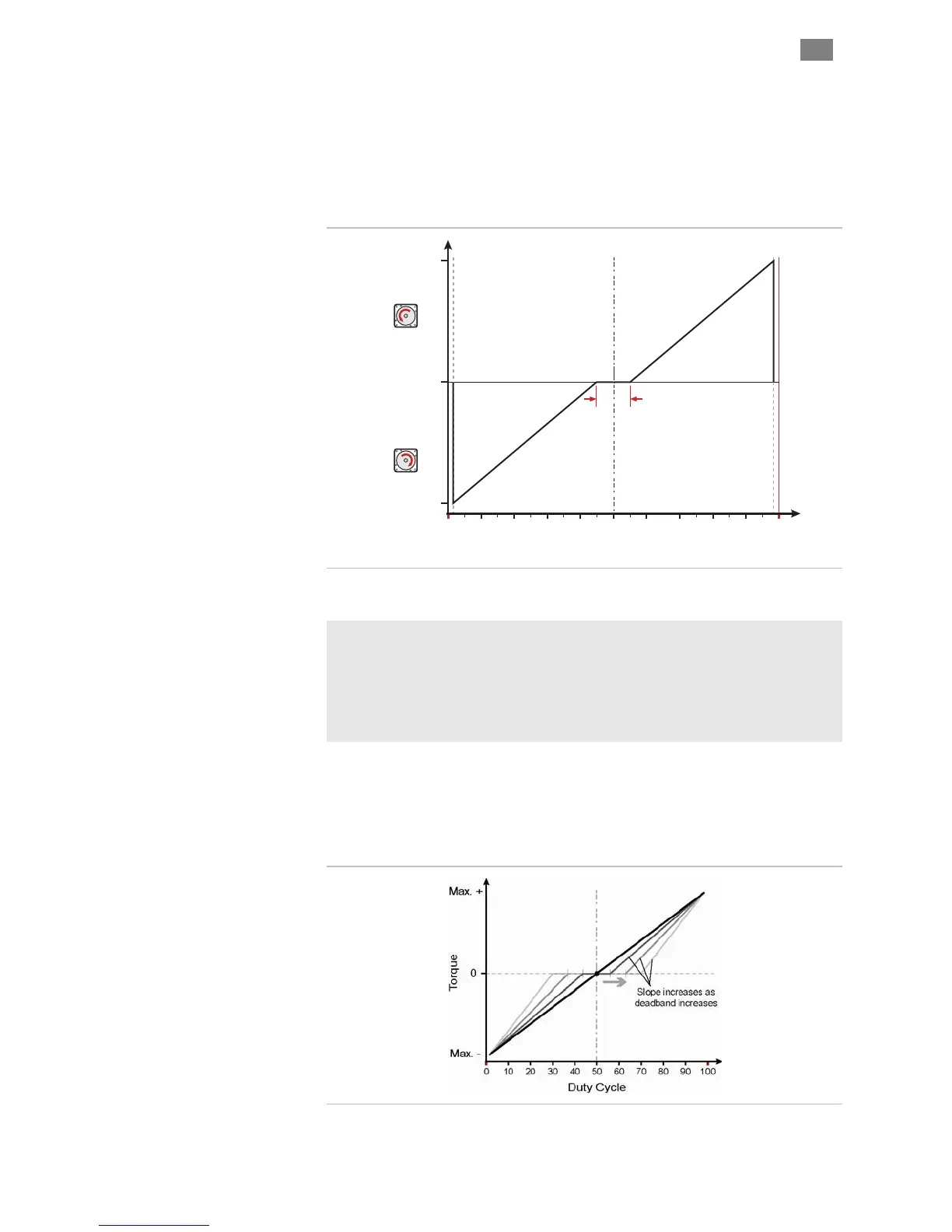
The deadband expands the range about the 50% PWM mark that is
n erpreted as the “zero torque settii t
reliable way to ensure that motor torque is completely turned off whe
PWM duty cycle is set at (or “close
Max. Torque
(CCW Rotation)
Torque = 0
Duty Cycle
Deadband
(+/- 5%)
10 20 30 40 50 60 70 80 90 1000
Max. Torque
(CW Rotation)
+/- 5% PWM deadband setting
Why use a deadband?
In bi-polar mode, turning off torque is achieved, in theory, by applying a
50% duty cycle PWM signal to Input B. However, it can be difficult to set a
perfect 50% duty cycle. In fact, a very small amount of torque may still be
produced by the motor, even when duty cycle is apparently set to 50%. A
deadband helps guarantee torque is fully off when you expect it to be.
Example: If the user sets a +/-5% deadband, any PWM signal with a
duty cycle between 45% and 55% (i.e., in the deadband) is interpreted as a
zero-torque command by ClearPath.
Note: As deadband setting increases, the slope of torque vs. duty cycle
increases as illustrated below.
T
EKNIC
,
I
NC
.
F
AX
(585)784-7460
V
OICE
(585)784-7454


 To Next Page