Section 8: Use the 4200A-CVIV Multi-Switch 4200A-SCS Parameter Analyzer User's Manual
8-12 4200A-900-01 Rev. D/April 2020
2. Select Tests.
3. To find the test, type vds-id into the search bar, then select Search.
4. Select the vds-id test, then select Add to copy it to the project tree.
5. Select Configure.
Figure 115: Configure highlighted
6. Configure the source and measure parameters of SMU 1 (Source), SMU 2 (Drain), and SMU 3
(Gate) as needed.
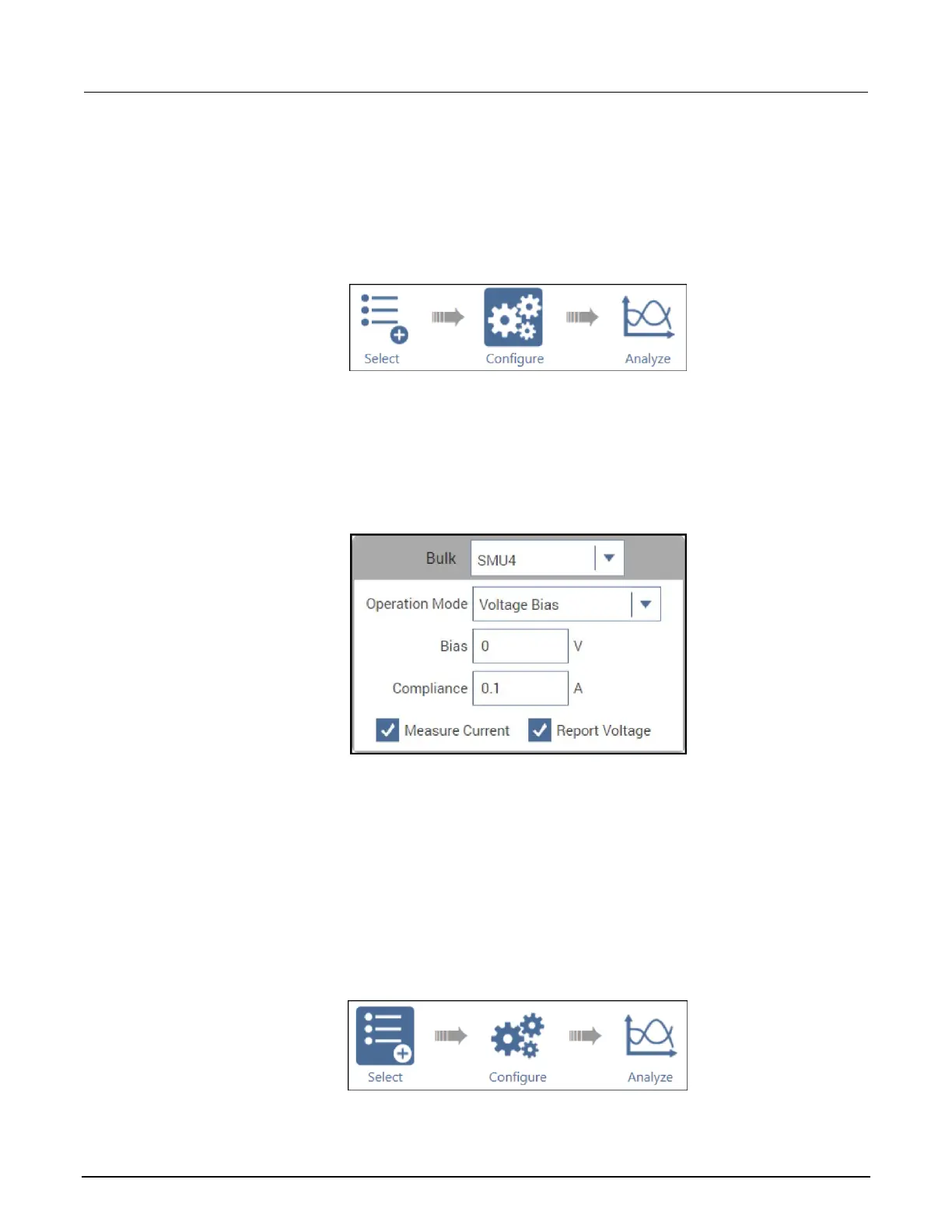
7. Assign the instrument of the Bulk terminal to be SMU 4 and set its Operation Mode to Voltage
Bias.
Figure 116: Bulk channel 4 SMU voltage bias configuration
8. Verify that the Bias is set to 0 V and the Compliance is set to 0.1 A.
Add an action for switching the CVU to the output terminals of
the 4200A-CVIV
To add an action:
1. Choose Select to return to the Library.
Figure 117: Select highlighted
ООО "Техэнком" Контрольно-измерительные приборы и оборудование www.tehencom.com


 To Next Page
 Loading...