Station
Parameters
Task
volume
brightness
station 3
manual
station 2
station 1
here is 0!
aux
auto detect
piezo enableoptimize!
center!
search!
intensity A
position OK
piezo active
A active
intensity B
locked
aux
B active
regulate!
4D BeamLock System
Aligna
two-point-O
Modular Laser Beam
Alignment and Stabilization System
USB
TR
power
®
®
www.TEM-Messtechnik.de
Aligna 4D 3.1
TEM Messtechnik GmbH
SN 2033 (Demo DPG10)
Release 16.02.2010
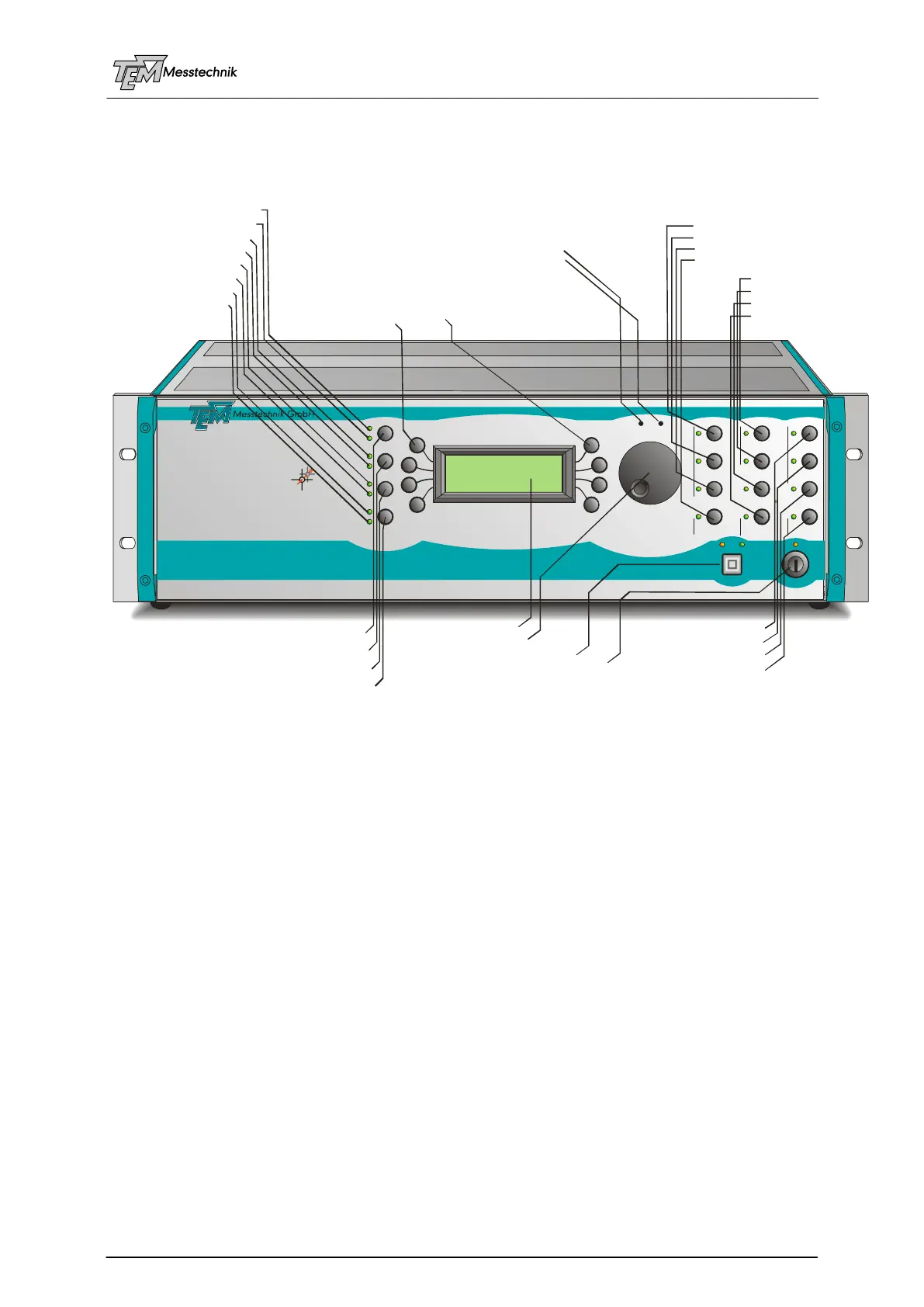
start procedure "search"
12 programmable user key buttons
LED "intensity OK" detector A
(spec. key# 0)
(spec. key#1)
reset/set error bit
activate servos A, B, A+ B
LED "intensity OK" detector B
LED "position OK" all detectors
LED "locked" all servos
LED "piezo servo(s) active"
LED "aux" (error bit, e.g.)
LED servo(s) A are active
LED servo(s) B are active
8 menu keys
LCD menu display
trim LCD illumination brightness
trim loudspeaker volume (beep, key click,...)
start procedure "center"
start procedure "optimize"
switch on/off regulation (servos)
select manual access
auxillary user key
enable piezo servo(s)
"here is zero" key
select station/tool # 1
select station/tool # 2
select station/tool # 3
automatic station detection
front panel USB interface
selection wheel
front panel supply key switch



 To Next Page