Aligna
®
4D User Manual
53 / 84
10.3.6 "3D Beam" Section
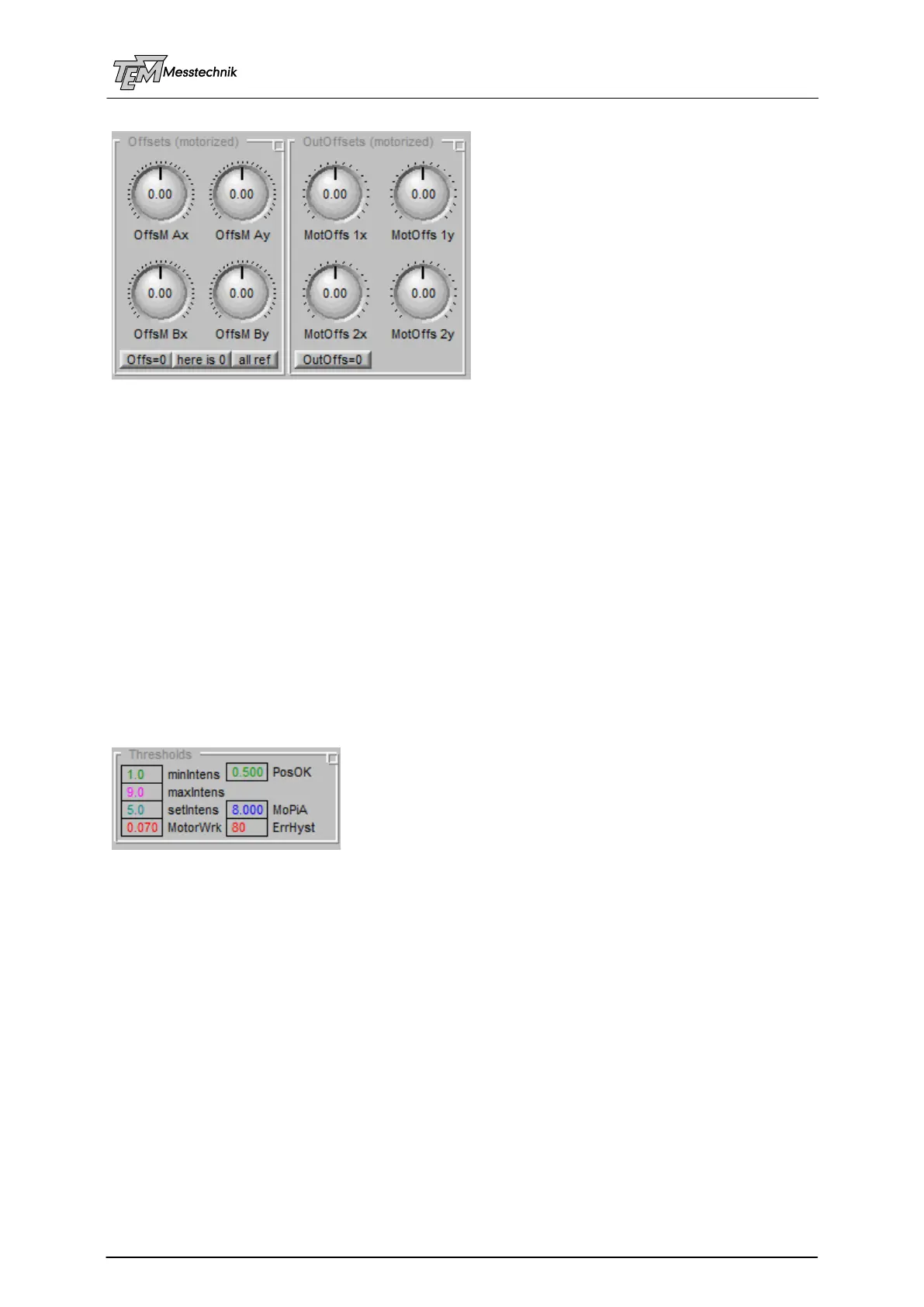
With the help of the "OutOffsets (motorized)" you can turn the four actuators of the two MMMs
(motorized mirror mounts), like you would do manually (but much finer) (Please remember:
You can scroll the values with the mouse wheel. Using the Shift, the Control and the Alt key
the scrolling can be done much finer or more coarsely. The main scrolling scale is predefined
by the "push factor", which can be adapted regarding your requirements.
The "Offsets (motorized)" also turn the four actuators. However, the turning is calculated via
the OCLM (Output CrossLink Matrix of the Motors). Thus if you turn "OffsM Bx", for example,
the mirrors will perform a combination movement, so (nearly) exactly a pure parallel beam
movement ("Bx" = "Beam Position x") is achieved. So (if the OCLM is set correctly), the four
degrees of freedom are independent, and the alignment is MUCH easier and convenient.
Thus, in normal cases, you will no longer turn the individual four knobs ("MotOffs 1x".."Mot
Offs2y"), but just the four orthogonalized knobs ("OffsM Ax" .. "OffsM By"). So you can shrink
section "OutOffsets". This section is only used for demo (to show the difference between both
handlings), and for debugging (you can turn each of the four motors independently, and watch
if it is really turning).
10.3.7 "Thresholds" Section
In section "Thresholds" some threshold parameters are defined, mainly used for servo control
purposes. The threshold values are also indicated (when used in the chosen servo mode) in
the XY-display, and in the sum bar meters.
"minIntens" and "maxIntens" have been explained earlier: They define the threshold for
"IntOK" (Intensity OK) LED indicator. If intensity is not OK, the servos will no longer work to
avoid wrong movement, caused by incorrect position measurement. (These thresholds are
indicated in the SumA and SumB intensity bar meters as small green and red arrow markers.)
"PosOK" threshold defines whether the actually detected 4D pointing is OK. On the one hand
this is used for the "locked" indication. On the other hand it is used, when the (motorized)
servo is switched off: When all four positions (Ax ... By) and both intensities (A and B) are OK
when the (motorized) servos are switched off, the actual position will be defined as 0,0,0,0
position. The motors will remain exactly at this position.
If, however, the position (when switching servos off) is "not OK", the motors will go back to the
last known "OK" position.
The "PosOK" threshold is indicated as a green rectangle in the XY display.



 To Next Page