Air Filter
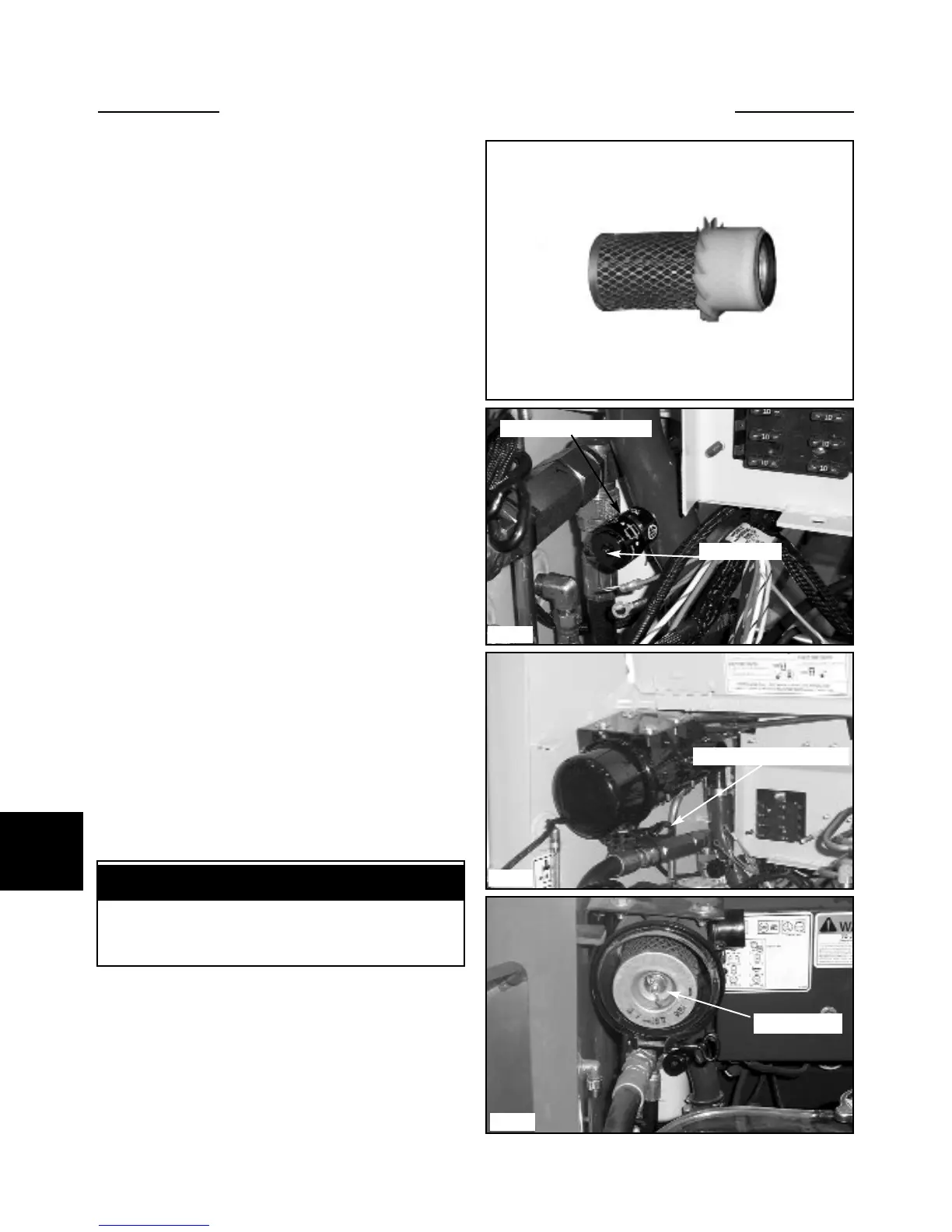
The loader is equipped with a dry cartridge, radial seal
type filter element. (fig. C5279)
The loader is equipped with an locking air restriction
indicator (fig. 5118)that functions while the engine is
operating. The indicator normally is green. When the
indicator has changed to red, the air filter element
requires servicing and/or changing.
Over servicing the air filter can damage the seal and
the pleated filter material. When the air restriction
indicator has changed to red, replace the air filter ele-
ment with a new one.
To service the air filters,: park the loader on a level sur-
face, lower the boom arms, engage the parking brake and
shut off the engine.
Daily Checks
Checking the Restriction Sensor:
1 The air filter restriction indicator should be visually
checked daily . (fig. C5118)
2 With the engine operating, place your hand over the
air intake inlet to restrict air flow to the engine. The indi-
cator should change from green to red. Remove your
hand and reset the indicator (fig. C5118)
3 Air cleaner hoses and clamps should be inspected
daily for proper tightness and verify air inlet hose integri-
ty. Replace any worn or cracked inlet hoses immediately.
Servicing the Air Filter Elements:
1 Loosen the band clamp holding the air cleaner cover
to the canister body. (fig. C2054) Remove the cover.
2 Remove the wing nut. (fig. C5281)
3 Pull straight out on the element to remove from the
air cleaner housing. (fig. C2056) Do not twist or force the
filter. This may damage the sealing area around the end of
the air filter element.
7-6
7
Air filter service recommended only when the service
indicator changes to red.
IMPORTANT
ENGINE MAINTENANCE 7.1
C5118
Air restriction indicator
Reset button
C5176
Air cleaner cover clamp
C5281
C5279
Wing nut


 To Next Page