3-89
■
n) Displaying, editing, deleting stored images
This function displays and edits videos and still images saved in an external
storage medium in the Echo data format.
■
Do not remove the external storage medium during
data saving. This may destroy not only the data being
saved, but also other data in the external storage
medium.
■
Do not remove the external storage medium when data
in it is displayed. The display of the image will
disappear when the external storage medium is
removed.
■
The smoothing of a saved video cannot be changed.
1) Insert an external storage medium. (Refer to “3.2.1 (j) Connecting an
external storage medium.”)
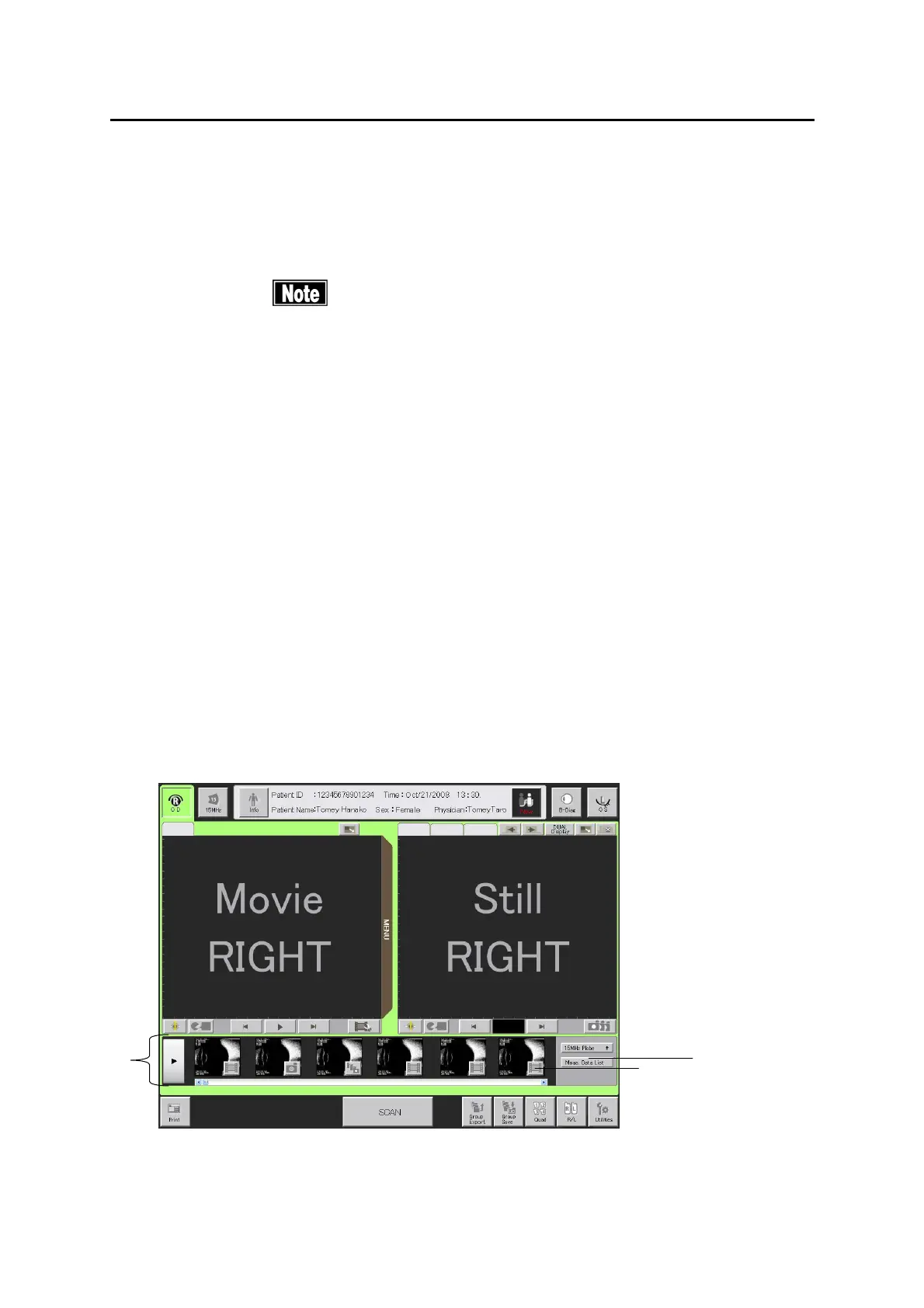
2) Entering a patient ID displays the thumbnails (1) of the saved images of the
patient. Touch the “Display” button (2) of a thumbnail to display its image. If
you select a video, it is displayed on the video monitor. If you select a still
image or a group images, they are displayed on the still image monitor.
3-69
(Fig. 1)
(2)
(1)
(3)


 To Next Page
 Loading...







