■
3-136
3.6.5 Deleting and recovering specified measurement data
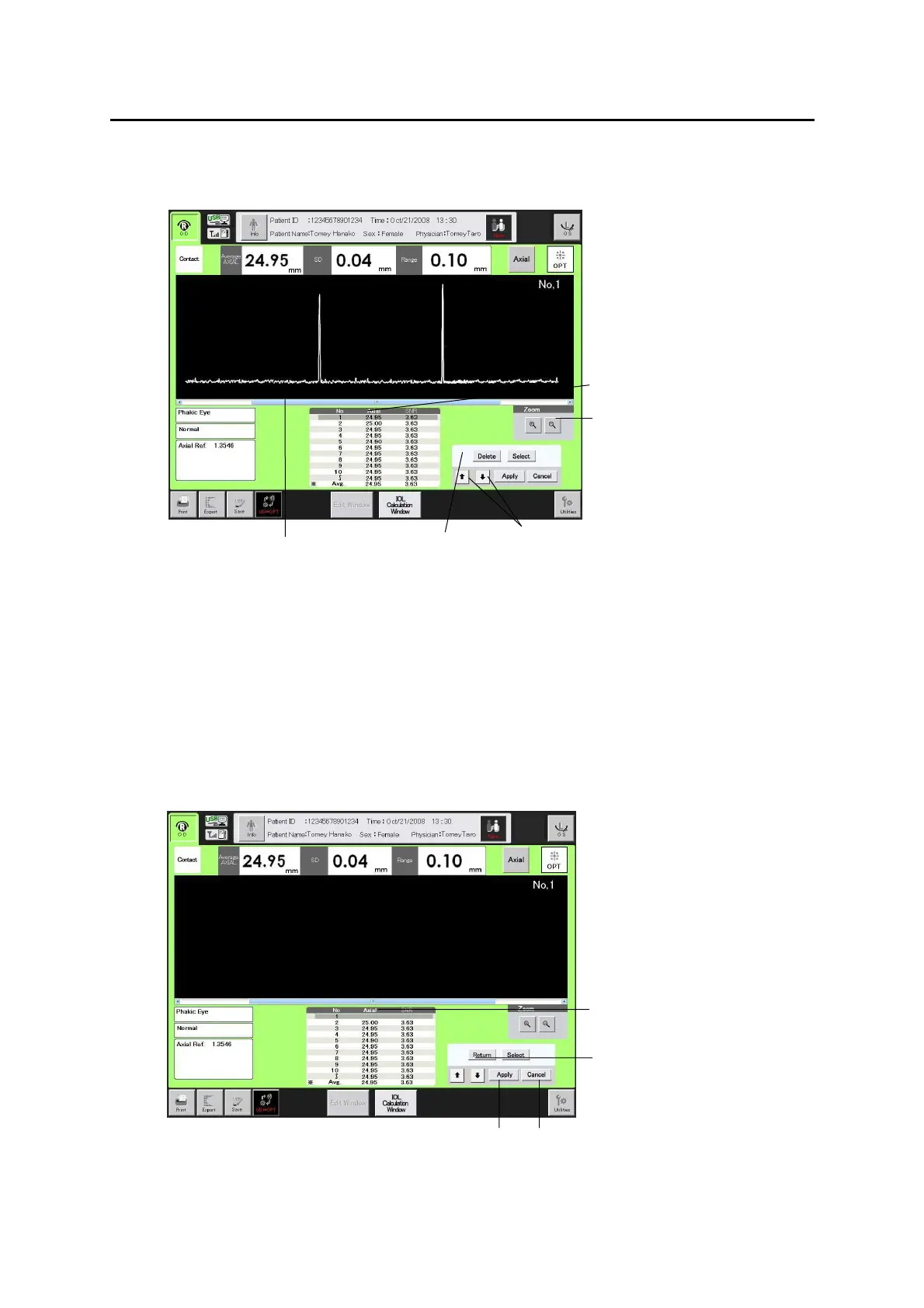
1) Use the “selection cursor movement” buttons (1) to move the selection
cursor (2) to the data which is to be deleted.
2) Use the scroll bar (3) to move the waveform being displayed to the left or
right. In addition, by touching the “Zoom” button (4), the displayed
waveform is enlarged or reduced according to the 4 preset levels. The
waveform is shown in the maximum size when the edit screen is opened.
3) When the “Delete” button (5) is touched, the selected measurement data is
deleted and the average value is recalculated. (Fig. 2)
3-96
(Fig. 1)
(5)
(1)
(3)
(4)
(2)
3-97
(6)
(7) (8)
(2)
(Fig. 2)


 To Next Page
 Loading...






