4.9. Setting up alarms
32
4.9. Setting up alarms
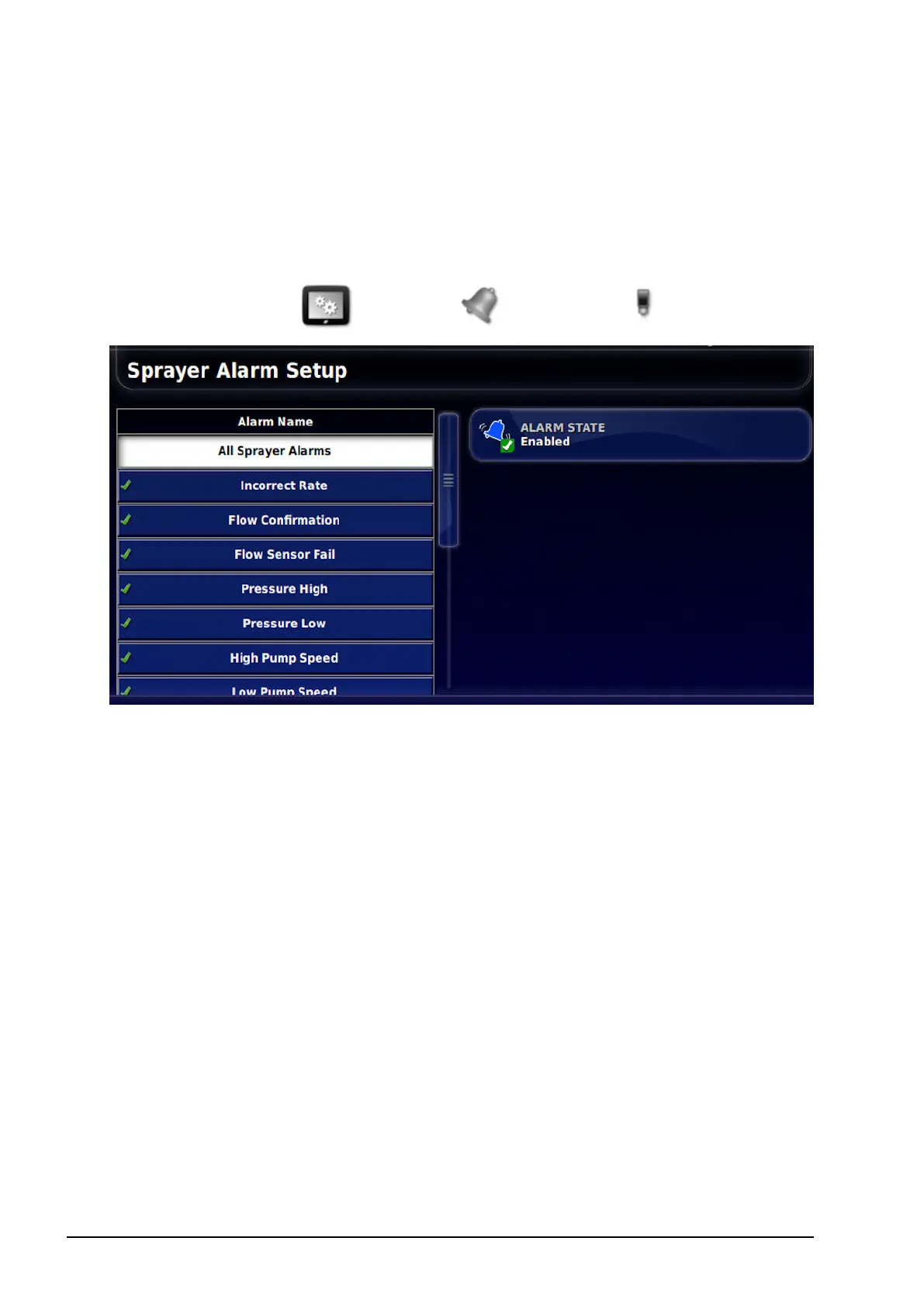
Alarms can be enabled for all alarms or individual alarms. Use the All
Sprayer Alarms option to universally enable or disable all sprayer
alarms.
1.
Select System / Alarms / Sprayer .
2. To enable all alarms, select All Sprayer Alarms / Alarm State
and Enabled.
This enables all sprayer alarms listed. Alarms that require more
information are shown below.
l Incorrect Rate: This alarm will sound and display if the detected
actual rate is different from the preset rate by the threshold
percentage amount. Enter the percentage in INCORRECT RATE
THRESHOLD (lower is more sensitive).
l Pressure High: This alarm will sound and display when pressure
exceeds the preset maximum pressure (at which the sprayer
nozzles become inefficient) for each tank.
l Pressure Low:This alarm will sound and display when pressure
drops below the preset minimum pressure (at which the sprayer
nozzles become inefficient) for each tank.



 To Next Page