6.3. Configuring tanks and application rates
62
6.3. Configuring tanks and application
rates
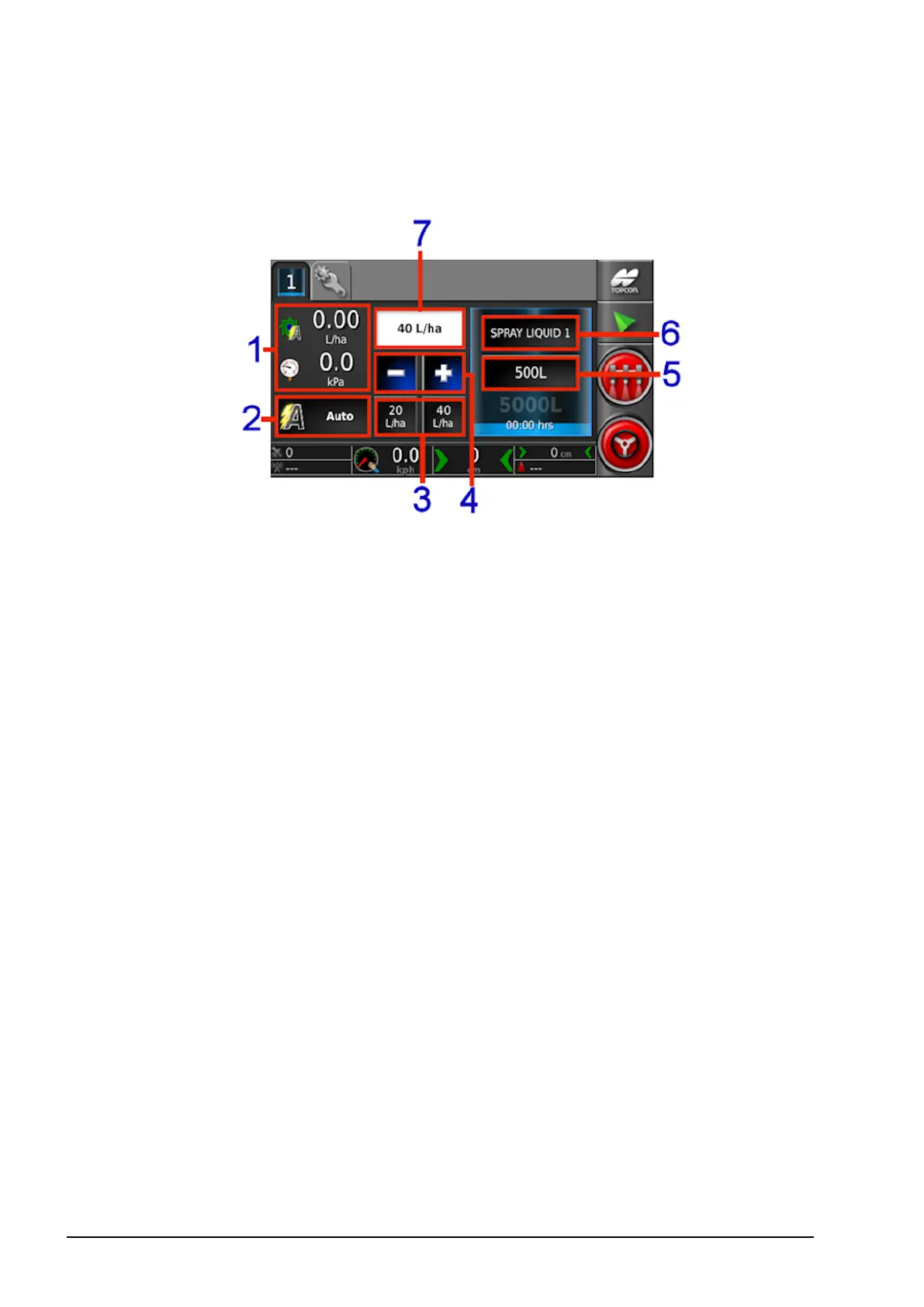
1
Displays two parameters related to the tank. Selecting opens a
customize data window with a list of available parameters to be
displayed.
2
Rate control mode selector. Allows you to select Auto control.
Manual may also be selected. Note that Auto Section Control
will not work in manual mode. When in manual mode, the
requested rate is greyed out and the actual rate may be adjusted
using the + and – buttons.
3
Requested application rate presets. These are the user-defined
default application rates (set by selecting button shown at 6).
Selecting one of these icons adjusts the application rate to that
value.
4
Increase/decrease requested application rate by preset rate
increment (increment is set by selecting button shown at 6).
5
Tank fill. Opens the tank fill window to add volume of the
product being used. Refer to Filling tanks, page 66.



 To Next Page