5.1. Using the sprayer dashboard
36
5.1. Using the sprayer dashboard
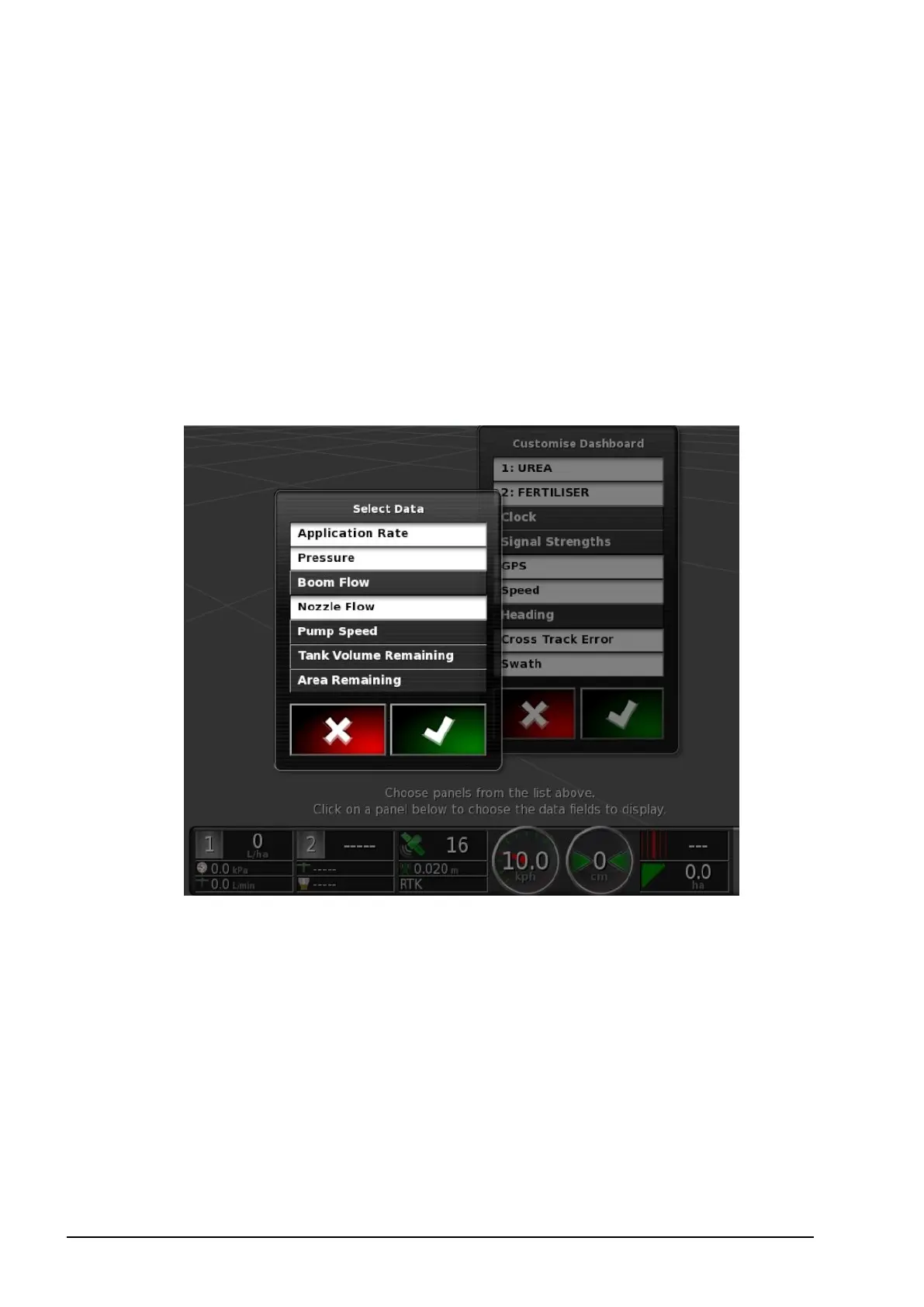
Sprayer information is added to the dashboard when the Sprayer
Controller is enabled.
1. Select anywhere on the dashboard to customize what is shown on
the dashboard.
2. Press again on the particular panel to be customized and further
options display.
3. Deselect and select options as required.
4. Confirm the new dashboard display. The selected options appear
on the dashboard.



 To Next Page