Chapter 4 – Sprayer Controller Setup
29
4.6. Setting up pump control
Some sprayers have a hydraulically driven pump and have a speed
sensor fitted to monitor the driven speed of the pump.
Setting up pump control allows the pump speed to be monitored during
operations.
1.
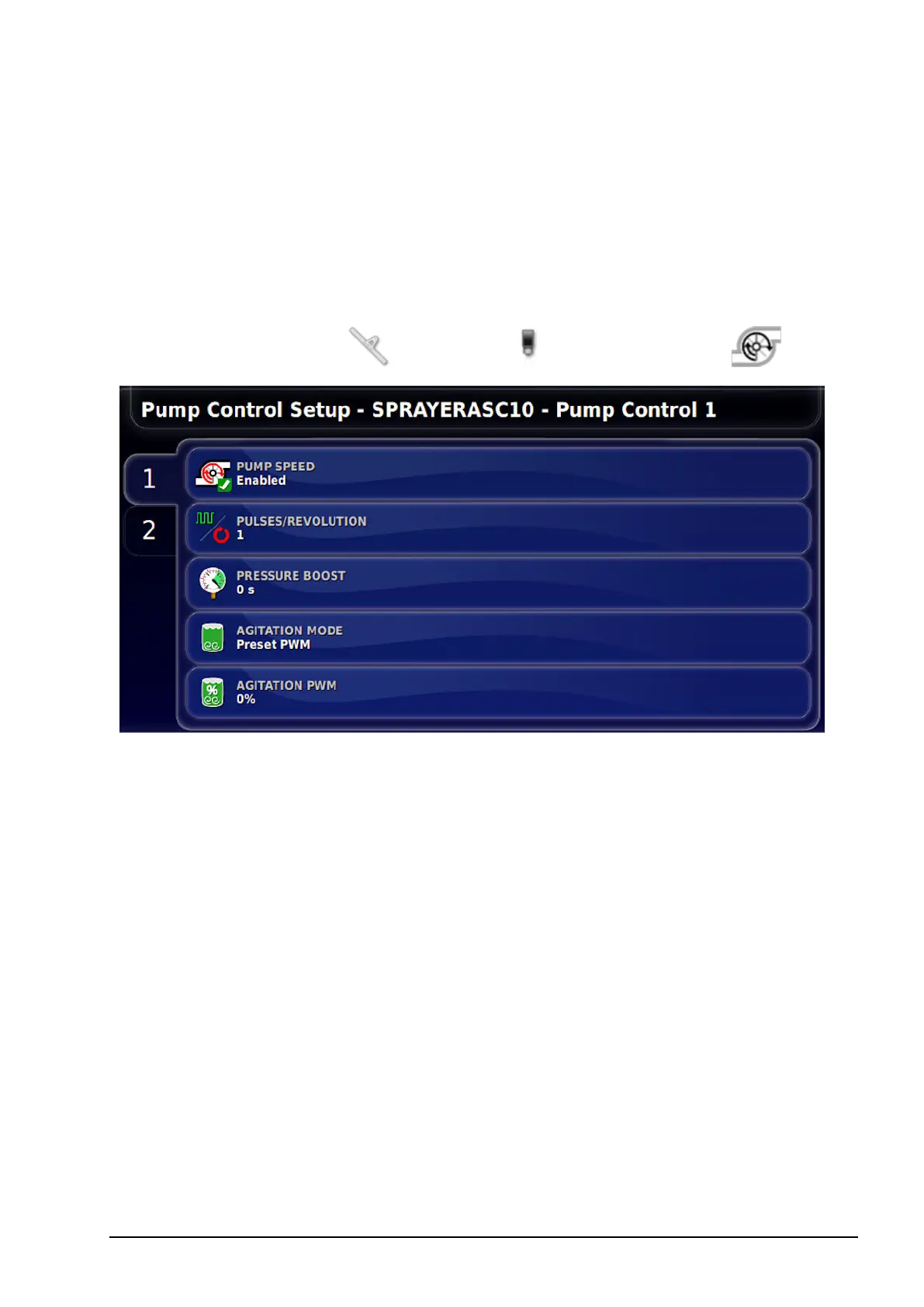
Select Implement / Sprayer / Pump Control .
l Pulses/Revolution: Sets the number of pulses recognized per
revolution of the pump.
l Pressure boost: This increases the pressure when the sprayer has
been turned off. This drives the valve to increase pressure for a
short time after the Master Switch is turned off. This allows
spraying to resume at normal pressure when it is restarted. This
option is not available if agitation is enabled.
l Agitation mode: Keeps the proportional valve driving when the
Master Switch is turned off. Agitation Mode allows slight agitation
to keep the mixture moving.
l When agitation is enabled, the Agitation PWM option appears.
This sets the speed of the pump during agitation.



 To Next Page