Chapter 6 – Operation (X14)
61
6.2. Opening the sprayer controller
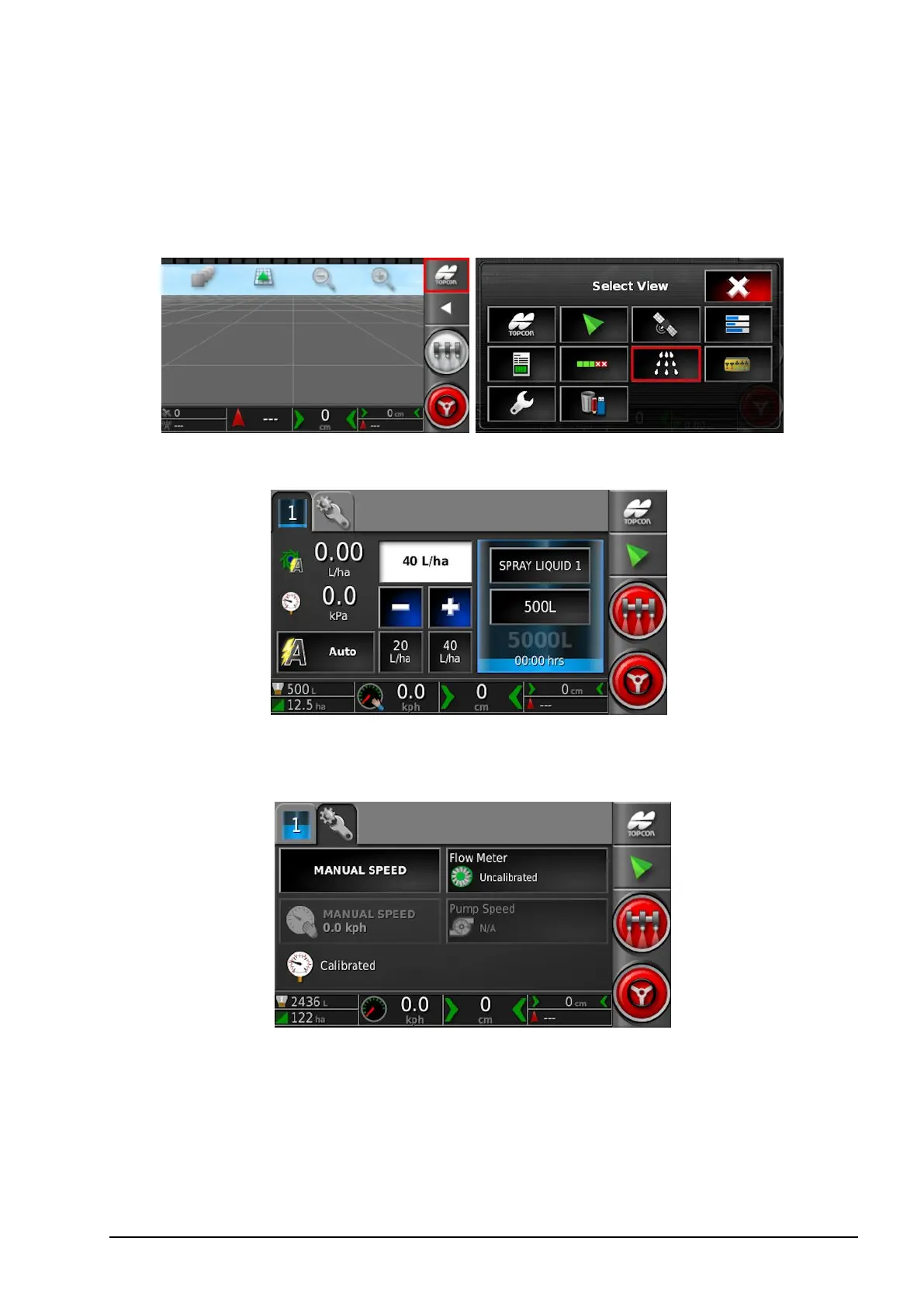
To open the sprayer controller screens:
1. Select the Spray Rate Controller icon.
The sprayer controller screen opens.
The Configuration screen is available via the tab at the top of the
screen.



 To Next Page