6.1. Opening auto section control
60
6.1. Opening auto section control
Auto section control is available when an implement and ECU have
been set up and Auto Section Control has been enabled in the Setup
screen (System / Features / Implement).
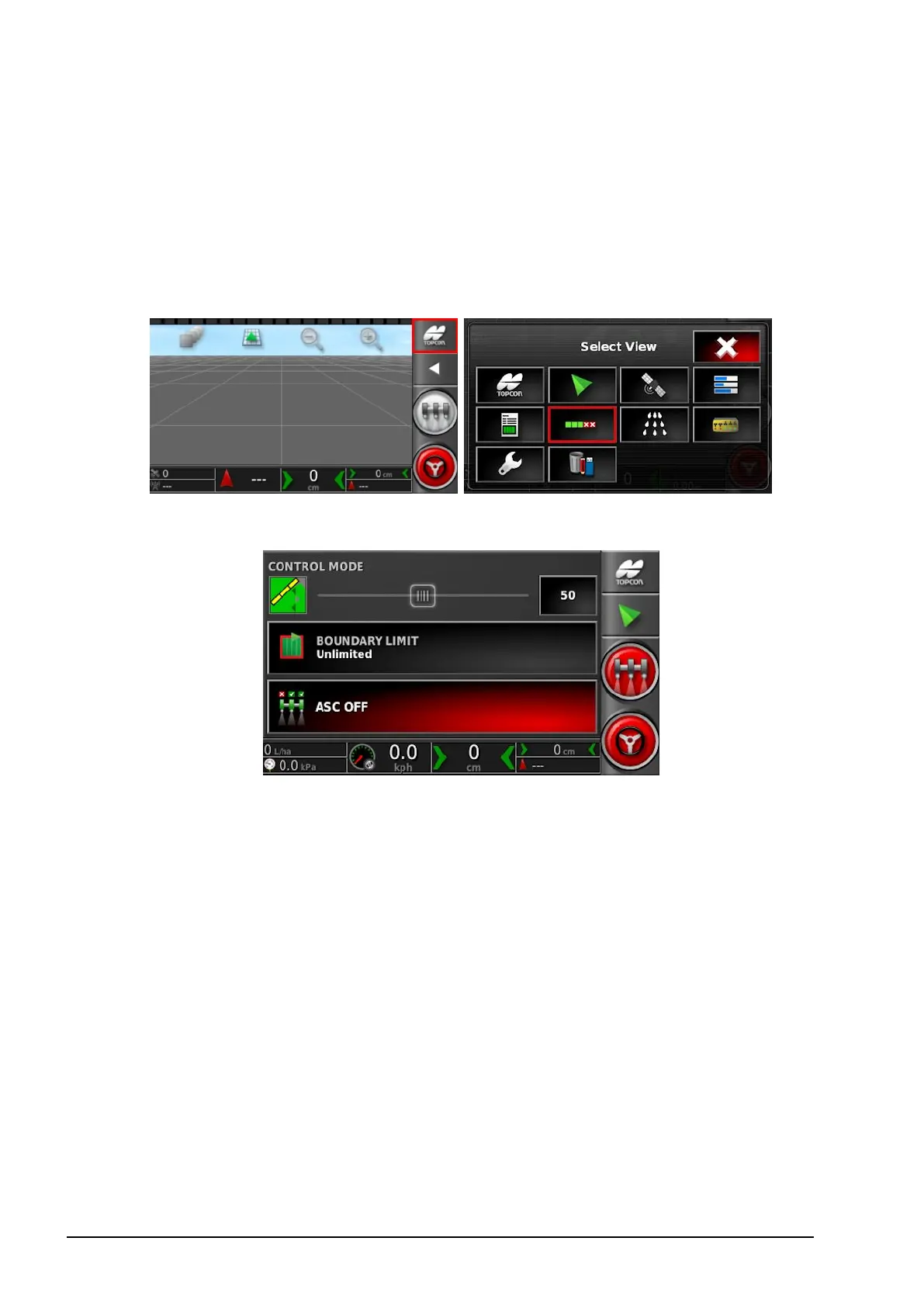
1. Select Auto Section Control.
The Auto Section Control screen opens.
l Control mode: Use the slider or number keypad to set to avoid
overlap (0) or avoid gaps (100). If avoid overlap is chosen, there
may be some spaces where product is not applied. If avoid gaps is
chosen, some overlap of application is likely near boundaries. The
default (50) is a compromise.
l Boundary limit: Sets which type of boundary limit will turn off
spraying when using auto section control:
l Field Boundary is defined using the Field menu on the
Operation screen. Refer to the Guidance and Auto Steering
Operator Manual for more information on this.
l ASC on/off: Turn auto section control on/off.



 To Next Page