Powering the Receiver
P/N 7010-0681
2-7
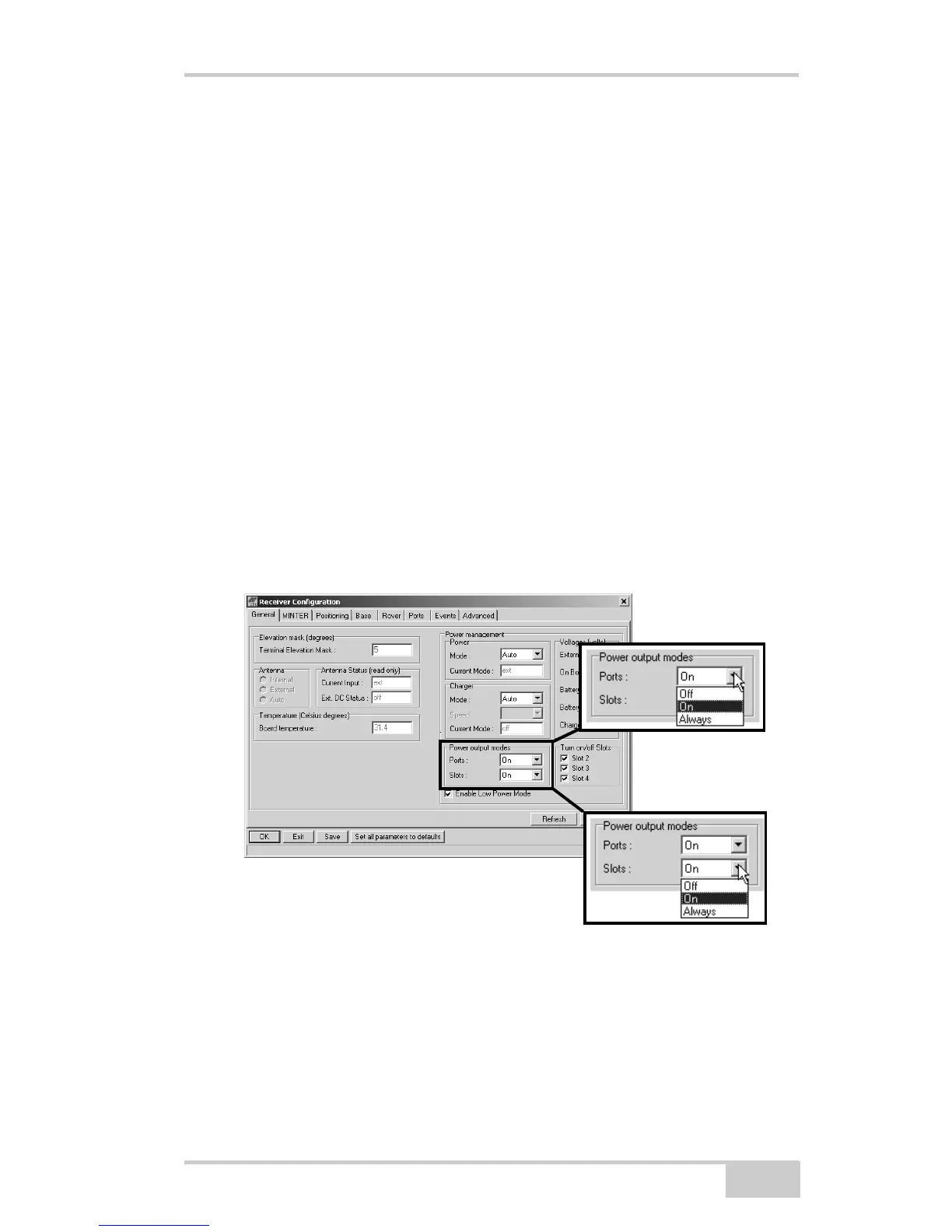
5. Select the Power output modes Ports drop-down list to set power
output on the serial ports (Figure 2-4).
• On – the power board will deliver voltage on pin one of all
serial port connectors when the receiver is turned on. If the
receiver is turned off, there will be no power on any ports.
• Off – power will be absent even if the receiver is on
• Always – the power board will deliver voltage on pin one of
all serial port connectors even if the receiver is turned off
6. Select the Power output modes Slots drop-down list to set power
output on internal slots (Figure 2-4).
• On – all slots are powered if the receiver is turned on
• Off – internal slots will not be powered even if the receiver is
turned on
• Always – internal slots will be powered even if the receiver is
turned off
Figure 2-4. Select Power Output Modes – Ports and Slots
7. View the Voltages information (Figure 2-5 on page 2-8).
• External – displays the external power supply’s voltage
• On Board – displays the voltage drawn by the receiver board
• Battery A – displays the voltage of battery A



 To Next Page