Configuration
HiPer Pro Operator’s Manual
2-34
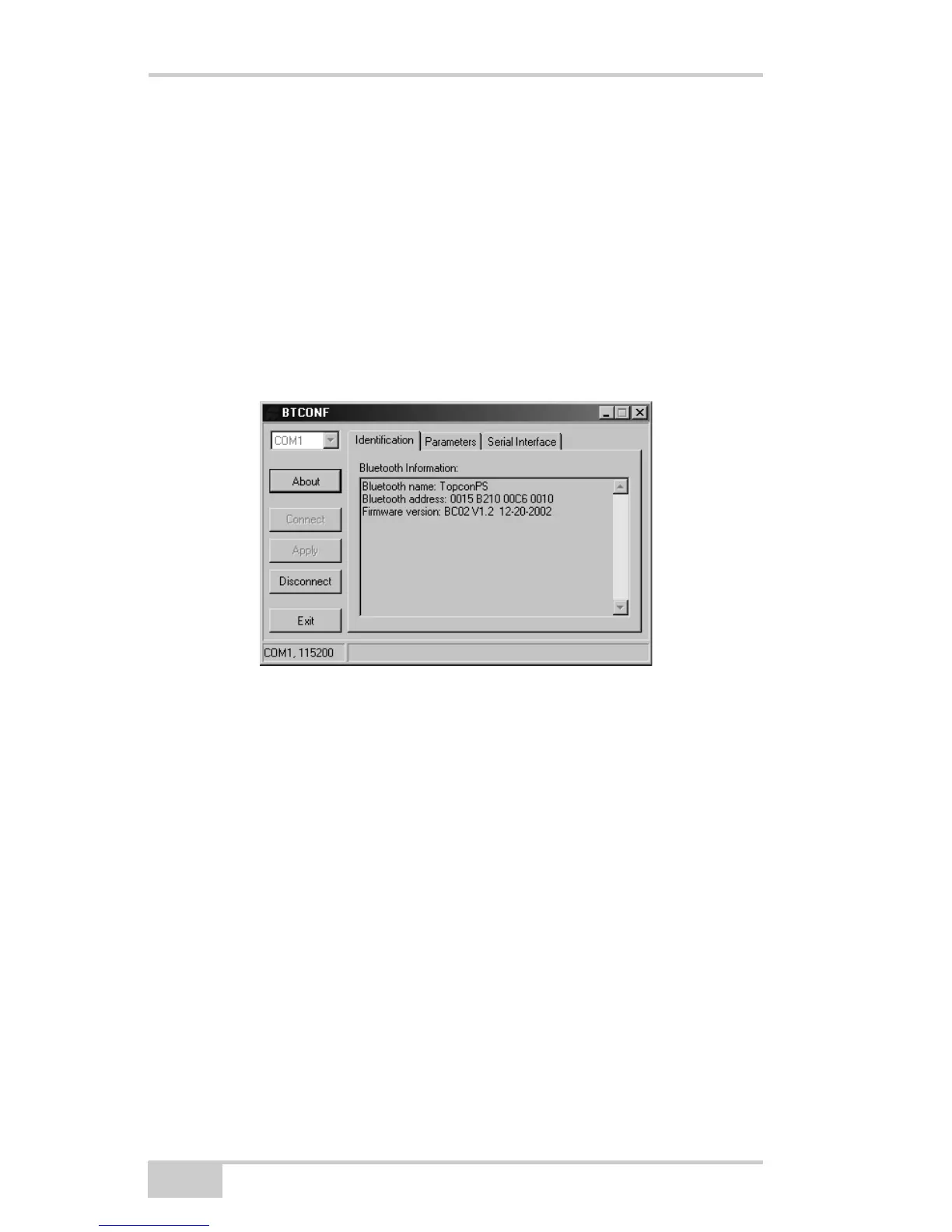
Once the receiver and computer connect through BTCONF, the
Identification tab (Figure 2-25) displays the following
information:
• Bluetooth name – the name of the Bluetooth module, set in
the Parameters tab.
• Bluetooth address – the unique electronic address for your
Bluetooth module.
• Firmware version – the current firmware version of the
Bluetooth module.
Figure 2-25. BTCONF Identification Tab
The COM port and baud rate display in the lower left corner.
5. Click the Parameters tab (Figure 2-26 on page 2-35). The
Parameters tab sets identifying and security information for your
Bluetooth module. The security section allows you to set data
security and unauthorized access parameters for the Bluetooth
module.



 To Next Page