Pre-setup Preparation
NET-G3A Operator’s Manual
2-6
Installing PC-CDU
PC-CDU™ is a comprehensive Windows® software product
designed for controlling GPS+ receivers developed by Topcon
Positioning Systems. PC-CDU uses the GNSS Receiver Interface
Language (GRIL) to configure various receiver settings and diagnose
receiver performance. PC-CDU is available for free on the Topcon
website (www.topconpositioning.com) or the GPS+ CD.
Computer requirements for PC-CDU are: Windows® 98 or newer and
an RS-232C or USB port. Use PC-CDU version 7.12 or newer to
correctly configure the receiver.
1. Create a PC-CDU folder on your computer’s hard drive, and
place the compressed PC-CDU zip file (retrieved from either the
Topcon website or the GPS+ CD) in this folder.
2. Navigate to the PC-CDU folder, and double-click the PC-CDU
zip file.
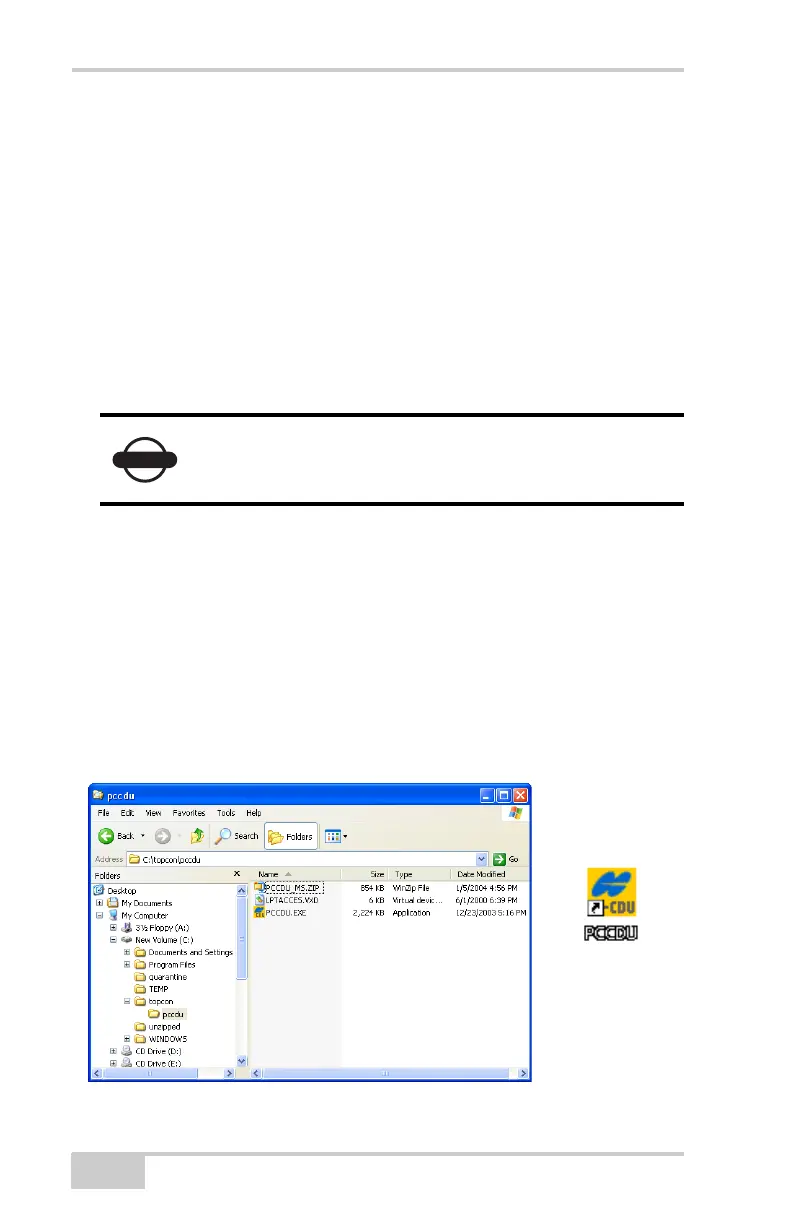
3. Extract the PCCDU.EXE and associated *.dll file to the PC-CDU
folder (Figure 2-1).
4. Create a shortcut on the computer’s desktop for quick access to
PC-CDU (Figure 2-1).
Figure 2-1. Extract Program and Create Shortcut
Refer to the PC-CDU Reference Manual for full
details on installing and using PC-CDU.
Net-G3A_OM_Book.book Page 6 Thursday, May 14, 2009 8:49 AM



 To Next Page