Control Box
P/N 7010-0341 www.topconpositioning.com
4-9
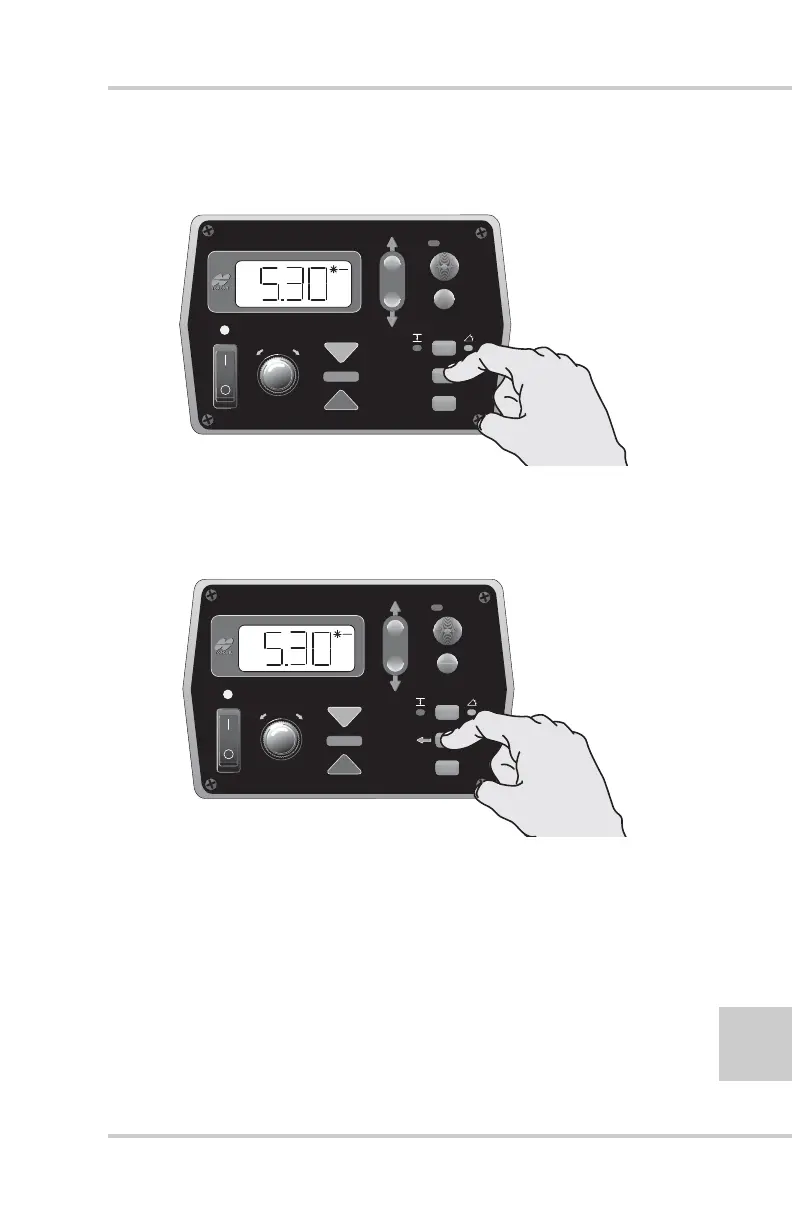
1. Press and hold the Cross Communication button
(Figure 4-11).
Figure 4-11. Initiate Cross Communication
• The left arrow illuminates, indicating cross
communication has started (Figure 4-12).
Figure 4-12. Cross Communication Started
• The right arrow illuminates once cross communication
with the second Control Box has been established. The
display now shows the settings of the second box
(Figure 4-13 on page 4-10). The cross communication
arrows on the second Control Box flash during cross
communication.
FiveSystem
AU
TO
S
UR
VEY
SET
(M
E
NU
)
FiveSystem
AU
TO
S
UR
VEY
SET
(M
E
NU
)


 To Next Page