Operation & Menu Settings
Topcon Paver System Five Operator’s Manual
4-14
Making Selections in the Performance Menu
When using the Performance Menu, the Auto/Manual
button selects settings and functions for the System Five
Control Box. See “Performance Menu Settings” on page 4-
16 for information on the different menus available.
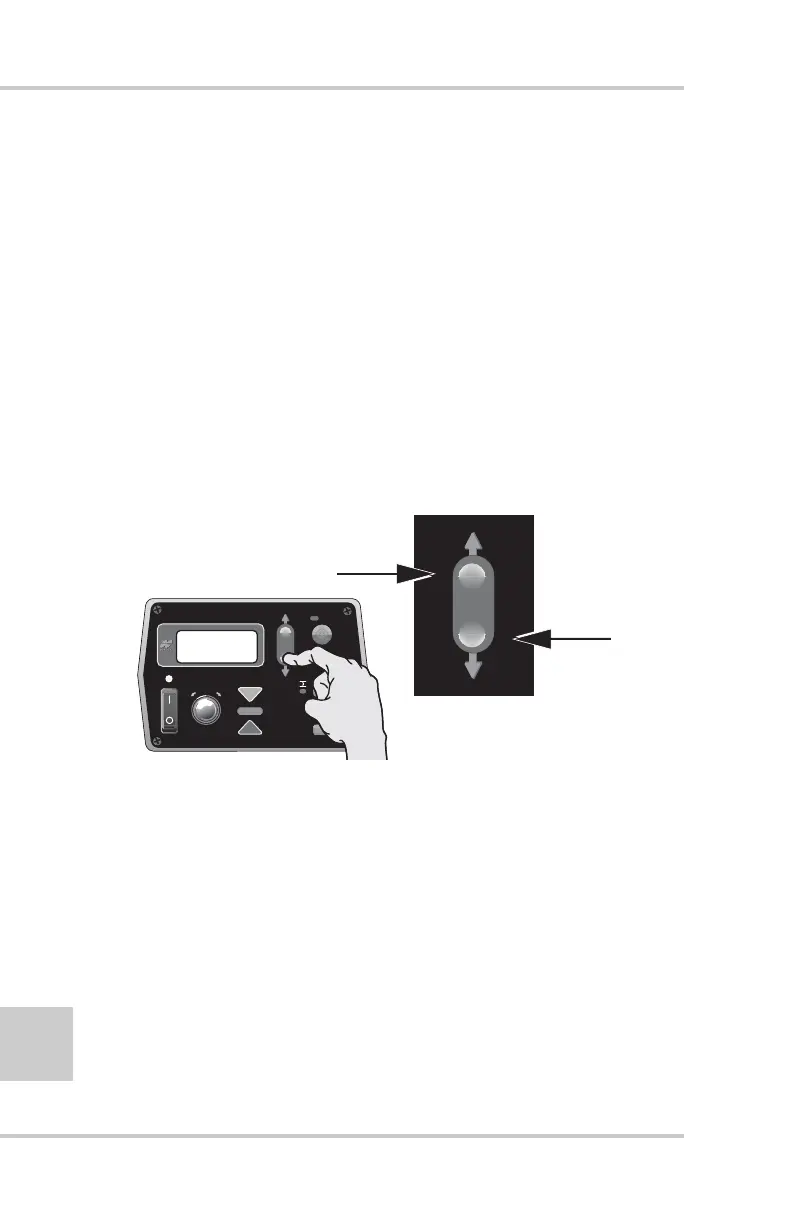
Jog Button
The jog button (Figure 4-18) manually moves the tow point up
or down, and is always active when the Control Box is turned
on.
• To raise the tow arm cylinder, push switch up.
• To lower the tow arm cylinder, push switch down.
Figure 4-18. Jog Button
Other Control Box Components
Other Control Box components include the following
(Figure 4-19 on page 4-15):
1. Mounting Knob – secures the Control Box to its mounting
bracket. The bracket has a jaw that matches up with the jaw
located on the side of the Box.
2. Serial Number Plate – contains Systems Five part and serial
numbers.
P
r
ess
t
o
r
a
i
se
t
h
e
cy
lin
e
r
.
P
r
ess
t
o
low
e
t
h
e
cy
lin
e
r
.
FiveSystem
AU
TO
S
UR
VEY
SET
(ME
NU
)


 To Next Page