157
7
Setting the Rotate Sort (Alternation)
This printer setting determines whether or not to output each separate Fax job by rotated sort (90º)
alternately.
* Rotate Sort is available only for LT/A4-sized paper. Set the LT and LT-R, or A4 and A4-R drawers.
* If paper becomes empty during Rotate Sort, the rest of the document is printed on the remaining paper.
1
Press the [USER FUNCTIONS] button on
the control panel.
2
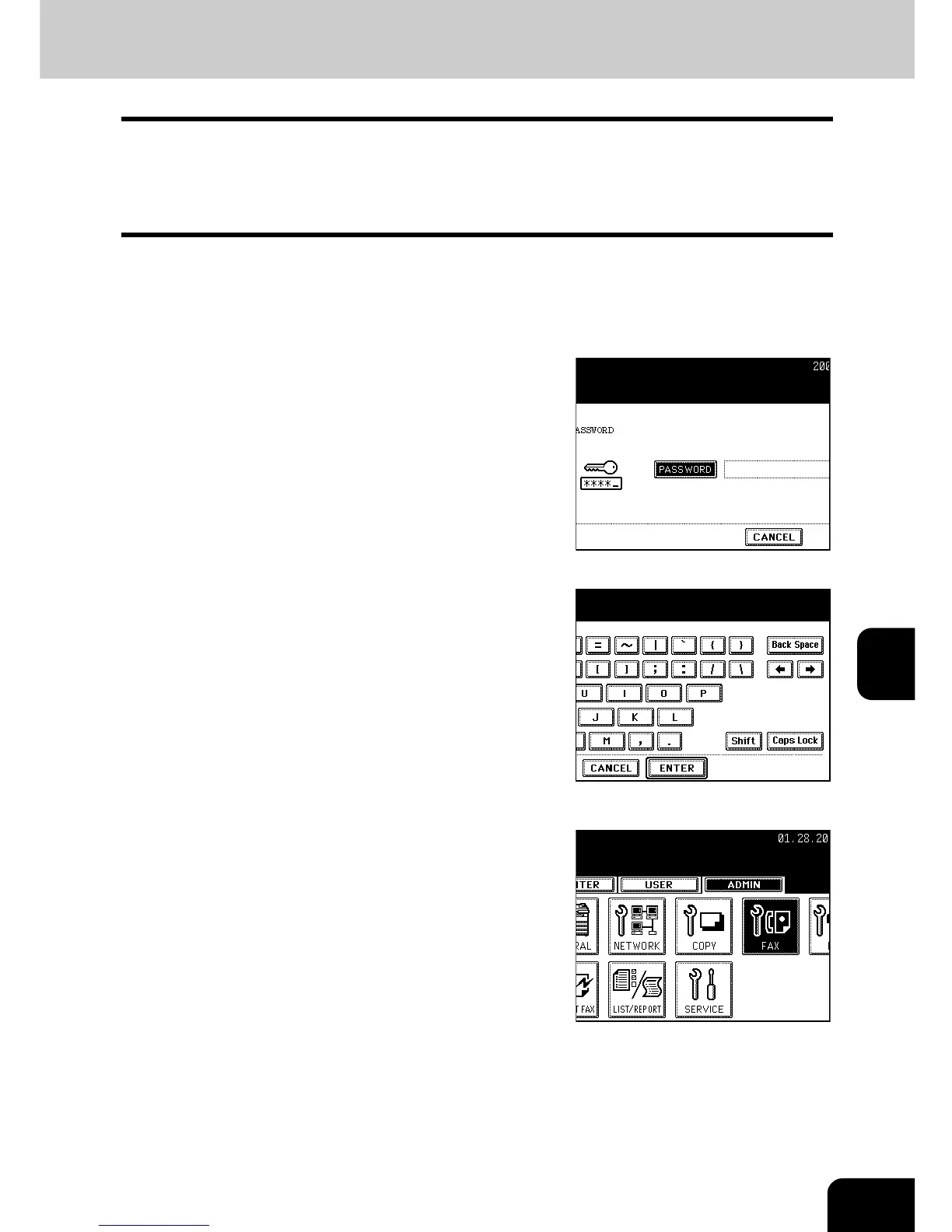
Press the [ADMIN] button to enter the
administrator password menu.
- See the [User Functions Guide] for the administrator password.
3
Press the [PASSWORD] button, enter the
administrator password, and then press
the [ENTER] button.
4
Press the [FAX] button.



 To Next Page
 Loading...




